


Introduction
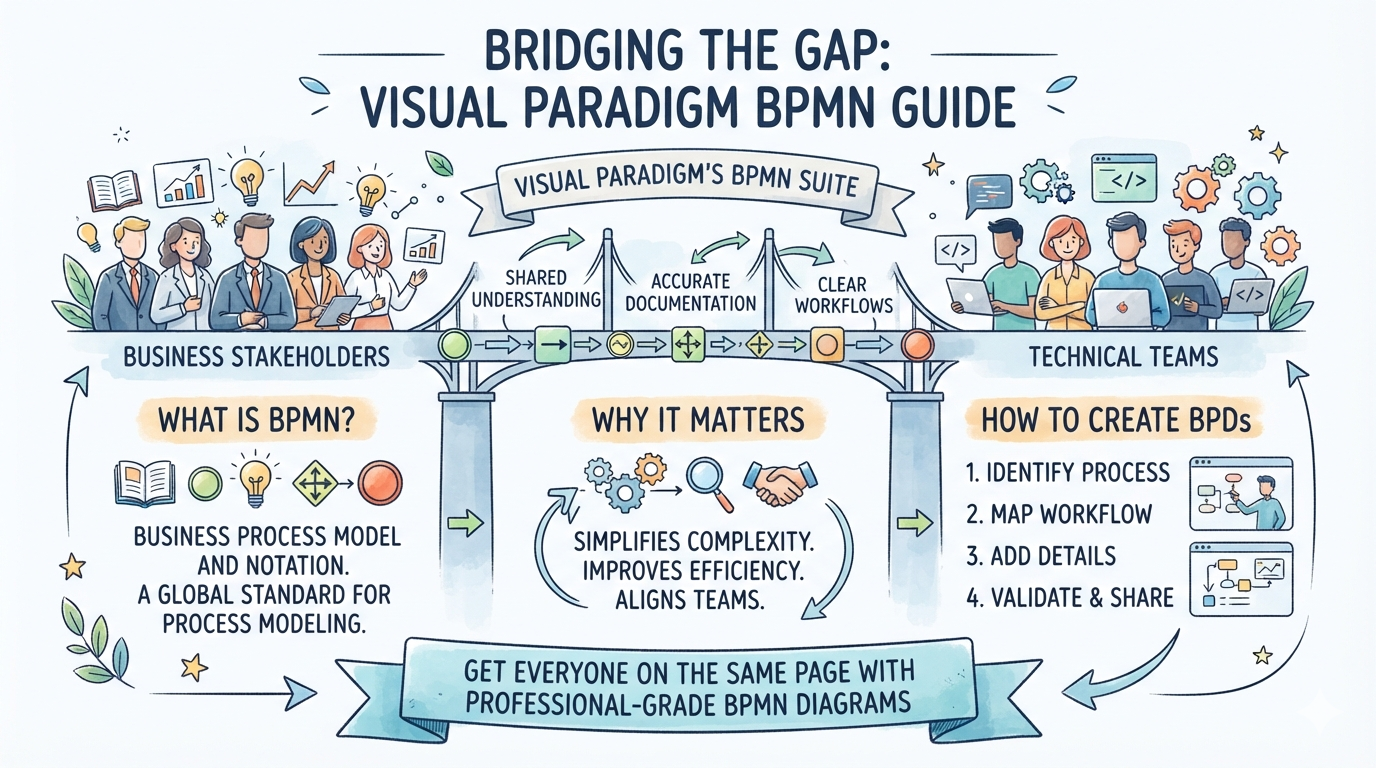
As a business analyst who has navigated countless process modeling tools over the years, I can confidently say that bridging the gap between business stakeholders and technical teams is one of the most persistent challenges in enterprise software. Business processes are often complex, and documenting them in a way that is both technically accurate and easily understandable is no small feat.
In my search for a tool that balances robust functionality with an intuitive user experience, Visual Paradigm’s Business Process Model and Notation (BPMN) suite stood out. This guide shares my hands-on experience with Visual Paradigm, breaking down what BPMN is, why it matters, and a step-by-step walkthrough of how to create professional-grade Business Process Diagrams (BPDs) that actually get stakeholders on the same page.
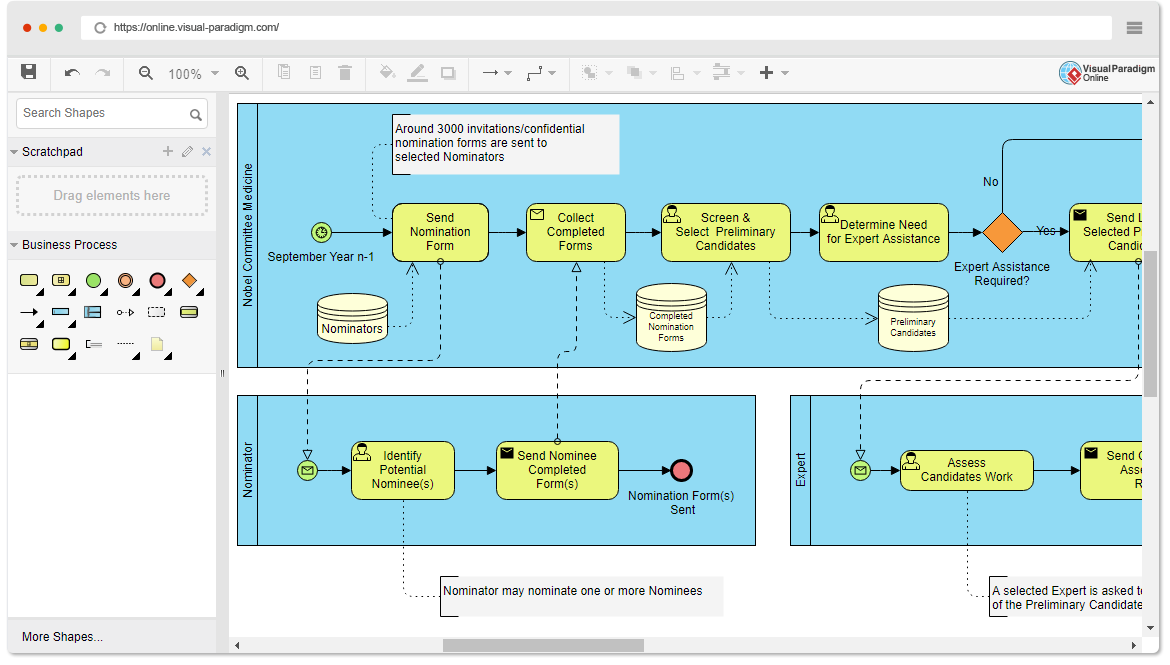
What is BPMN and Why Does It Matter?
Business Process Model and Notation (BPMN) is an open, standardized visual modeling language designed specifically for specifying enterprise process workflows. In my experience, its greatest strength lies in its intuitive graphic representation. Unlike dense technical documentation, BPMN provides a common, simple visual language that can be easily understood by everyone involved—from business users and analysts to technical developers and non-technical stakeholders.
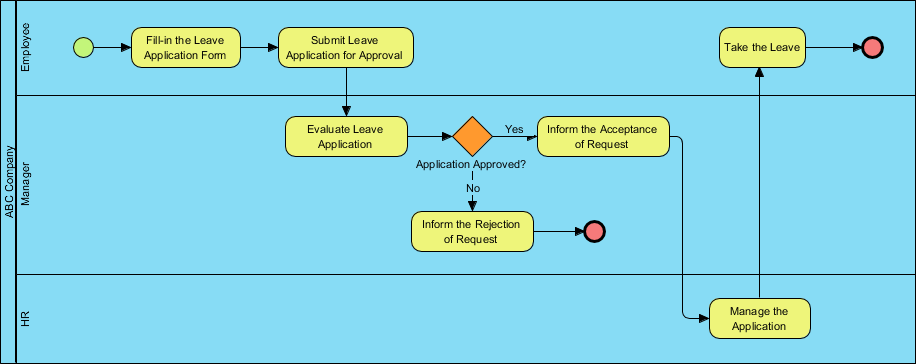
The primary purpose of a BPMN diagram is to visualize business processes from beginning to end. It clearly maps out the sequence of process activities and the information flow between participants, effectively eliminating miscommunication and serving as a powerful tool for process analysis, improvement, and reengineering.
Understanding BPMN Diagrams and Symbols
One of the reasons I recommend BPMN is its logical classification of graphic elements. This structure makes it easy for users to read and interpret both simple and complex diagrams. The standard categorizes elements into five basic groups:
-
Swimlanes: Graphical containers that represent the participants of a process. These are divided into pools (major participants, like different organizations or departments) and lanes (sub-partitions within a pool, like specific roles or systems).
-
Flow Elements: The primary elements that define the behavior of a process. These include Events (triggers or results), Activities (work performed), and Gateways (decision points or branching).
-
Connecting Objects: The lines that tie flow objects together to form a cohesive workflow. These include Sequence flows, Message flows, Associations, and Data associations.
-
Data: The information needed or produced during process execution, categorized into Data objects, Data inputs, Data outputs, and Data stores.
-
Artifacts: Supplementary information that provides additional context to the diagram without affecting the flow (e.g., annotations).
My Step-by-Step Experience Creating BPMN Diagrams
Visual Paradigm offers both a robust desktop application and a highly capable web-based version (Visual Paradigm Online). Here is how I approached building a diagram from scratch, which I found to be remarkably straightforward:
-
Start a New Project: Access Visual Paradigm Online or open the desktop application. Create a new project or open an existing one.
-
Initiate the Diagram: Select Diagram > New from the main menu.
-
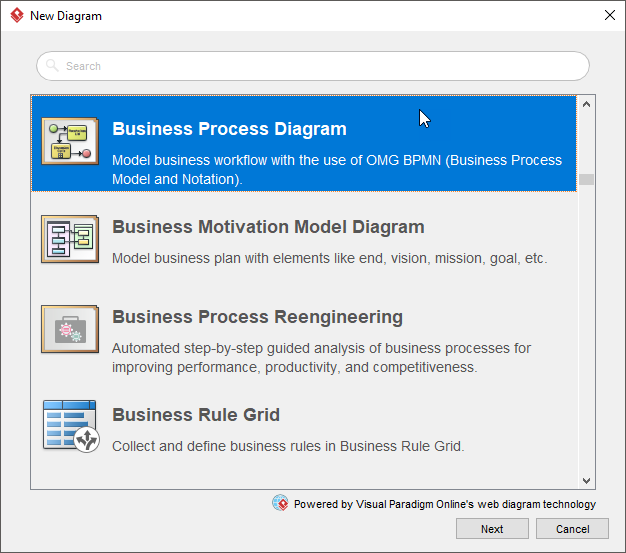
Choose the Diagram Type: In the New Diagram window, select Business Process Diagram and click Next.
-
Select a Starting Point: Choose an existing BPMN template to speed up the process, or select Blank to build from scratch. Click Next.
-
Name Your Diagram: Enter a clear, descriptive diagram name and click OK.
-
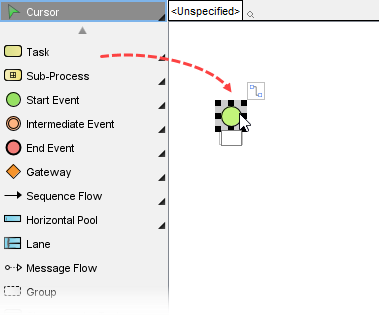
Build with the Toolbar: Drag and drop shapes directly from the diagram toolbar onto the canvas.
-
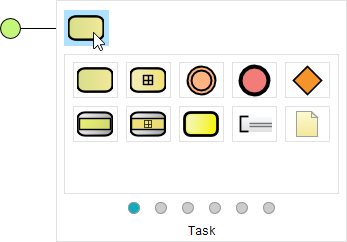
Leverage the Resource Catalog: This is where Visual Paradigm truly shines. Move your mouse pointer over a shape, press on the resource icon that appears, and drag it outward. Select the next shape you want to create (e.g., a task or gateway), and the tool will automatically generate the appropriate connecting flow for you.
-
Export and Share: Once the diagram is complete, exporting is seamless. Navigate to Project > Export > Active Diagram as Image… to save your work as a JPG, PNG, PDF, or SVG for easy sharing with co-workers and stakeholders.
Standout Features of Visual Paradigm’s BPMN Toolkit
Beyond basic diagramming, my review of Visual Paradigm revealed a comprehensive ecosystem designed for professional business process modeling. Key features that impressed me include:
-
Advanced Shapes and Connectors: Full BPMN 2.0 compliance ensures that every diagram is industry-standard.
-
Automated Layouts: Saves hours of manual formatting by intelligently organizing diagram elements.
-
Validation Rules: Automatically checks for diagram consistency, catching missing end events or disconnected flows before they become problems.
-
Report Generation: Effortlessly transforms visual diagrams into professional documentation for presentations or audits.
-
Glossary Management: Helps standardize business terms across the organization, ensuring everyone speaks the same language.
-
Team Collaboration: Built-in features that facilitate communication and concurrent work among distributed teams.
For those interested in broader modeling needs, the Visual Paradigm Modeler is an award-winning tool that seamlessly integrates BPMN with UML, Requirement Diagrams, ERDs, DFDs, and more, making it a versatile choice for enterprise architecture.
Conclusion
After putting Visual Paradigm’s BPMN tools through their paces, I can confidently recommend them to any organization looking to streamline its processes and improve operational efficiency. The learning curve is refreshingly gentle, thanks to the intuitive interface and helpful features like the Resource Catalog, yet the tool remains powerful enough to handle highly complex enterprise workflows.
By leveraging Visual Paradigm, teams can bridge the traditional gap between business and technical stakeholders, fostering better collaboration and enabling data-driven decisions based on clear, visual representations of their workflows. Whether you are a seasoned business analyst or a stakeholder looking to understand future processes, Visual Paradigm makes creating professional BPMN diagrams easier than ever.
References
-
Introducing AI Presentation Studio: The Ultimate Step-by-Step AI Video Presentation Builder: Announces the release of the AI Presentation Studio, highlighting its step-by-step wizard, interactive editing, and AI avatar features.
-
Introducing Visual Paradigm 18.1: A New Era of Unified Ecosystems and AI-Driven Innovation: A comprehensive hands-on review of Visual Paradigm 18.1, detailing the Unified Platform, AI Presentation Studio, AI App Studio, and AI VPP Chatbot.
-
AI Presentation Studio: Official feature overview of the AI Presentation Studio, covering AI content generation, dynamic themes, realistic voiceovers, and talking avatar presenters.
-
AI Tools for Content & Visual: Explores Visual Paradigm’s AI-powered visual tools for generating infographics, charts, diagrams, and documentation from natural language prompts.
-
BPMN Modeling Software: A comprehensive solution for creating, analyzing, and refining business processes with intuitive, industry-standard BPMN tools.