


Are you searching for an AI PERT chart tool that actually delivers on its promises? You’re not alone. Project managers, business analysts, and systems engineers worldwide are discovering that traditional manual diagramming is simply too slow for today’s fast-paced environment. While multiple PERT chart generators exist in the market, Visual Paradigm stands out as the definitive choice. But what makes it different? Let’s explore why this AI-powered visual modeling tool has become the go-to solution for professionals who need accuracy, speed, and intelligence in their project planning.
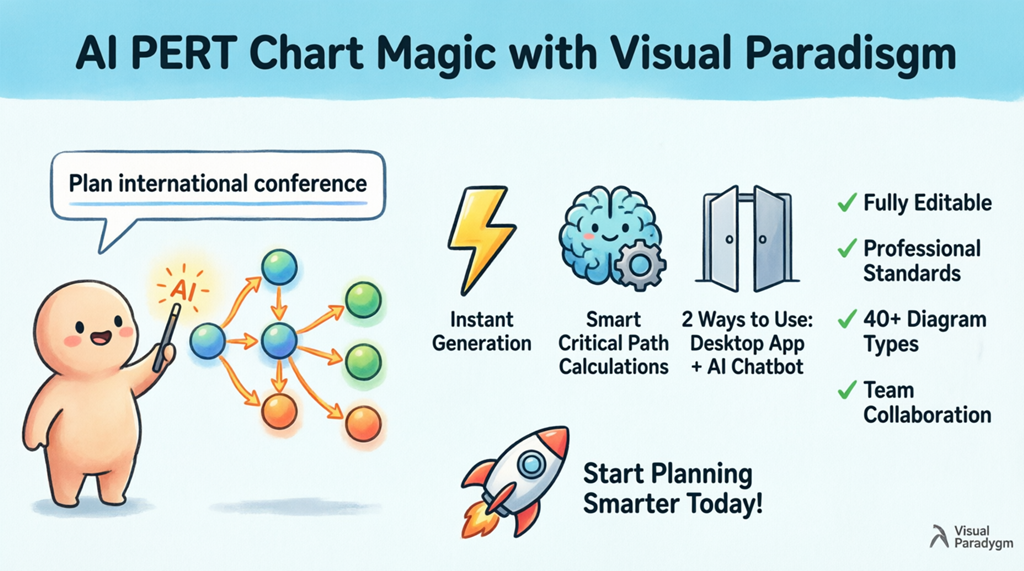
The Challenge: Finding the Right AI PERT Chart Maker
When evaluating AI diagram tools, you’ll quickly realize that not all PERT chart makers are created equal. Many tools claim to offer AI capabilities but fall short when it comes to actual intelligence. They might generate a basic network diagram, but they miss the critical calculations, the nuanced dependencies, and the professional polish that project stakeholders expect.
Visual Paradigm solves this problem by combining sophisticated artificial intelligence with decades of expertise in visual modeling. The result is an AI PERT chart generator that doesn’t just draw boxes and arrows—it understands project management methodology and applies it intelligently.
What Sets Visual Paradigm’s AI PERT Chart Tool Apart
1. True AI Intelligence, Not Just Automation
Many automated diagram tools simply rearrange elements based on basic rules. Visual Paradigm’s AI diagram generator goes much further. When you provide a text description of your project, the AI analyzes the content to identify:
- Individual tasks and activities
- Complex task dependencies and relationships
- Three-point time estimates (optimistic, most likely, pessimistic)
- Critical path calculations
- Slack time and variance analysis
This level of understanding transforms the AI PERT chart maker from a simple drawing tool into an intelligent project planning assistant.
2. Instant Critical Path Analysis
One of the most time-consuming aspects of creating PERT charts manually is calculating the critical path. Visual Paradigm’s AI project planning tool automates this completely. The system performs forward and backward pass calculations instantly, identifying which tasks determine your project’s minimum duration. This means you get actionable insights immediately, not after hours of manual computation.
3. Dual Access Methods for Maximum Flexibility
Unlike other PET chart software that locks you into a single interface, Visual Paradigm offers two powerful ways to generate your diagrams:
Option 1: Desktop Application Integration
For users who prefer working within a comprehensive modeling environment, the Visual Paradigm Desktop application provides full-featured AI diagram generation capabilities. Simply navigate to the AI tools section, select “PERT Chart” as your diagram type, and enter your project description.

Option 2: Conversational AI Chatbot
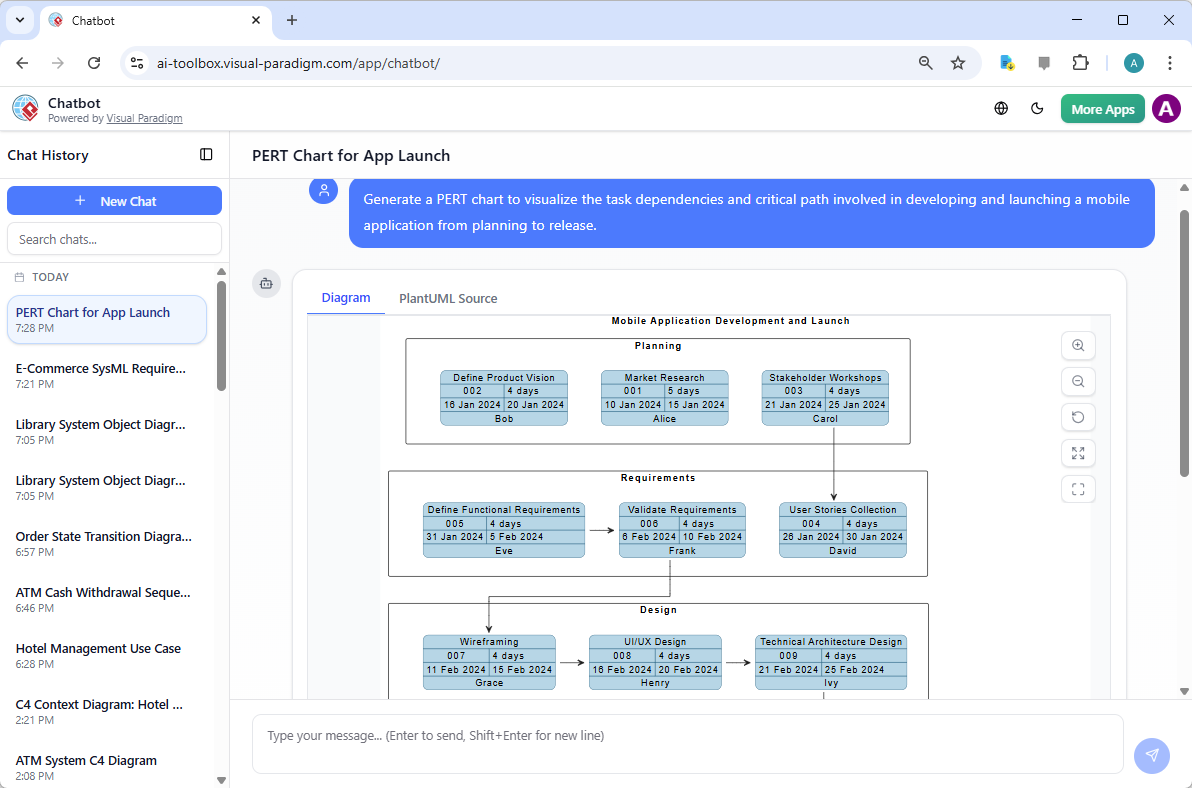
For rapid prototyping and brainstorming, the Visual Paradigm AI Chatbot offers a revolutionary conversational approach. Simply type your request in natural language, and the AI chart generator creates your PERT diagram instantly.
Real Results: From Text to Professional PERT Chart in Seconds
Let’s see the AI PERT chart tool in action. Imagine you’re organizing a large international conference. Instead of spending hours manually mapping out tasks, you simply type: “Visualize a PERT chart describing the workflow and task dependencies for organizing a large international conference from initial planning to event execution.”
Within moments, the AI diagram maker produces a complete, professional PERT chart with all tasks, dependencies, and time estimates clearly displayed. The critical path is automatically highlighted, and each activity node contains expected duration, slack time, and variance calculations.

This isn’t just a pretty picture—it’s a fully editable, analysis-ready diagram that meets professional standards.
Beyond PERT: A Comprehensive AI-Powered Modeling Ecosystem
Here’s where Visual Paradigm truly separates itself from other AI visualization tools. While many PET chart generators only do one thing, Visual Paradigm offers an entire ecosystem of AI-powered diagram tools supporting over 40 different diagram types:
- Software Development: UML diagrams, SysML, C4 models
- Business Strategy: SWOT analysis, PESTLE analysis
- Enterprise Architecture: ArchiMate diagrams
- System Design: C4 container diagrams, sequence diagrams
- Project Management: Gantt charts, PERT charts, RACI matrices
This versatility means you can use a single AI modeling tool for your entire project lifecycle, from initial strategic planning through detailed technical design and execution. No need to juggle multiple tools or worry about compatibility issues.
Key Features That Make Visual Paradigm the Superior AI PERT Chart Generator
Smart Calculations and Analysis
The AI PERT chart tool doesn’t just draw diagrams—it performs sophisticated project management calculations automatically:
- Expected Duration Calculation: Uses the PERT formula (O + 4M + P) / 6
- Variance Analysis: Calculates schedule risk for each activity
- Slack Time Identification: Shows which tasks have flexibility
- Critical Path Highlighting: Visual emphasis on tasks that impact project duration
Seamless Integration and Export
Generated PERT charts aren’t locked into a proprietary format. You can:
- Edit and refine diagrams using professional editing tools
- Link PERT charts to Gantt charts for comprehensive project views
- Export to multiple formats for stakeholder presentations
- Collaborate with team members in real-time
Professional, Standards-Compliant Output
Every AI-generated PERT chart meets industry standards with:
- Clear event nodes and activity arrows
- Proper dependency notation
- Readable layouts optimized for presentation
- Customizable styling to match your organization’s branding
Why Choose Visual Paradigm Over Other AI PERT Chart Tools?
When comparing AI diagram generators, consider these critical factors:
1. Domain-Specific Intelligence
Visual Paradigm’s AI isn’t a generic drawing assistant. It’s trained specifically on project management methodologies and understands PERT chart conventions, critical path methodology, and industry best practices. This specialized knowledge ensures accurate, professional results every time.
2. Comprehensive Tool Suite
While other PET chart makers offer isolated functionality, Visual Paradigm provides an integrated platform. Your PERT charts can connect seamlessly with other project management tools, business analysis diagrams, and technical models—all within the same environment.
3. Continuous Innovation
Visual Paradigm continuously enhances its AI visualization tools with new features and capabilities. The development team actively incorporates user feedback and emerging best practices, ensuring you always have access to cutting-edge functionality.
4. Professional Support and Resources
Access to comprehensive documentation, tutorials, and community support sets Visual Paradigm apart. Whether you’re learning to use the AI PERT chart generator or exploring advanced features, help is always available.
Getting Started with Visual Paradigm’s AI PERT Chart Tool
Ready to experience the difference that true AI-powered project planning can make? Here’s how to get started:
Try the AI Chatbot (Fastest Option)
For immediate results, visit the Visual Paradigm AI Chatbot. Simply describe your project in natural language, and watch as the AI diagram tool generates a professional PERT chart in seconds. This is perfect for:
- Quick project brainstorming sessions
- Rapid prototyping of project plans
- Exploring different project scenarios
- Learning PERT chart methodology
Download the Desktop Application (Full-Featured Option)
For comprehensive project management capabilities, download Visual Paradigm Desktop. This gives you access to the complete suite of AI-powered modeling tools, including advanced editing, collaboration features, and integration with other project management systems.
Maximizing Your AI PERT Chart Tool Investment
To get the most value from Visual Paradigm’s AI PERT chart maker, consider these best practices:
1. Start with Clear, Detailed Descriptions
The more specific your project description, the better the AI diagram generator can identify tasks and dependencies. Include information about:
- Project phases and milestones
- Key deliverables
- Known dependencies between tasks
- Time estimates (if available)
2. Iterate and Refine
Use the initial AI-generated PERT chart as a starting point. The AI project planning tool creates a solid foundation, but you can refine dependencies, adjust time estimates, and add details based on your specific project context.
3. Leverage the Critical Path
Pay special attention to the automatically identified critical path. This is where the AI PERT chart generator provides immense value—highlighting the tasks that truly matter for your project timeline. Focus your management attention here.
4. Integrate with Other Tools
Don’t use your PERT chart in isolation. Connect it with Gantt charts for detailed scheduling, use it alongside RACI matrices for role clarity, and integrate with resource management tools for comprehensive project oversight.
Real-World Applications of AI-Powered PERT Charts
Visual Paradigm’s AI diagram tool excels across various industries and project types:
Software Development
See how teams use PERT charts for software development to map complex development cycles, manage dependencies between features, and identify critical integration points.
Event Management
From conferences to product launches, the AI PERT chart maker helps event planners visualize all moving parts, coordinate vendor dependencies, and ensure nothing falls through the cracks.
Construction and Engineering
Complex construction projects benefit from the AI project planning tool‘s ability to handle hundreds of interdependent tasks, calculate realistic timelines, and identify potential bottlenecks before they occur.
Business Transformation
Organizational change initiatives use PERT charts to sequence transformation activities, manage stakeholder dependencies, and communicate complex change programs to leadership.
Advanced Features for Power Users
Visual Paradigm’s AI visualization tools offer advanced capabilities for experienced project managers:
Enhanced PERT Chart Features
Explore enhanced PERT chart capabilities including dynamic scheduling, what-if scenario analysis, and integrated risk assessment.
Template Library
Access free PERT chart templates for common project types, giving you a head start on your planning process.
Comprehensive Documentation
Reference the PERT chart user guide for detailed technical documentation on creating, editing, and analyzing professional PERT diagrams.
Learning Resources to Master Your AI PERT Chart Tool
Visual Paradigm provides extensive resources to help you maximize the value of your AI diagram generator:
- PERT Chart Tutorial – Comprehensive knowledge base covering theory and application
- Complete PERT Chart Tutorial – Step-by-step guide for planning complex projects
- PERT Chart Tool Features – Overview of online collaboration capabilities
- Project Management Guide – Integration with Gantt charts and other PM tools
- PERT Chart Examples – Real-world applications and case studies
The Future of Project Planning is AI-Powered
As projects become more complex and timelines more compressed, the need for intelligent, automated planning tools becomes critical. Visual Paradigm’s AI PERT chart tool represents the evolution of project management—from manual, time-consuming diagramming to intelligent, instant visualization.
The ability to transform a simple text description into a comprehensive, analysis-ready PERT chart in seconds isn’t just convenient; it’s transformative. It frees project managers to focus on what really matters: strategic thinking, stakeholder communication, risk management, and delivering successful outcomes.
Start Your AI-Powered Project Planning Journey Today
Don’t let outdated manual processes slow down your projects. Experience the power of Visual Paradigm’s AI-powered visual modeling tool and discover why it’s the preferred choice for professionals worldwide.
Whether you choose the conversational ease of the AI Chatbot or the comprehensive capabilities of Visual Paradigm Desktop, you’ll gain access to the most sophisticated AI PERT chart generator available today.
Join thousands of project managers, business analysts, and systems engineers who have already transformed their planning process. Try Visual Paradigm’s AI diagram tool today and experience the future of project management.
Frequently Asked Questions About AI PERT Chart Tools
What makes Visual Paradigm’s AI PERT chart generator different from other tools?
Visual Paradigm combines true AI intelligence with deep project management expertise. Unlike basic automation tools, it understands PERT methodology, performs accurate critical path calculations, and generates professional, standards-compliant diagrams. Plus, it’s part of a comprehensive modeling ecosystem supporting 40+ diagram types.
Can I edit the AI-generated PERT charts?
Absolutely! Every AI-generated PERT chart is fully editable. You can modify tasks, adjust dependencies, refine time estimates, and customize the visual appearance. The AI provides the foundation; you maintain complete control.
Do I need PERT chart expertise to use this AI tool?
No! The AI diagram maker handles all the complex calculations and methodology. Simply describe your project in plain language, and the tool creates a professional PERT chart. However, if you want to dive deeper, extensive tutorials and documentation are available.
How accurate are the AI calculations?
Visual Paradigm’s AI project planning tool uses industry-standard PERT formulas and critical path methodology. The calculations are mathematically precise and follow established project management best practices.
Can I integrate PERT charts with other project management tools?
Yes! Visual Paradigm supports seamless integration with Gantt charts, resource management tools, and various export formats. You can also collaborate with team members and share diagrams across your organization.