


Introduction
In the rapidly evolving landscape of software engineering and system architecture, visualization is no longer just a supplementary task—it is a critical component of communication, documentation, and design validation. For years, engineers have been forced to choose between lightweight, syntax-driven tools like Mermaid and PlantUML, or heavy, GUI-based enterprise suites. This dichotomy often results in fragmented workflows, where diagrams are either too difficult to maintain in code repositories or too disconnected from the actual development pipeline.
Visual Paradigm has addressed this gap by launching VPasCode, a unified, cloud-based platform that acts as an all-in-one ecosystem for text-to-diagram modeling. By natively embedding and interpreting multiple languages—including PlantUML, Mermaid, and Graphviz—within a single interface, VPasCode supercharges traditional scripting with advanced AI capabilities and professional modeling features. This case study explores how VPasCode transforms the diagramming experience from a manual coding chore into a strategic, AI-assisted workflow.
The Evolution of Diagramming: Beyond Single-Engine Tools
Traditional open-source tools require users to manually write and manage exact syntax, often leading to steep learning curves and maintenance overhead. Visual Paradigm’s approach shifts the experience into a managed, high-performance workspace that prioritizes flexibility and ease of use.
True Multi-Engine Unity
One of the most significant advantages of VPasCode is its ability to eliminate engine silos. Users are no longer forced to choose between tools based on the diagram type. Within the same interface, you can:
- Write Mermaid for quick sequence flows and simple charts.
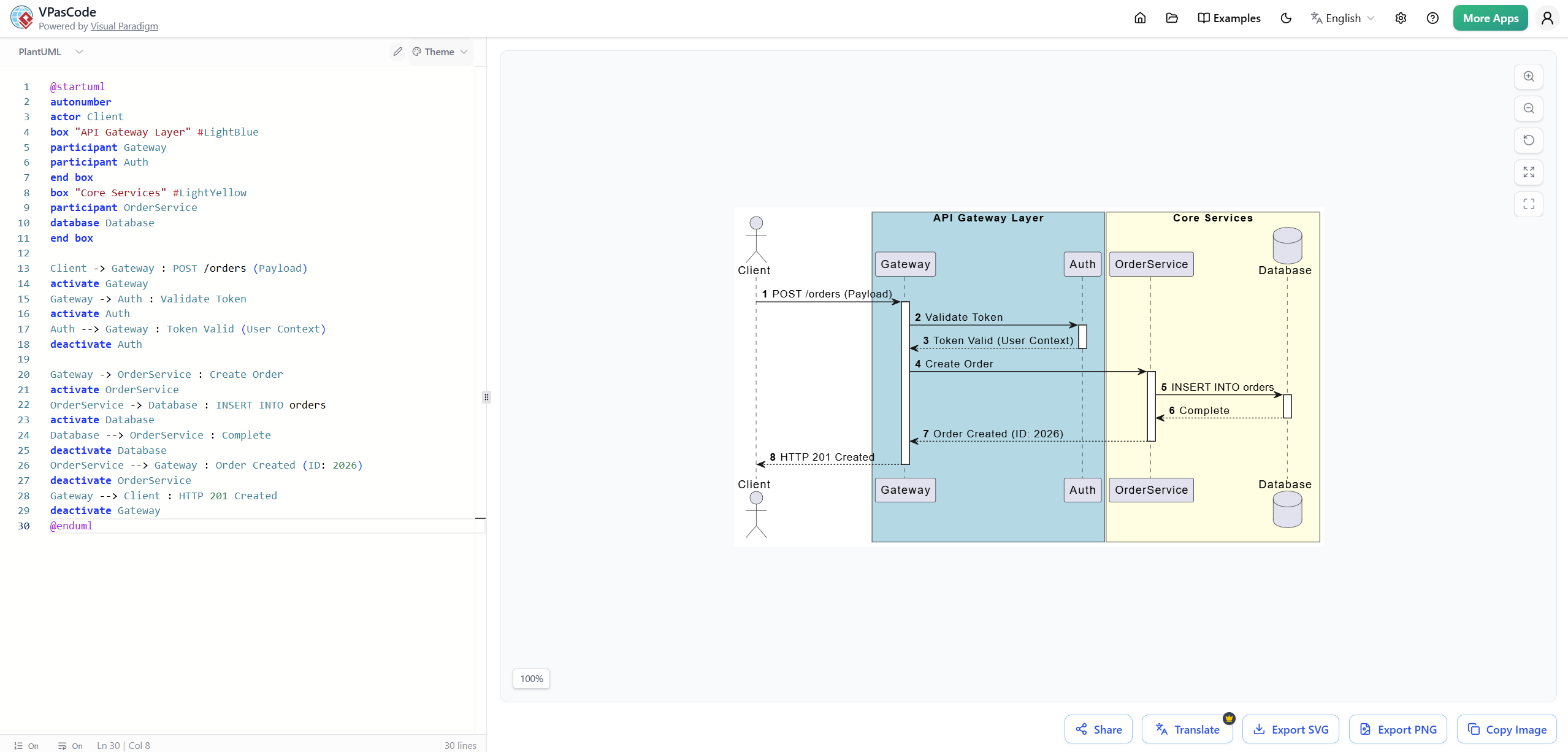
- Use PlantUML for complex software design and robust UML modeling.
- Leverage Graphviz for detailed cloud infrastructure mapping.
The editor auto-detects the code language and renders it instantly, allowing teams to use the best tool for each specific job without switching contexts or applications.
Natural Language to Code via AI
Perhaps the most transformative feature is the integration of a native AI chatbot. Instead of memorizing verbose scripting languages, users can describe their system architecture in plain English. The built-in AI instantly generates the corresponding code and visualizes the diagram. This lowers the barrier to entry for non-technical stakeholders and accelerates the initial drafting phase for engineers.
Zero-Setup Environment
PlantUML has traditionally required users to install Java runtime environments or manage local Docker containers, creating friction in onboarding and CI/CD integration. VPasCode eliminates these local dependencies entirely. By handling rendering in the cloud, it provides a zero-setup environment accessible from any modern web browser.
Core Structural Differences: Platform vs. Language
To understand the value proposition of VPasCode, it is essential to distinguish between the underlying languages and the hosting platform.
1. Integration Scope vs. Syntax Standards
Mermaid and PlantUML are domain-specific languages (DSLs). Writing a diagram in Mermaid means using code blocks explicitly tied to Mermaid interpreters. Visual Paradigm, conversely, is a comprehensive hosting platform. It wraps these scripts into enterprise-level documents, enabling advanced exports, versioning, and collaboration features that standalone DSLs lack.
2. Architecture & Performance Overhead
- Mermaid converts text directly into SVG elements inside the web browser using JavaScript. While lightweight, it often struggles with layout fine-tuning for deeply nested, massive microservice architectures.
- PlantUML processes layout tasks through a server-side Java environment. It offers immense configuration depth but requires cumbersome backend orchestration to run locally or within build pipelines.
- VPasCode centralizes these processes into a high-performance web renderer. Users can auto detact and toggle between the lightweight convenience of Mermaid, Graphviz, and the structural rigor of PlantUML without switching tools or managing infrastructure.
3. Human-AI Workflow
With basic tools, an AI might generate an initial code block, but any subsequent alterations require manual syntax fixes. Visual Paradigm Online anchors AI deeper into the loop. It allows users to:
- Generate use cases from natural descriptions.
- Automatically spin up associated activity flows.
- Structurally tune layouts through sequential, step-by-step wizards.
This iterative AI assistance ensures that diagrams remain accurate and up-to-date as requirements evolve.
Quick Comparison Matrix
| Feature | VPasCode (Visual Paradigm) | Mermaid | PlantUML |
|---|---|---|---|
| Core Nature | Unified Browser Playground & AI Engine | JavaScript-based Language / Renderer | Java-based Language / Renderer |
| Primary Advantage | Multi-engine support + AI generation | Native Markdown & GitHub rendering | Robust enterprise UML & massive library |
| Setup Complexity | Zero-setup (browser cloud app) | Zero-setup (runs locally in browser) | Heavyweight (Requires Java/Docker host) |
| AI Text-to-Diagram | Native conversational AI assistant | Requires external LLM copy-paste | Requires external LLM copy-paste |
| Aesthetics | Clean, modern vector themes | Modern, web-friendly styling | Legacy, often unappealing layouts |
Advanced Features for Engineering Workflows
VPasCode introduces several quality-of-life improvements that address common pain points in text-based diagramming.
Intelligent Error Detection
The platform features auto-syntax error detection that jumps directly to the line of erroneous code. Unlike standard compilers that provide cryptic messages, VPasCode offers detailed explanations of what the error is, where it occurred, and suggestions on how to fix it. This drastically reduces debugging time.
Multi-Language Translation
For global teams, VPasCode supports multi-language translation for diagrams. This ensures that technical documentation remains accessible to stakeholders across different regions without requiring manual rewrites of the underlying code.
Database-Free Sharing
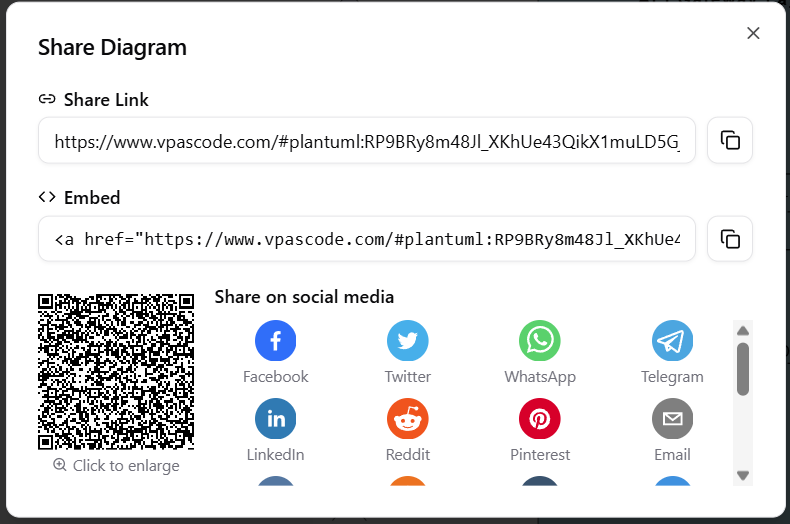
Collaboration is streamlined through compressed URLs. The code for the diagram lives entirely inside the link hash, allowing users to share editable diagrams instantly without needing a database or user accounts. This simplifies collaborative review and feedback loops.
Evaluating the Right Path for Your Workflow
When deciding whether to adopt VPasCode, consider the following questions regarding your engineering workflow:
- Cloud Infrastructure: Are you looking for a way to map cloud infrastructure (AWS/Azure) with recognizable icons? VPasCode’s multi-engine support allows you to leverage Graphviz or specialized PlantUML libraries with better visual fidelity.
- Creation Preference: Do you prefer writing structural scripts manually, or would you rather use AI prompts to do the heavy lifting? If speed and ease of creation are priorities, VPasCode’s AI assistant provides a significant advantage.
Conclusion
Visual Paradigm’s VPasCode represents a significant leap forward in the world of text-to-diagram modeling. By unifying multiple engines, eliminating setup complexities, and integrating native AI assistance, it addresses the limitations of both lightweight scripters and heavy enterprise suites. For teams seeking to streamline their documentation workflows, enhance collaboration, and reduce the cognitive load of diagram maintenance, VPasCode offers a compelling, future-ready solution. It transforms diagramming from a syntactic challenge into a strategic asset, enabling engineers to focus on architecture rather than syntax.
References
- Visual Paradigm Official Site: The official website for Visual Paradigm, providing overview of tools and features including OpenDocs and Pipeline integration.
- Sync AI Diagram to OpenDocs Pipeline Guide: Release notes and guide detailing the synchronization capabilities between AI-generated diagrams and OpenDocs via the Pipeline.
- Visual Paradigm Online to OpenDocs Export: Documentation on exporting diagrams from Visual Paradigm Online directly to the OpenDocs Pipeline.
- AI Diagram to OpenDocs Pipeline: Information on integrating AI-generated diagrams into the OpenDocs documentation workflow.
- From Model to Manual: A Software Engineer’s Guide: A comprehensive guide for software engineers on syncing Visual Paradigm Desktop diagrams with OpenDocs.
- Solving the Documentation Chaos: Article discussing how the Visual Paradigm Pipeline creates a frictionless workflow from concept to documentation.
- A Case Study on Streamlining Knowledge Management: Detailed case study on using the OpenDocs Pipeline for efficient knowledge management.
- Video Tutorial: Pipeline Workflow: Video demonstration of the Visual Paradigm Pipeline workflow.
- From Silos to Synergy: Guide on how OpenDocs transforms team documentation through AI-powered visual collaboration.
- My Journey with Visual Paradigm Pipeline: Personal account of how the Visual Paradigm Pipeline transformed a documentation workflow.
- Visual Paradigm OpenDocs: The Complete Developer’s Guide: Comprehensive guide for developers on using Visual Paradigm OpenDocs for AI-powered technical documentation.
- Mastering the Pipeline in Visual Paradigm OpenDocs: Complete guide to mastering the Pipeline feature for streamlined knowledge management.
- Video Tutorial: Advanced Pipeline Features: Video tutorial covering advanced features and tips for using the Visual Paradigm Pipeline.