


Introduction
The landscape of software engineering and business process modeling is undergoing a fundamental transformation. For decades, creating professional visual models—whether UML, BPMN, or ArchiMate—has been a manual, time-intensive task requiring meticulous alignment and deep syntactic knowledge. Today, that paradigm has shifted with the release of Visual Paradigm AI Diagram Chatbot V2 and Visual Paradigm 18.1.
This tool has evolved beyond a simple visual modeler into an intelligent, multi-layered data and diagramming engine. By integrating natural language processing with rigorous modeling standards, it allows architects, analysts, and developers to transform plain-text requirements into production-ready diagrams in seconds. This guide explores the core upgrades, key concepts, and practical workflows of the new AI Chatbot V2, demonstrating how it serves as both a powerful productivity engine and an educational co-designer.
Core Upgrades in V2 and Visual Paradigm 18.1
The latest iteration of the AI Chatbot represents a ground-up revamp focused on stability, intelligence, and versatility. Key technical enhancements include:
-
Next-Gen AI Engine with Self-Recovery: V2 introduces an automatic validation routine that detects and repairs underlying code syntax errors in real-time, ensuring users always receive complete, error-free diagrams.
-
AI Data Format Generation: The chatbot now natively generates, edits, and converts structured text and code, supporting SQL, JSON, XML, CSV, YAML, TOML, and JSON Schema via chat prompts.
-
AI VPP Chatbot: A companion tool introduced in version 18.1 that allows users to upload
.vppproject files and extract architectural insights through natural language conversation. -
OpenDocs Integration: Features a native “Send to OpenDocs Pipeline” to push AI-generated diagrams directly into technical documentation workspaces.
-
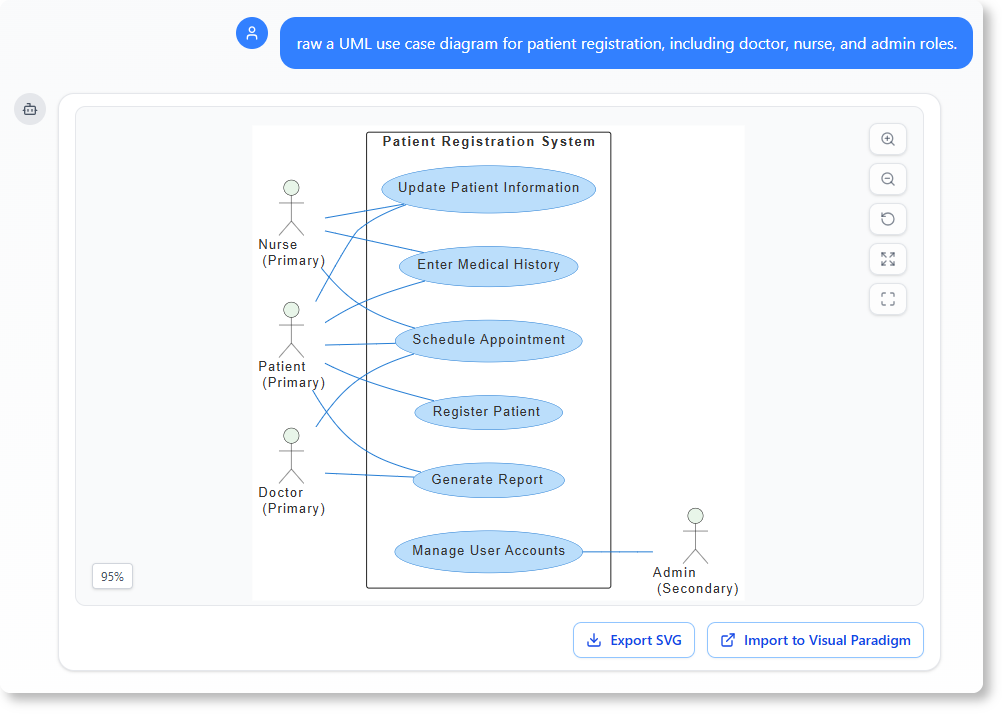
Intelligent Layout Enhancements: Data Flow Diagrams (DFDs) now deploy smart visual hierarchies, while Use Case diagrams default to cleaner orthogonal lines with color-coded association connectors.
-
Advanced State Machine Controls: Capable of generating deep nested states, entry actions, and event guards for complex behavioral modeling.
Key Concepts of Intelligent Visual Modeling
1. Instant Multi-Standard Diagram Generation
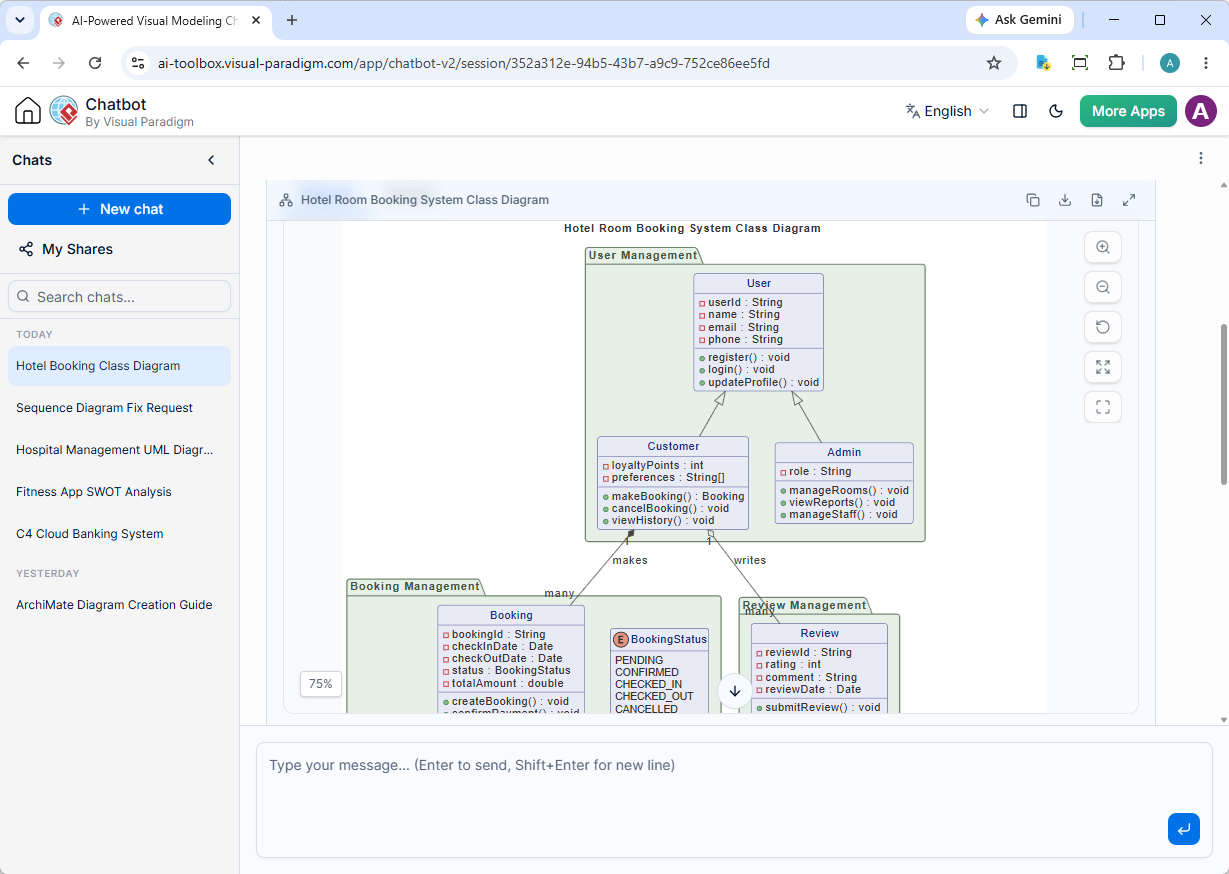
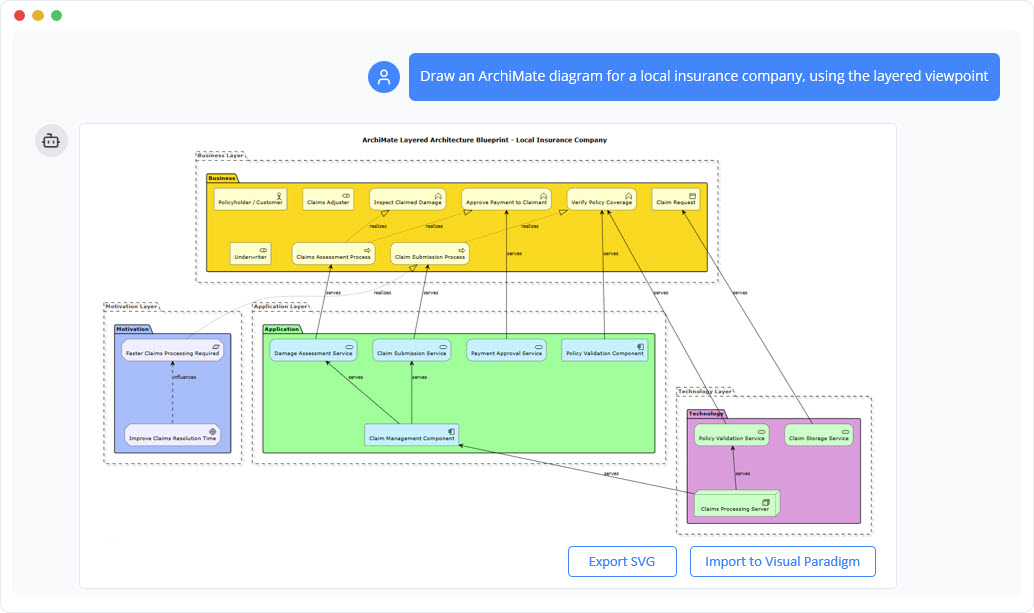
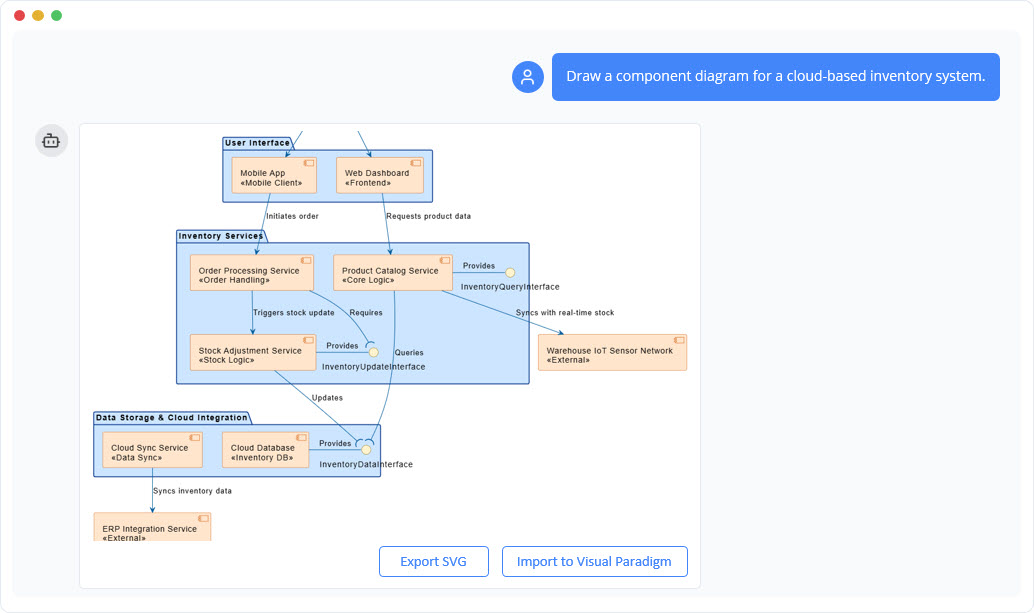
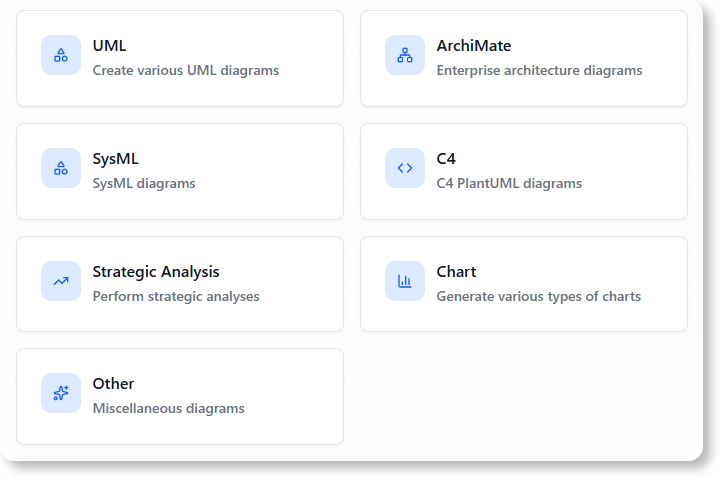
The core capability of the AI Chatbot is transforming natural language descriptions into fully structured, editable diagrams. Unlike generic AI tools, Visual Paradigm enforces metamodel compliance at generation time, ensuring logical consistency across standards including UML 2.5, ArchiMate 3.2, SysML, C4, and BPMN.
2. Conversational Refinement and Contextual Memory
Diagrams are treated as living documents. Users can refine models through natural conversation without losing context. The upgraded LLM maintains diagram state across lengthy sessions, allowing for complex, multi-step refinements such as adding actors, restructuring loops, or adjusting layouts for presentations.
3. Enhanced Session Organization via Artifacts Pane
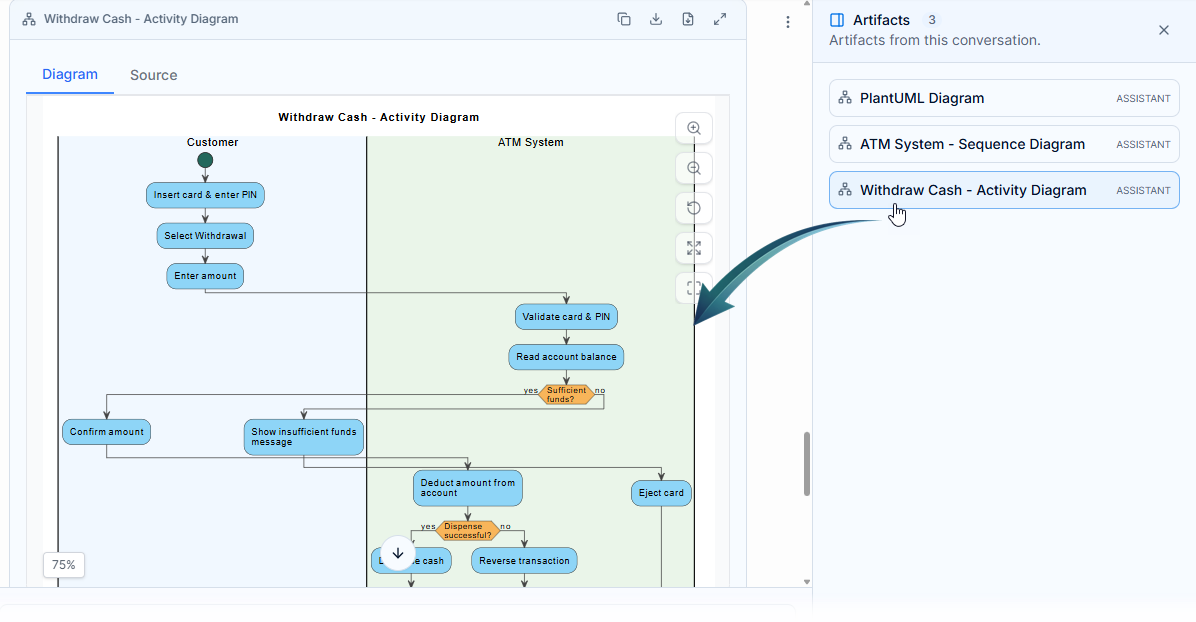
To manage complex technical conversations, V2 introduces the Artifacts Pane. This dedicated sidebar automatically extracts, indexes, and lists every diagram generated during an active session, eliminating the need to scroll through chat history to locate visual assets.
4. Strategic Framework Customization
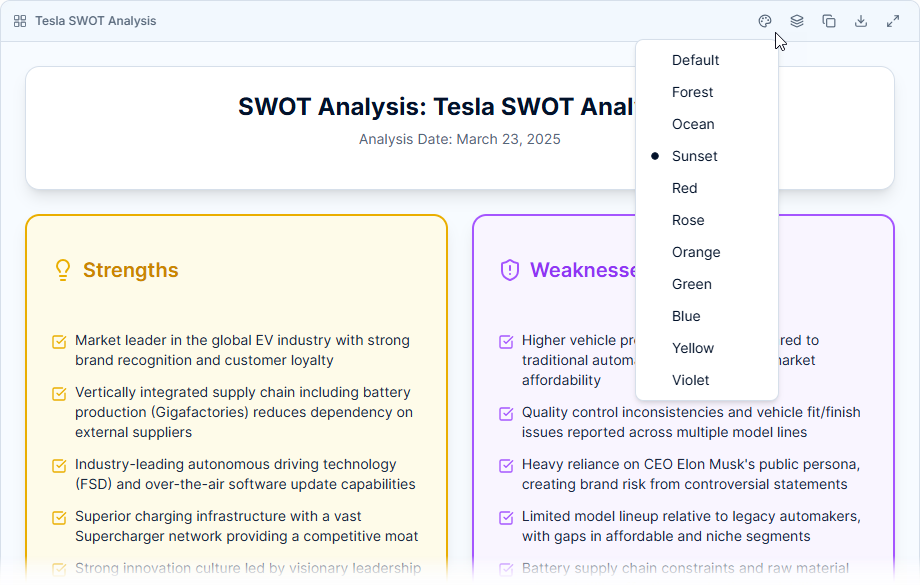
Business analysts can now seamlessly adjust visual themes for strategic analysis frameworks. The chatbot supports professional, presentation-ready styling for SWOT, PESTLE, SOAR, Eisenhower Matrix, Ansoff Matrix, Blue Ocean Four Actions, and the 4C Marketing Mix.
5. Intelligent Model Analysis and Education
Beyond generation, the chatbot acts as an analysis partner. It can summarize models, identify design gaps, and explain complex concepts like composition vs. aggregation, making it an invaluable interactive learning assistant for students and junior architects.
Real-World Examples and New Diagram Types
Software Architecture Prototyping (C4 Model)
Scenario: A cloud architect needs to prototype an e-commerce platform.
Prompt: “Create a C4 container diagram for an e-commerce platform with a Web Client, API Gateway, Order Service, and Inventory Database.”
Refinement: “Add a Redis cache between the API Gateway and Order Service.”
Outcome: A structured, standards-compliant container diagram ready for stakeholder review.
Business Process Modeling (BPMN)
Scenario: Documenting a customer return process.
Prompt: “Generate a BPMN diagram for a customer return process involving a return request, warehouse inspection, and refund approval.”
Refinement: “Add a parallel gateway to allow simultaneous notification to the customer and finance team.”
Outcome: A standard-compliant process map that accurately reflects operational logic.
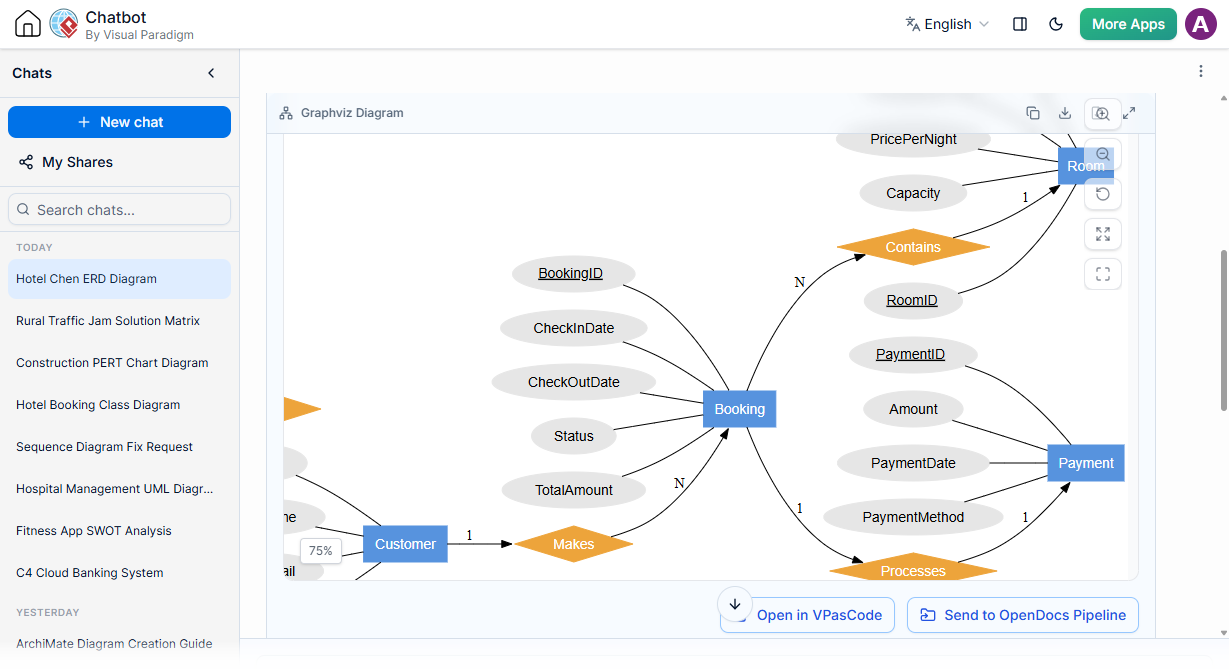
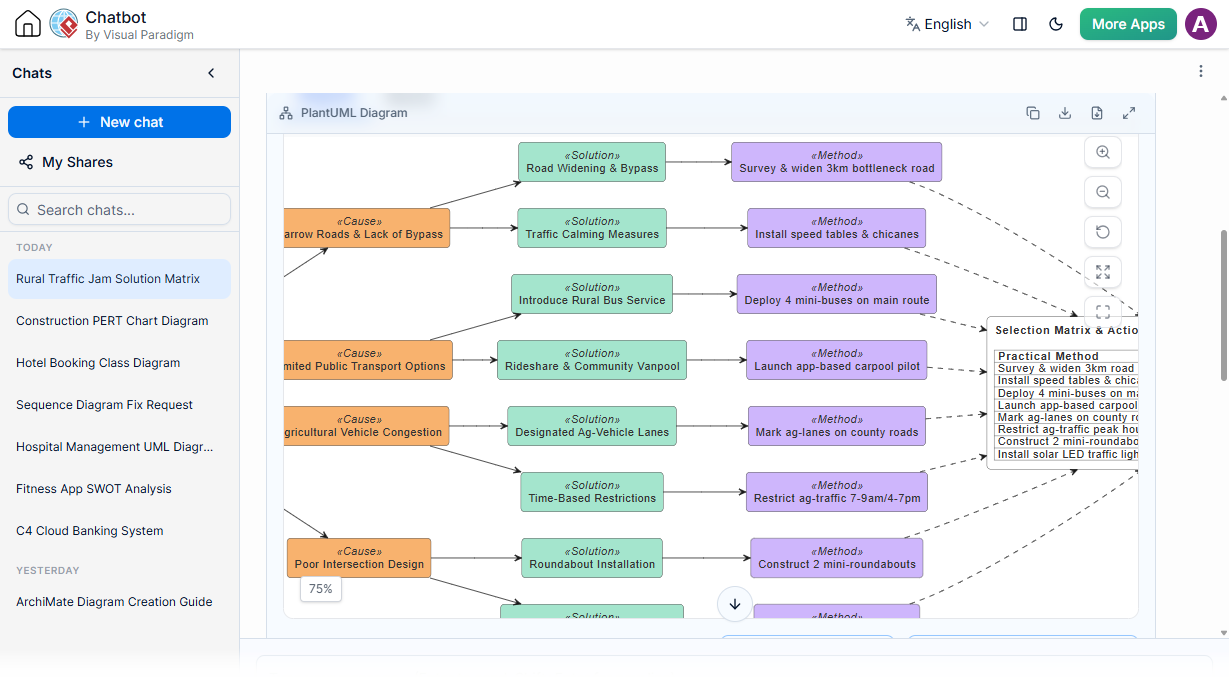
New V2 Diagram Support: PERT Charts & Flowcharts
V2 expands support to include specialized management and process diagrams:
-
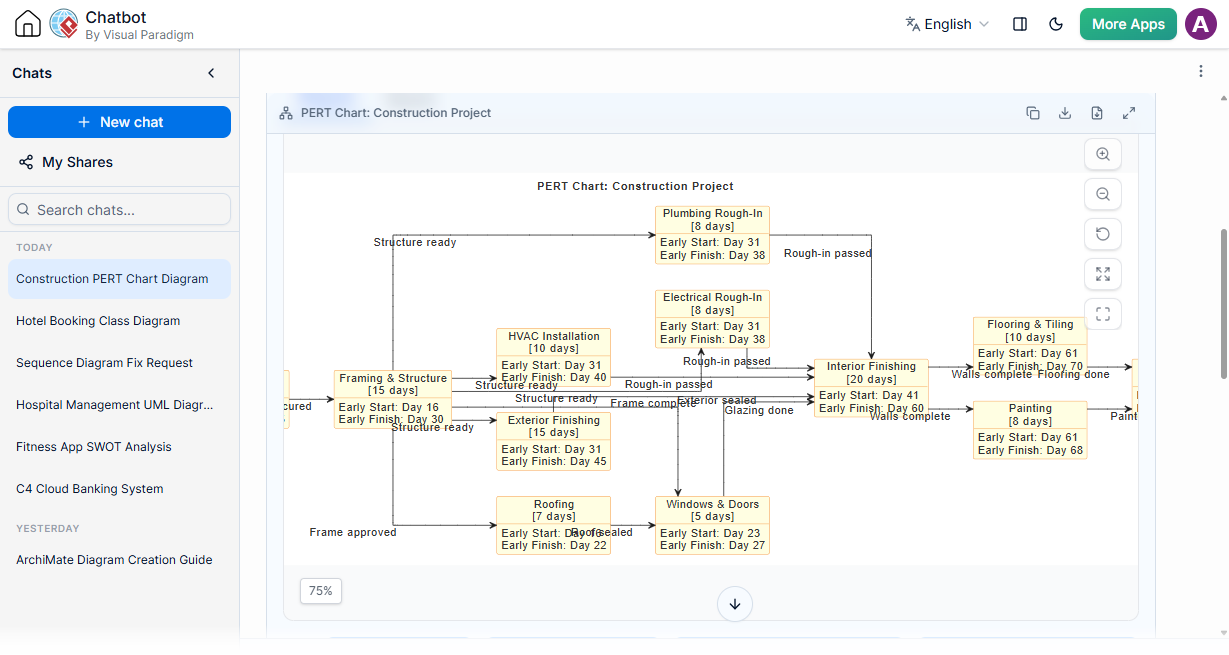
PERT Chart: Streamlined project scheduling.
-
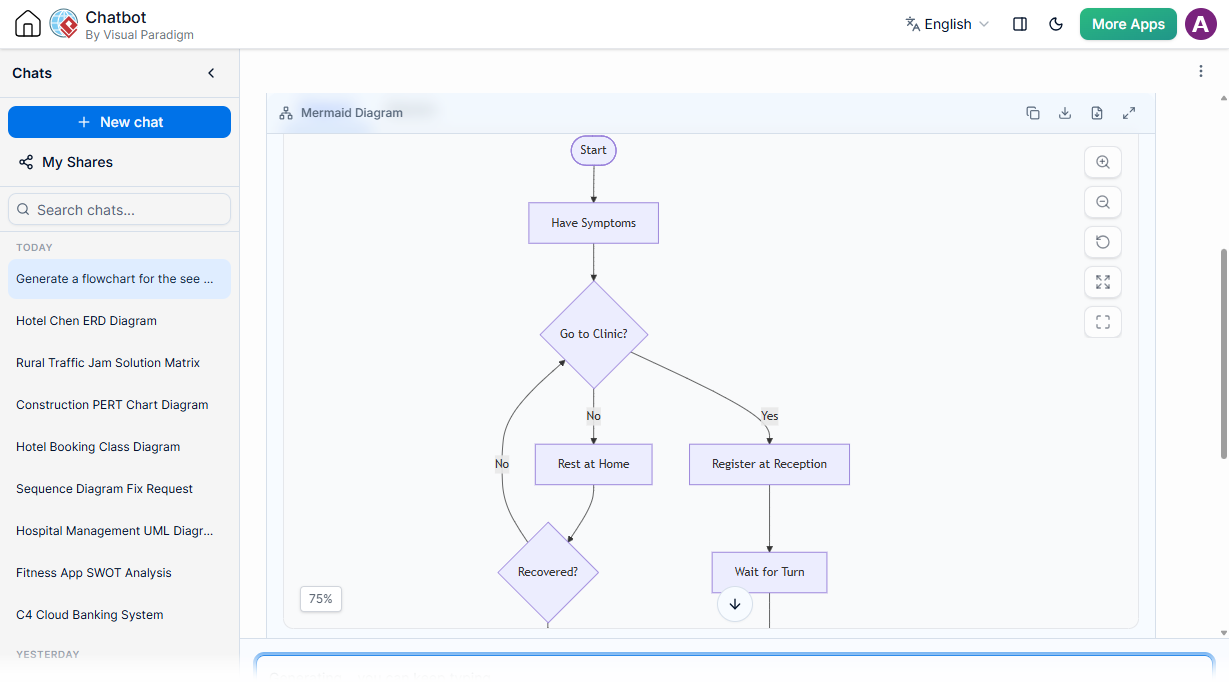
Flowchart: Crisp, automated process mapping.
-
Chen ERD: Traditional entity-relationship modeling.
-
Solution Selection Matrix: Accelerating strategic engineering decisions.
SysML Requirement Modeling
Scenario: Modeling safety requirements for autonomous vehicles.
Prompt: “Generate a SysML requirement diagram for safety-critical behaviors in a self-driving car.”
Refinement: “Add a failure condition for sensor timeout and link it to the control state.”
Workflow and Collaboration Enhancements
| Feature | Functionality | Primary Benefit |
|---|---|---|
| Edit & Resubmit | Modify and re-run historical chat prompts. | Total conversation control and iterative refinement. |
| Desktop Import | Move AI-generated diagrams directly into the desktop app. | Seamless transition to advanced modeling and team collaboration. |
| VPasCode Sync | Ties code generation natively to diagram-as-code rendering. | Instant text-to-visual modeling with precision editing. |
| My Shares History | Securely saves shared diagram history. | Easy retrieval and resharing of active links. |
| Follow-Up Suggestions | AI suggests tailored follow-up questions. | Deeper architectural drilling and comprehensive analysis. |
Conclusion
The Visual Paradigm AI Diagram Chatbot V2 represents more than just a feature update; it is a redefinition of how professionals interact with visual modeling tools. By combining a next-generation AI engine with self-recovery routines, multi-format data generation, and deep ecosystem integration, it bridges the gap between rapid ideation and production-grade architecture. Whether you are prototyping cloud systems, documenting business processes, or learning UML standards, the AI Chatbot serves as an always-available, standards-compliant co-designer that handles the mechanical aspects of diagramming so you can focus on architectural intent.
Recommended Reading: Visual Paradigm Resources
- Introducing Visual Paradigm 18.1: A New Era of Unified Ecosystems: Overview of the major 18.1 release featuring unified ecosystems and AI-driven innovation.
- Next-Gen AI Diagram Chatbot V2 Upgrade: Detailed breakdown of the V2 engine, self-recovery routines, and enhanced intelligence.
- AI Diagramming Chatbot Data Format Generation Update: Guide to generating and converting SQL, JSON, XML, and other structured data formats via chat.
- AI ERD Generator: Visual Paradigm Chatbot Update: Instructions for converting plain text prompts into production-ready Entity Relationship Diagrams.
- Introducing AI VPP Chatbot: Conversational AI for Projects: How to upload .vpp files and extract architectural insights using natural language.
- AI Diagram to OpenDocs Pipeline: Streamlining documentation by pushing AI-generated diagrams directly to OpenDocs.
- Enhanced AI State Machine Diagram Generation: Deep dive into generating nested states, entry actions, and event guards.
- What Makes Visual Paradigm’s AI Chatbot Different?: Comparative analysis highlighting standards compliance and contextual understanding over generic AI tools.
- How AI Chatbot Can Help You Learn UML Faster: Educational use cases for interactive learning and visualization of complex UML concepts.
- Mastering UML: Conversational Sequence Diagrams: Tutorial on using conversational AI to model behavioral dynamics and interactions.