


Introduction
In the modern enterprise, business processes are the backbone of operational efficiency. However, traditional process modeling has often been a bottleneck—requiring specialized technical skills, tedious manual drawing, and suffering from rapid obsolescence as business needs change. The gap between a business stakeholder’s idea and a technically accurate Business Process Model and Notation (BPMN) diagram is wide and difficult to bridge.
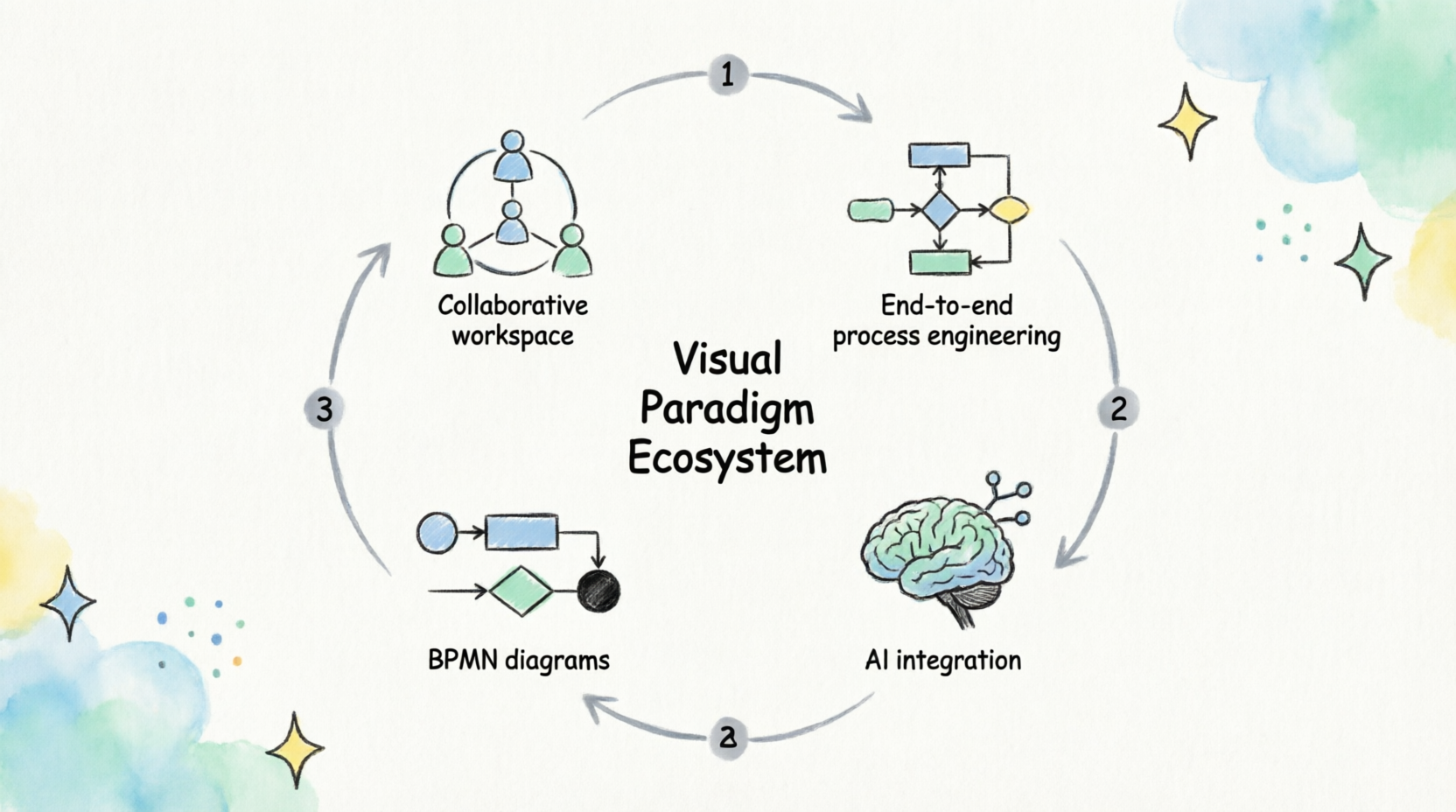
Visual Paradigm has redefined this landscape by moving beyond simple drawing tools to create a collaborative, end-to-end process engineering ecosystem. By integrating Artificial Intelligence (AI) directly into the modeling workflow, Visual Paradigm allows users to transform plain English descriptions into structured, executable diagrams in seconds. This guide explores the four pillars of the Visual Paradigm ecosystem, details the four-stage AI-powered modeling workflow, and outlines best practices for creating clear, compliant, and actionable BPMN diagrams.
Part 1: The Four Pillars of the Visual Paradigm Ecosystem
Visual Paradigm is not merely a static diagramming tool; it is a dynamic platform designed to support the entire lifecycle of process engineering. Its architecture rests on four core environments that work in harmony.
1. VP Desktop (The Visual Model)
This is the flagship application for complex, offline modeling. It is designed for deep editing, robust version control, and integration with rigorous standards such as UML (Unified Modeling Language), SysML (Systems Modeling Language), and ArchiMate.

-
Best For: Enterprise architects and senior analysts who need to manage large-scale model repositories and ensure strict compliance with industry standards.
2. Conversational Co-Pilot (AI Chatbot)
An interactive tool designed for rapid ideation. Leveraging Natural Language Processing (NLP), this co-pilot converts business descriptions into structured BPMN diagrams.
-
Best For: Rapid prototyping, brainstorming sessions, and users who prefer describing logic verbally rather than dragging shapes manually.
3. VP Online (Web Apps)
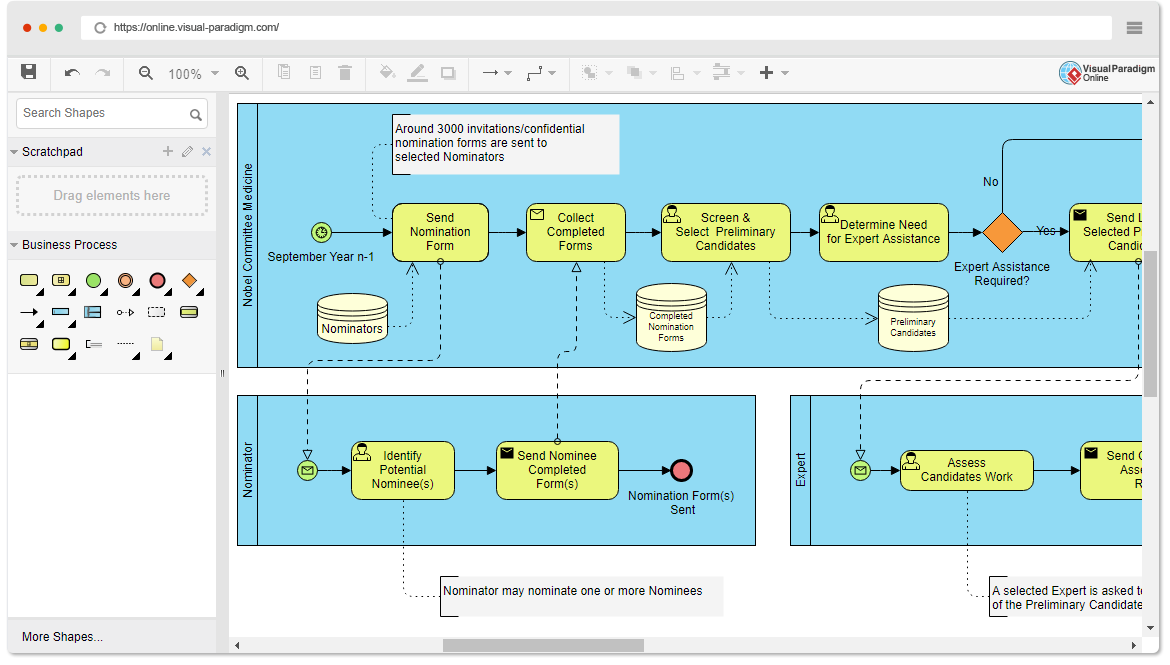
A browser-based platform that enables drag-and-drop editing and real-time team collaboration without the need for local software installation.
-
Best For: Distributed teams, quick edits, and stakeholders who need to view or comment on diagrams without accessing heavy desktop software.
4. OpenDocs
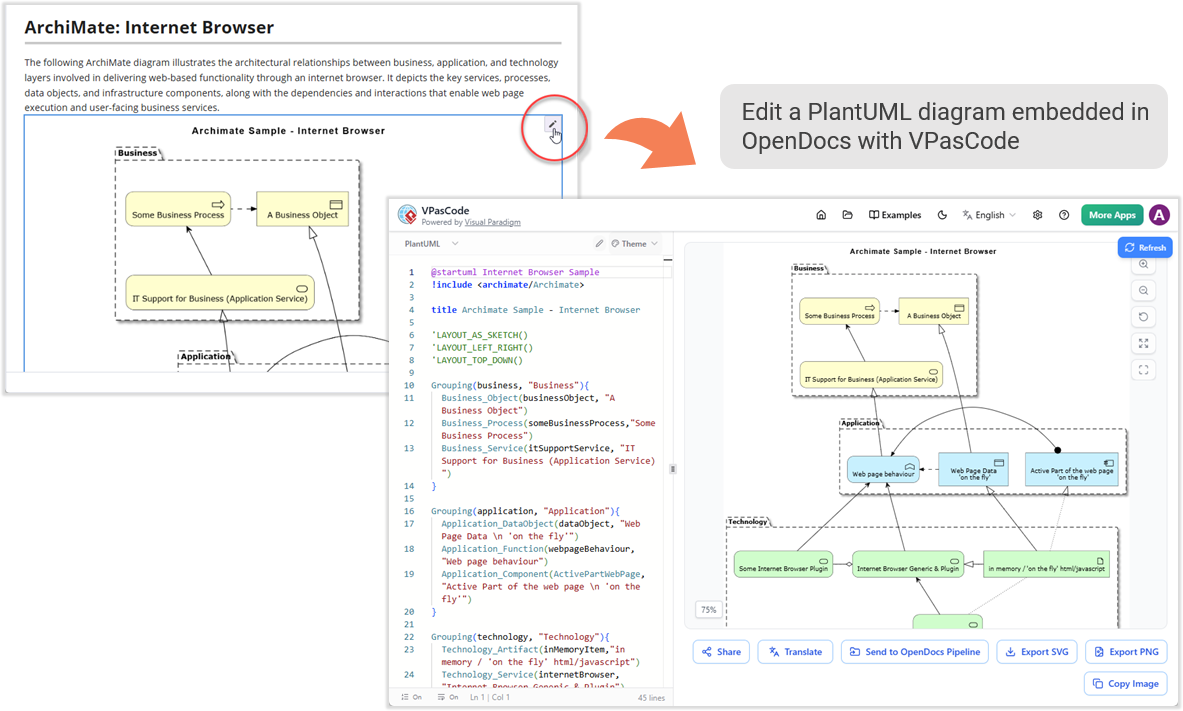
A knowledge management hub that embeds live, AI-assisted diagrams into dynamic documentation. It captures the contextual “Who, What, When, Where, and Why” behind every process.
-
Best For: Creating living documentation that stays synchronized with the actual models, ensuring that training materials and compliance docs are never outdated.
Part 2: The AI-Powered BPMN Modeling Workflow
The Visual Paradigm ecosystem enables a seamless, four-stage evolutionary workflow. This process transforms rough ideas into actionable, enterprise-grade frameworks.
Stage 1: Rapid Ideation and Generation
The traditional method of manually placing start events and tasks is replaced by conversational generation. Users describe a business process in plain English, and the AI constructs the initial framework.
Configuration Steps:
-
Navigate to Tools > AI Diagram Generation.
-
Select Business Process Diagram.
-
Enable “Include Pools and Lanes” to ensure the AI automatically constructs clear, role-based swimlanes.
Effective Prompting Strategy:
High-quality output requires a chronological narrative rather than simple keywords.
-
Poor Prompt: “Order process.”
-
Effective Prompt: “The Customer places an order online. The Sales system checks inventory. If stock is available, the Warehouse picks the item. If not, the Procurement team orders more stock. Finally, Shipping sends the package.”
Stage 2: Multi-Turn Refinement
Once the initial diagram is generated, users can interact with the chatbot to refine the logic without starting over.
Conversational Commands:
You can issue specific requests to adjust the flow:
-
“Add a quality check step after manufacturing.”
-
“Break down the ‘Ship Order’ task into a detailed sub-process.”
-
“Change the approval gateway to require two managers instead of one.”
Sub-Process Deep Dives:
The AI can generate entirely new diagrams for specific sub-flows while keeping them organized within the same session, allowing for hierarchical exploration of complex tasks.
Stage 3: Seamless Visual Editing (The Human Touch)
AI provides a solid draft—often 80% complete—but human oversight is essential for nuance and clarity. Clicking “Import to Visual Paradigm” allows you to take manual control.
Key Editing Features:
-
Intuitive Workspace: Use the drag-and-drop editor to fine-tune layout, adjust flow routes, or add custom annotations.
-
Layout Preservation: Unlike general Large Language Models (LLMs) that may scramble a diagram when updated, Visual Paradigm’s AI injects new elements precisely, preserving the previous visual structure and preventing “diagram spaghetti.”
Stage 4: Enterprise-Grade Engineering
For complex systems, diagrams are imported into VP Desktop to become part of a larger model repository.
Advanced Integration:
-
Traceability: Tasks can be linked to UML Use Case Diagrams, user stories, or Agile backlogs, ensuring alignment between business process and product development.
-
Model Reuse: AI-generated nodes are structured database objects. For example, a “Payment Service” element created in one diagram can be reused across different diagram types, ensuring consistency across the enterprise.
Part 3: Core BPMN Modeling Best Practices
To ensure diagrams are valuable to stakeholders and compliant with industry standards, adhere to the following best practices facilitated by the Visual Paradigm ecosystem.
1. Explicit Events
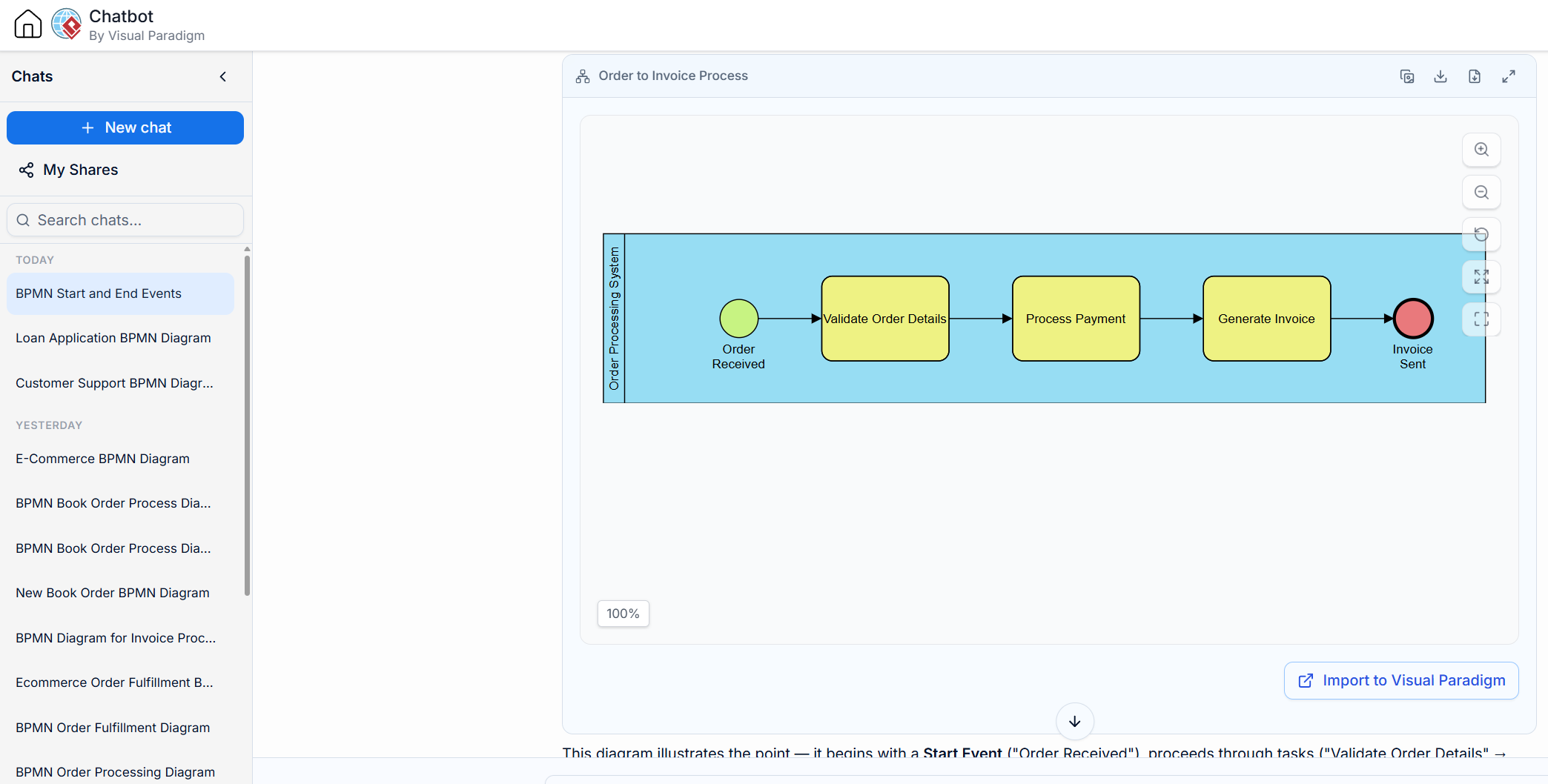
Always use Start and End Events. The tool’s validation engine enforces this to avoid misinterpretation of process triggers and conclusions.
-
Example: A process should not just begin with a task; it must begin with a Start Event (e.g., “Order Received”) and end with an End Event (e.g., “Invoice Sent”).
2. Hierarchical Structure
Adhere to the “One-Page Top Level” rule. High-level diagrams should remain clean and readable. Use sub-processes to expand details into nested diagrams.
-
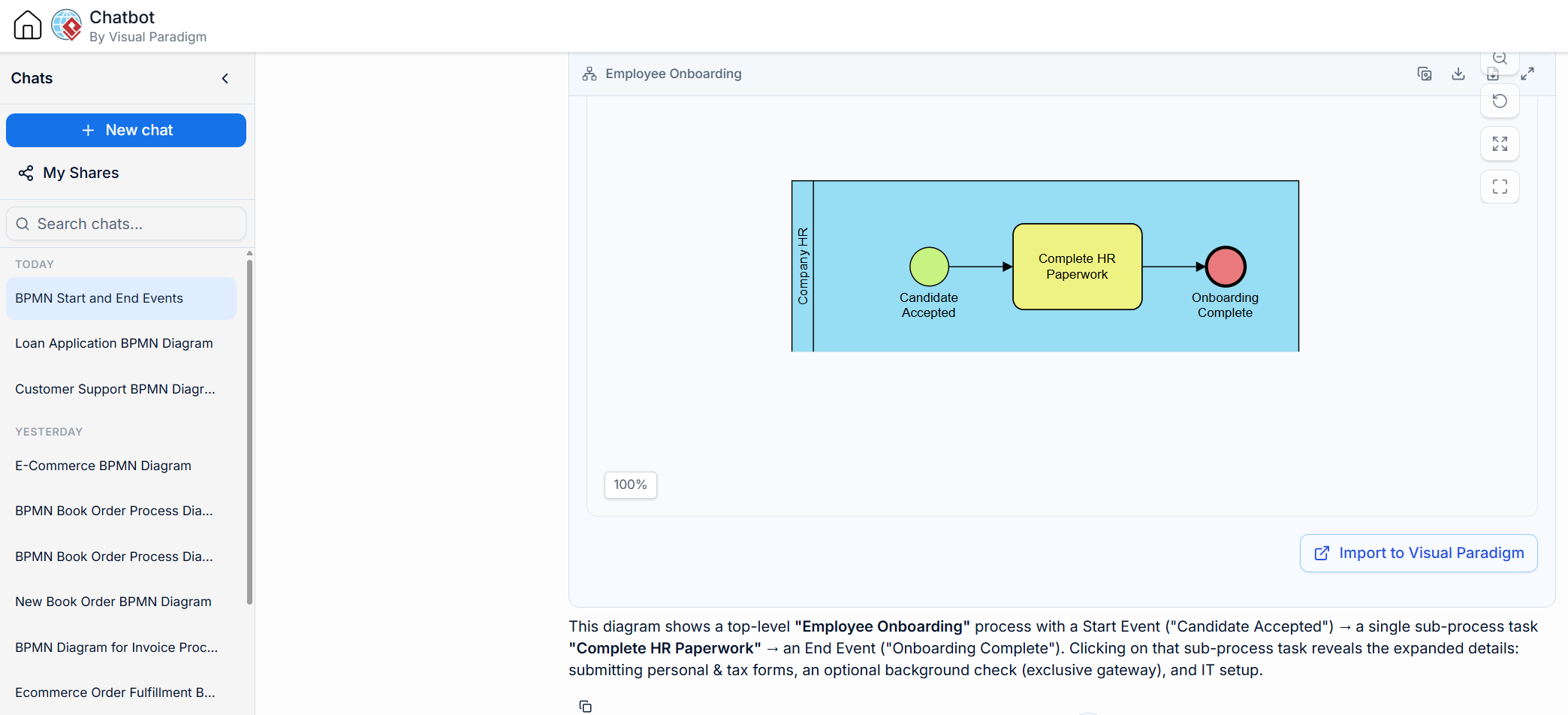
Example: A top-level “Onboarding” process might have a single task called “Complete HR Paperwork.” Clicking this task reveals a sub-process detailing form submissions, background checks, and IT setup.
3. Gateway Logic
Always use Gateways for splits and merges rather than connecting flows directly to tasks.
-
Exclusive Gateway (XOR): Used when only one path can be taken (e.g., “Approved” vs. “Rejected”).
-
Parallel Gateway (AND): Used when multiple paths occur simultaneously (e.g., “Notify Customer” and “Update Inventory” happen at the same time).
-
Validation: The tool highlights syntax errors if these rules are violated, ensuring logical integrity.
4. Highlight the “Happy Path”
Ensure the primary scenario (the successful outcome) flows clearly from left to right. Exceptions and error handling should branch downward for visual clarity.
-
Visual Tip: Keep the main line of action straight and horizontal. Branch exceptions like “Payment Failed” or “Out of Stock” vertically below the main flow.
Part 4: Advanced Capabilities for Optimization
The ecosystem provides tools to move beyond static documentation into active process excellence and engineering.
As-Is vs. To-Be Analysis
Users can duplicate a generated process to build a target optimization model. This maintains traceability between the current state (“As-Is”) and the future state (“To-Be”), allowing organizations to measure the impact of proposed changes.
Process Simulation
Run simulations on diagrams to identify bottlenecks before implementation.
-
Example: Simulate the question, “What happens if the warehouse is understaffed by 20%?” The tool can calculate key performance indicators (KPIs) such as cycle time and resource utilization, providing data-driven insights for decision-making.
Automated Documentation
Generate structured text reports from visual models with one click. This translates diagrams into role responsibilities and metric descriptions, which is crucial for compliance audits and employee training.
Code & Schema Engineering
Bridge the gap between business strategy and IT execution by converting models into technical artifacts.
-
Code Skeletons: Generate boilerplate code for developers based on process tasks.
-
Database Schemas: Automatically derive database structures from the data objects used in the process, ensuring that the IT infrastructure supports the business workflow.
Conclusion
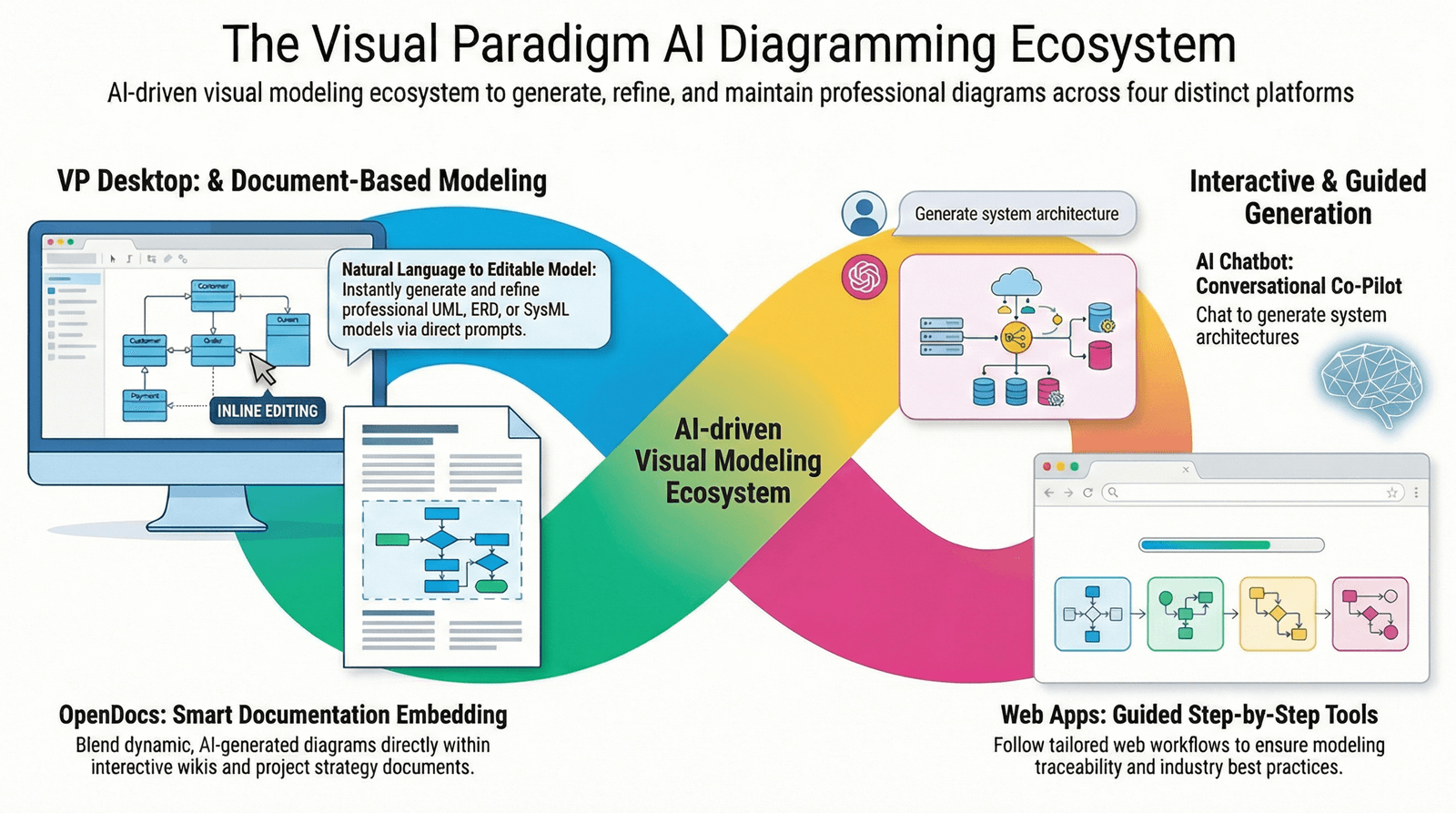
The integration of AI into business process modeling represents a significant leap forward in how organizations document, analyze, and optimize their operations. By leveraging the four pillars of the Visual Paradigm ecosystem—VP Desktop, Conversational AI Chatbot, VP Online, and OpenDocs—teams can move from slow, manual drafting to rapid, collaborative, and precise process engineering.
The four-stage workflow of Ideation, Refinement, Visual Editing, and Enterprise Engineering ensures that diagrams are not just pictures, but living assets that drive traceability, simulation, and even code generation. By adhering to core BPMN best practices and utilizing advanced capabilities like As-Is/To-Be analysis, organizations can achieve true process excellence.
For those looking to implement these strategies, Visual Paradigm offers the comprehensive toolset required to transform abstract business ideas into concrete, actionable, and optimized operational frameworks.