
Visual Paradigm Mind Maps: A 7-Step AI-Ready Framework for Complex Modeling
In the realm of software engineering and system architecture, clarity is the ultimate currency. Whether you are planning a massive microservices migration or brainstorming the user journey for a new mobile application, the ability to visualize thoughts is critical. Visual Paradigm offers a robust environment for this, but the tool is only as effective as the methodology applied to it.
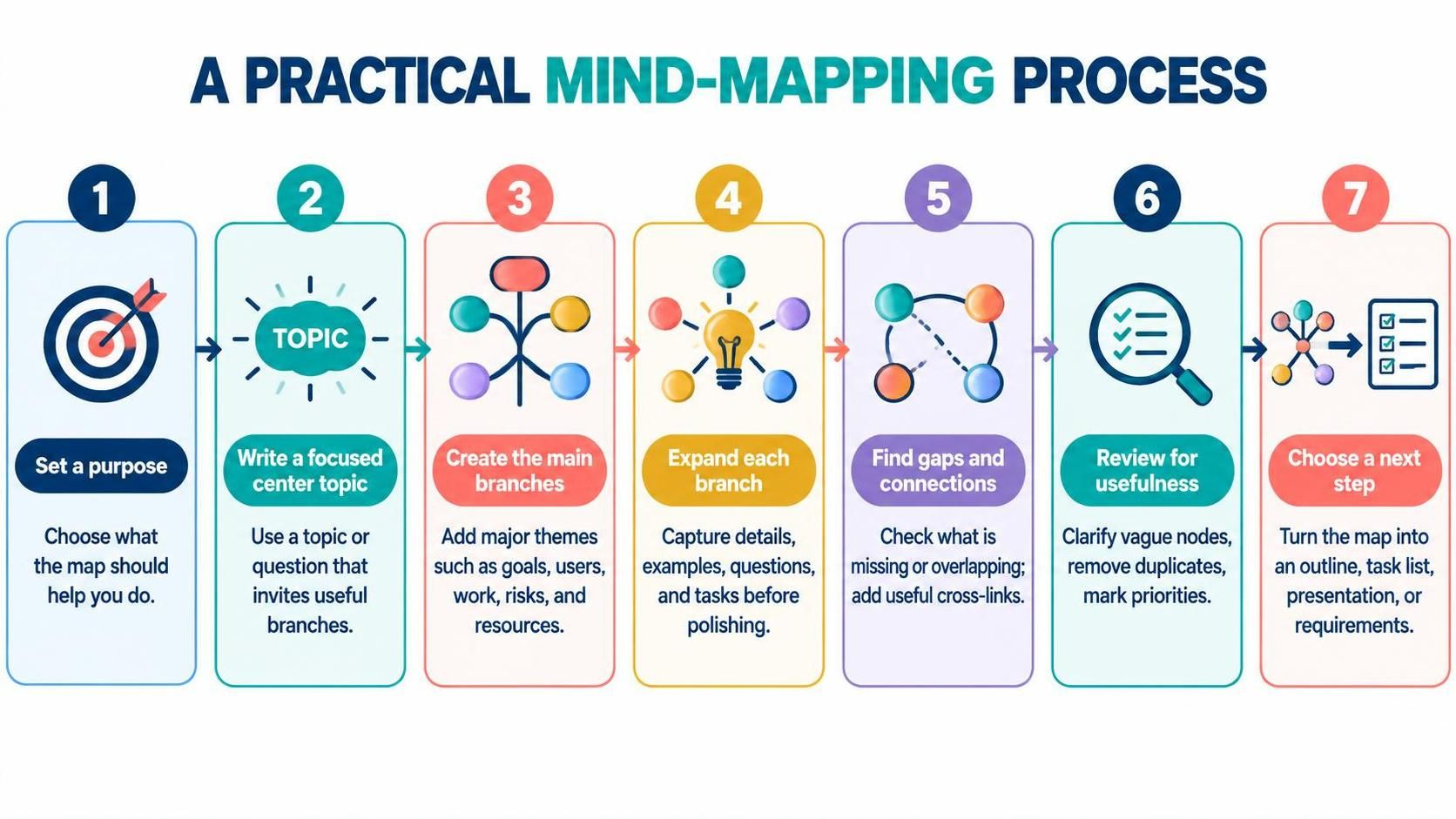
This tutorial breaks down the Practical Mind-Mapping Process into a seven-step framework. By following this structured approach, you move from a vague idea to a precise, actionable plan within the Visual Paradigm interface.
1. Set a Purpose: Define the Strategic Goal
The most common mistake in modeling is starting to draw without a clear objective. Before opening the canvas, you must define what the map is intended to achieve. In Visual Paradigm, mind maps are often used as precursors to more formal diagrams like Sequence Diagrams or Use Case Diagrams.
Your goals should be specific:
- Generate Ideas: Brainstorming potential features for a fintech product.
- Understand a Subject: Deconstructing a legacy monolith into modules.
- Plan a Project: Outlining the timeline and dependencies for a release.
- Make a Decision: Weighing the pros and cons of different architectural patterns.
2. Write a Focused Center Topic
The heart of the mind map is the central node. In Visual Paradigm, this is your starting point. The phrasing of this topic is crucial; it must be concise and invite expansion.
Instead of a vague label like “Project,” frame your center topic as a question or a specific subject.
- Avoid: “Website”
- Adopt: “E-Commerce Website Redesign”
This clarity ensures that the subsequent branches remain relevant to the core objective.
3. Create the Main Branches: The Skeleton
Once the center topic is established, add the major themes. These are the primary pillars of your thought process. For a project plan, these branches often represent the standard constraints or dimensions of the work.
Common main branches include:
- Goals: What are we trying to achieve?
- Users: Who is interacting with the system?
- Work: What specific tasks are required?
- Risks: What could go wrong?
- Resources: What tools or personnel are needed?
In the Visual Paradigm interface, simply drag branches from the center node and label them with these high-level categories. This creates the skeletal structure of your model.
4. Expand Each Branch: Divergent Thinking
This is the phase of “Capture ideas first; organize and polish afterward.” Do not worry about perfection yet. Expand every main branch with details, examples, open questions, and related tasks.
Example: Expanding the “Users” Branch
- Admin User: Needs dashboard access, reporting features.
- Guest User: Needs browsing mode, cookie consent.
- Registered User: Needs cart persistence, order history.
This step generates the raw data that will eventually populate your system requirements or user stories.
5. Find Gaps and Connections: Convergent Thinking
Once the map is populated, step back and look for missing pieces. Ask yourself: What is absent? What overlaps?
A powerful feature in Visual Paradigm is the ability to create cross-links. Real-world systems are rarely linear. A specific task in “Work” might directly impact a “Risk.” Use cross-links to clarify these relationships. For instance, link a “Risk” node to a specific “Goal” node to show that the risk threatens the success of that goal.
6. Review for Usefulness: Refinement
Now, shift from creative mode to critical mode. Review the map for utility. Rename vague nodes to be more descriptive. Remove duplication to ensure clarity. Most importantly, mark priorities or unresolved questions.
Refinement Checklist:
- Clarity: Are the labels self-explanatory?
- Completeness: Have we missed any major stakeholders?
- Relevance: Does this node actually help us achieve the purpose?
7. Choose a Next Step: Transformation
The ultimate value of a mind map is its ability to drive action. In Visual Paradigm, the mind map is not an end in itself but a starting point for formal engineering artifacts.
Turn the map into:
- An Outline: For documentation.
- A Task List: For project management tools.
- A Presentation: For stakeholder reviews.
- Requirements Set: To be converted into a Use Case Diagram or Software Requirements Specification (SRS).
By following these seven steps, you ensure that your Visual Paradigm mind maps are not just doodles, but strategic tools that bridge the gap between abstract ideas and concrete system architecture.