Mastering Visual Paradigm: AI Chatbot-Driven Workflow Integration
In the modern landscape of systems engineering and software architecture, the distinction between “designing” and “coding” is increasingly blurred. The Visual Paradigm AI Chatbot represents a significant leap forward by embedding intelligence directly into the modeling lifecycle. Rather than treating diagramming as an isolated task, this tool functions as a central orchestrator, connecting your desktop environment, cloud workspace, and code repositories.
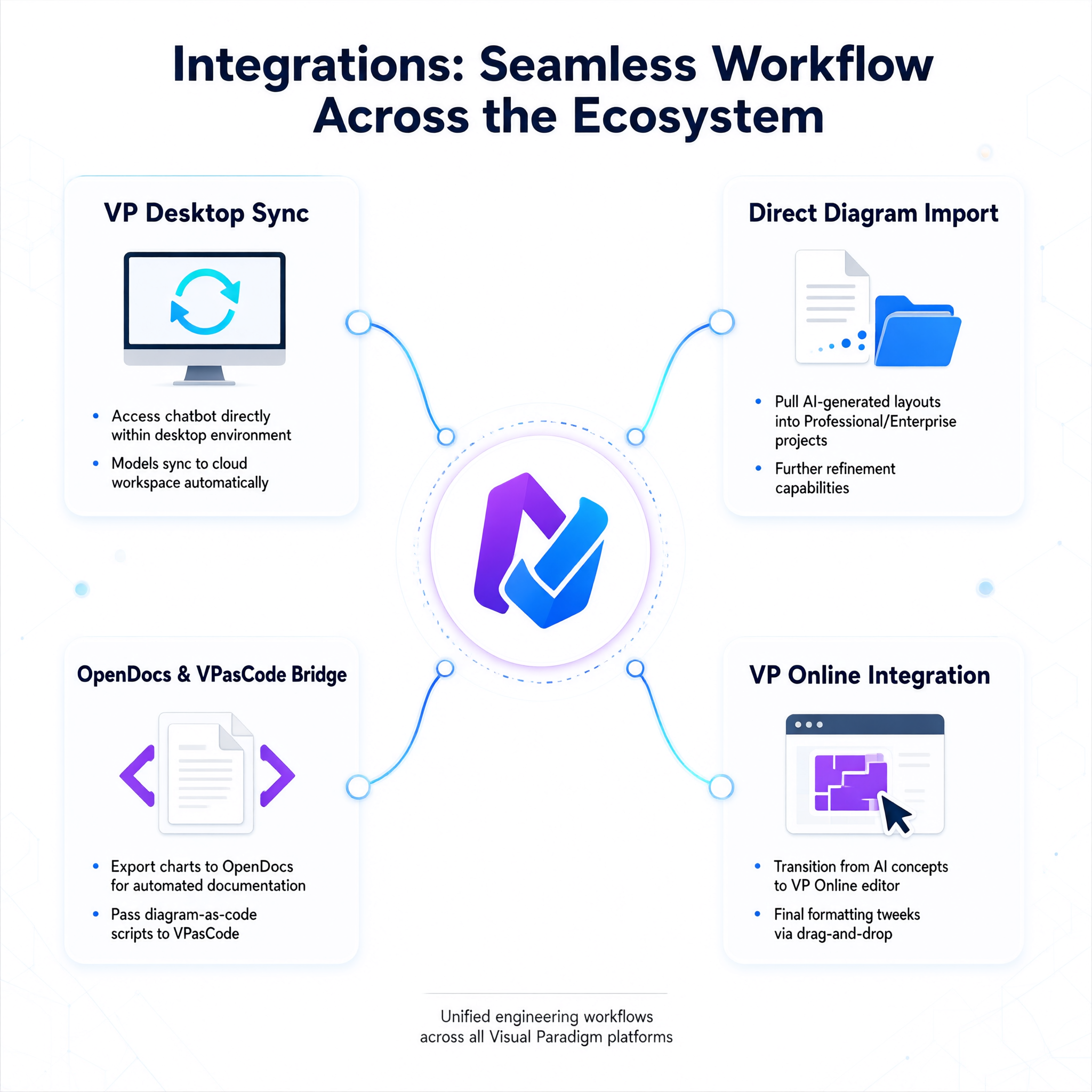
This tutorial explores the architectural philosophy behind the Visual Paradigm ecosystem integrations. We will break down how data flows between the VP Desktop Sync, Direct Diagram Import, the OpenDocs & VPasCode Bridge, and VP Online Integration, ensuring you understand how to leverage these connections for a seamless workflow.
The Central Hub: AI-Driven Concept Generation
At the heart of this ecosystem is the AI Chatbot. Unlike traditional modeling tools that require you to manually drag and drop shapes, the AI Chatbot acts as a “Concept Engine.” It allows professionals to define logic and architecture through conversation. The goal is to remove the friction of manual diagramming, allowing the user to focus on high-level strategy, logic, and architecture.
Once the AI generates a layout, it does not exist in a vacuum. It is designed to immediately feed into the broader Visual Paradigm suite. This “Concept to Clarity” pipeline is the foundation of the modern workflow.
1. VP Desktop Sync: The Local-Cloud Bridge
For heavy-duty modeling, the VP Desktop Sync feature is essential. It ensures that the chatbot is not a standalone silo but an integrated component of your desktop environment.
- Access: You can access the chatbot directly within your desktop environment, eliminating the need to switch between a browser and a local application.
- Automatic Synchronization: A critical architectural feature is the automatic syncing of models to your cloud workspace. This eliminates manual file transfers (FTP, email attachments) and ensures that your local work is immediately backed up and available across devices.
2. Direct Diagram Import: Refining the Output
Once a diagram is generated, it often requires professional refinement to meet enterprise standards. The Direct Diagram Import capability allows you to pull AI-generated layouts directly into Professional or Enterprise Edition projects.
This process is vital for:
- Context Preservation: Keeping the semantic meaning of the AI-generated nodes.
- Further Refinement: Using the full power of the Enterprise Edition tools to adjust connectors, styling, and layout logic.
Bridging the Gap: Documentation and Code
The true power of the ecosystem lies in its ability to connect visual modeling with other critical engineering artifacts, specifically documentation and code.
3. The OpenDocs & VPasCode Bridge
This integration represents the “Model-Driven Engineering” (MDE) philosophy. It allows the diagram to act as the source of truth for other systems.
- Export to OpenDocs: You can export charts directly to Visual Paradigm OpenDocs. This enables automated documentation generation, ensuring that your technical specs always match the current state of the diagrams.
- VPasCode Scripts: For advanced users, you can pass diagram-as-code scripts to VPasCode. This allows for programmatic adjustments, where the diagram is treated as a code object that can be manipulated via scripts for batch processing or version control.
4. VP Online Integration: The Collaborative Editor
Finally, the workflow transitions smoothly to VP Online Integration. This is where the final polish happens.
- Transitioning Concepts: Move from the AI-generated rough concept to the VP Online environment.
- Drag-and-Drop Refinement: Use the VP Online editor for final formatting tweaks. This ensures that the diagram is not only logically sound but visually polished for presentation to stakeholders.
Architectural Benefits of a Unified Ecosystem
By integrating these four distinct workflows, Visual Paradigm creates a robust architecture that supports enterprise-grade requirements:
- Seamless Workflow: Data moves fluidly between desktop, cloud, and online without manual intervention.
- Open Standards: The system supports open standards, ensuring compatibility with other enterprise tools.
- Security: With support for custom AI endpoints, sensitive architectural data remains secure within the enterprise ecosystem.
Conclusion
The Visual Paradigm AI Chatbot is more than just a diagramming tool; it is a collaborative intelligence partner. By removing the friction of manual diagramming and integrating seamlessly with OpenDocs, VPasCode, and the cloud ecosystem, it empowers professionals to move from conversation to clarity in seconds. Whether you are generating a quick flowchart for a team meeting or designing a comprehensive enterprise architecture model, this tool streamlines the path from concept to final product.