
Mastering VPasCode: A Guide to Multi-Format Diagramming and Visual Architecture
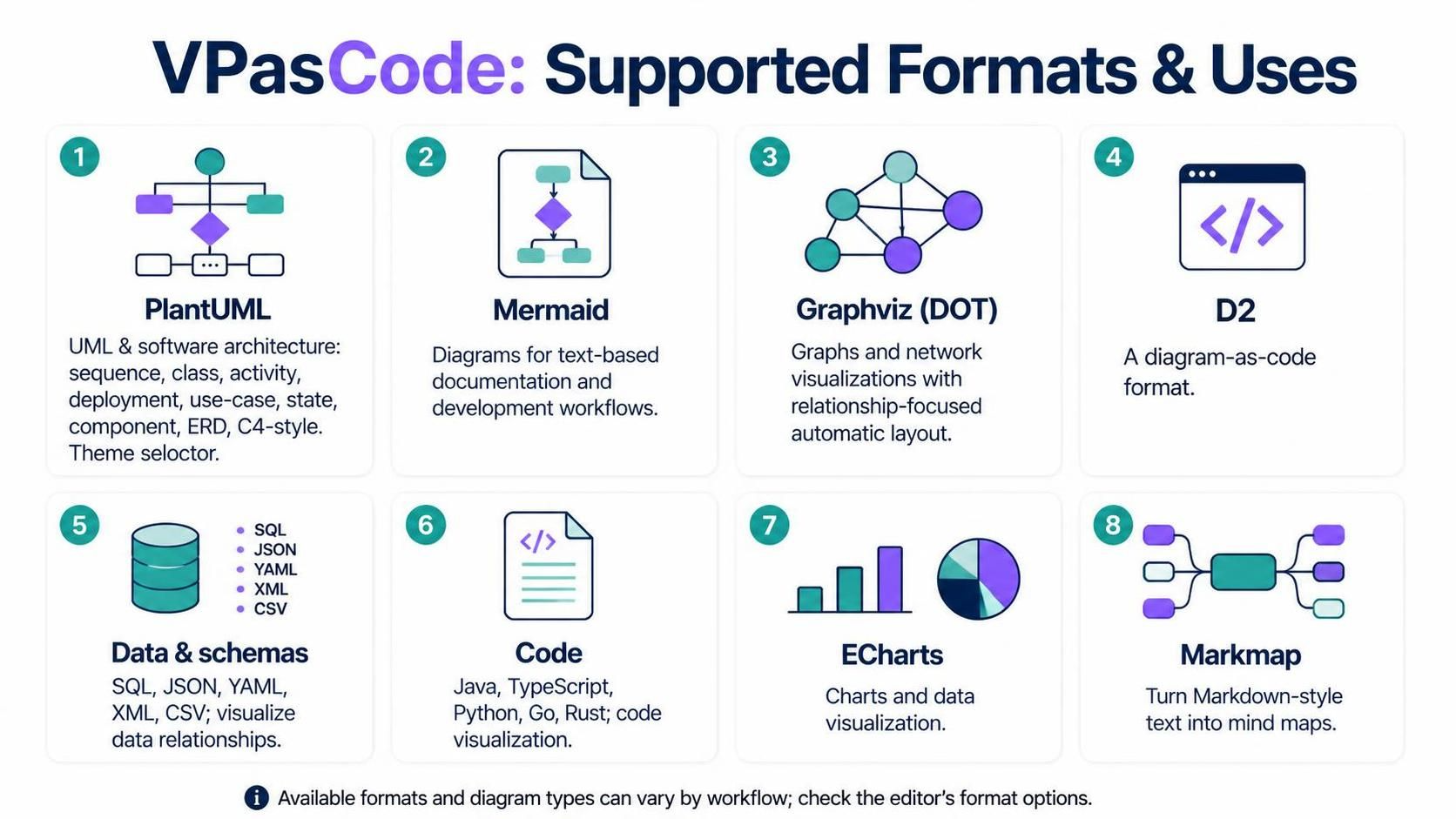
In the rapidly evolving landscape of software development and system design, the ability to communicate complex ideas efficiently is paramount. VPasCode (Visual Paradigm as Code) stands out as a versatile ecosystem designed to bridge the gap between developers, architects, and documentation writers. By supporting a wide array of formats ranging from industry-standard UML to modern “code-as-diagram” tools, VPasCode allows users to select the right visualization language for their specific architectural need.
This tutorial explores the diverse capabilities of VPasCode, guiding you through the selection, usage, and application of its supported formats to build robust system models.
1. The Standard: PlantUML for Software Architecture
When it comes to rigorous software architecture and engineering documentation, PlantUML remains the gold standard. It is deeply integrated into the VPasCode ecosystem, offering a rich library of diagram types that adhere to standard UML specifications.
VPasCode enhances the classic PlantUML experience with a built-in Theme Selector. This feature eliminates the need for developers to manually write complex skin code to match their documentation’s aesthetic. Instead, users can apply professional styles with a single click.
Supported Diagram Types
- Sequence Diagrams: Ideal for modeling interactions between objects over time.
- Class Diagrams: Essential for static structure analysis of object-oriented systems.
- Activity & State Diagrams: Perfect for modeling workflow logic and state transitions.
- Deployment & Component Diagrams: Critical for visualizing physical infrastructure and software modularity.
- Use Case & C4 Models: High-level views for stakeholder communication and context modeling.
2. The Modern Standard: Mermaid for Documentation
For developers who prefer a lightweight approach that integrates seamlessly with their existing workflows, Mermaid is the superior choice. Its syntax is concise, and it is natively supported by platforms like GitHub and GitLab.
VPasCode leverages Mermaid to render diagrams directly within Markdown documents, README files, and technical blogs. This eliminates the need to generate static images manually; the diagram is rendered dynamically from text, ensuring that your documentation is always up-to-date.
Why Choose Mermaid?
- Native Integration: Works out-of-the-box in Git-based documentation platforms.
- Syntax Simplicity: Easy to read and write, even for non-technical stakeholders.
- Version Control Friendly: Since it is plain text, changes to diagrams can be tracked via Git diffs.
3. Advanced Layouts: Graphviz (DOT) and D2
Sometimes, the relationships between nodes are more complex than a simple hierarchy. For these scenarios, VPasCode supports powerful graph visualization engines.
Graphviz (DOT)
The DOT language is renowned for its automatic layout algorithms. When dealing with complex network topologies, dependency maps, or large-scale relationship graphs where manual positioning is impossible, Graphviz takes over. It calculates the optimal placement of nodes to minimize edge crossings and maximize readability.
D2
D2 represents the next generation of diagram-as-code tools. It focuses on a declarative syntax that prioritizes readability and beautiful default styling. If you find traditional DOT syntax too verbose or PlantUML too rigid, D2 offers a modern, clean alternative for defining complex systems.
4. Data and Code Visualization
Architecture isn’t just about software components; it’s also about the data that flows through them and the code that implements the logic. VPasCode extends its visual capabilities into the realms of data structures and source code.
Data & Schema Visualization
Understanding data relationships is crucial for database design. VPasCode can parse standard data formats and convert them into visual entity-relationship diagrams (ERD) or hierarchical structures.
Supported Data Formats:
SQL– Database schemasJSON– NoSQL structures and API responsesYAML– Configuration filesXML– Document structuresCSV– Tabular data
Code Visualization
One of the most challenging tasks in software maintenance is understanding legacy code. VPasCode can ingest source code from major programming languages and automatically generate Class Diagrams or Call Graphs.
Supported Languages:
- Java
- TypeScript
- Python
- Go
- Rust
' Example: Generating a class diagram from Java code context
@startuml
!includeurl

Person(user, "User", "System user")
System_Boundary(app, "Application") {
    Container(web_app, "Web App", "Java/Spring", "Serves the web UI")
    ContainerDb(db, "Database", "SQL", "Stores user data")
}

Rel(user, web_app, "Uses", "HTTPS")
Rel(web_app, db, "Reads/Writes", "JDBC")
@enduml
5. Interactive and Mind Mapping Tools
Finally, VPasCode supports tools designed for specific presentation and brainstorming needs.
- ECharts: For generating highly interactive statistical charts and data visualizations suitable for dashboards and reports.
- Markmap: A unique tool that transforms Markdown lists into interactive mind maps. This is perfect for converting meeting notes or structured outlines into visual knowledge graphs.
Conclusion
Whether you are a system architect needing a strict UML sequence diagram, a developer documenting a README with Mermaid, or a data engineer visualizing a complex JSON schema, VPasCode provides the necessary tools. By understanding the strengths of each format, you can choose the right visualization strategy to enhance your system’s clarity and maintainability.