
Architecting Online Learning Systems with VP AI and VP Pipeline
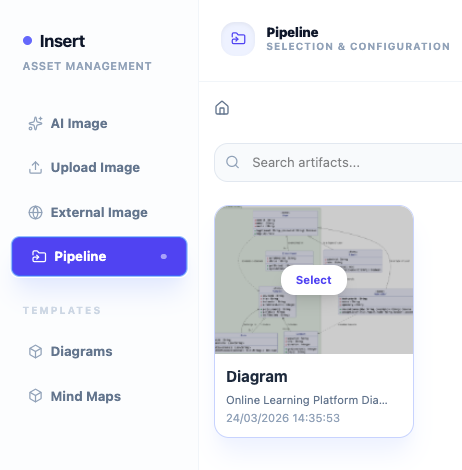
In the modern software development lifecycle, the gap between a high-level concept and a deployable system artifact is often bridged by intelligent modeling tools. This tutorial explores the integration of VPasCode, Visual Paradigm AI, and the Pipeline system. We will demonstrate how to architect a complex system like an “Online Learning Platform,” moving from a natural language prompt to a structured sequence diagram, and finally committing that diagram into a versioned artifact repository.
Understanding the Architecture
Before diving into the interface shown in the context, it is essential to understand the technical ecosystem:
- VPasCode / AI Chatbot: These are the generative engines. They interpret natural language (e.g., “Create a login flow”) and translate it into formal modeling languages like UML Sequence Diagrams.
- The Pipeline: In this context, the Pipeline acts as the central repository or “artifact store.” It holds the “Single Source of Truth” for your diagrams, ensuring that the model evolves alongside the codebase.
- OpenDocs: This component likely represents the documentation layer, linking diagrams to requirements or business processes.
Step-by-Step: Creating and Committing a Diagram
Follow this workflow to generate a sequence diagram for an Online Learning Platform and commit it to your Pipeline.
1. Initiating the AI Generation
Begin by accessing the generative interface. You can either use VPasCode (for text-based UML generation) or the Visual Paradigm AI Chatbot (for conversational design). The goal is to define the interactions between your system’s components.
Use a prompt that clearly defines the actors and the flow. For an Online Learning Platform, a robust prompt would look like this:
"Create a sequence diagram for a user login flow involving a frontend, auth service, and database."
This prompt instructs the AI to:
- Identify the Frontend (User Interface).
- Identify the Auth Service (Business Logic).
- Identify the Database (Data Persistence).
- Generate the interaction arrows (synchronous/asynchronous calls) between them.
2. Reviewing the Generated Artifact
Once the AI processes the prompt, it renders the diagram. In the context of the “Online Learning Platform,” the resulting diagram likely depicts:
- Initiation: The User enters credentials on the Frontend.
- Validation: The Frontend sends a request to the Auth Service.
- Verification: The Auth Service queries the Database for user hashes.
- Response: The Database returns a result, and the Auth Service sends a token back to the Frontend.
3. Committing to the Pipeline
This is the critical step for version control and team collaboration. You do not just save the file locally; you push it into the Pipeline.
- Locate the Insert or Asset Management panel in your Visual Paradigm interface.
- Select the Pipeline tab. This connects your modeling environment to your repository.
- Search for existing artifacts or select “Create New” to push the current diagram.
- Click Save/Commit. This action pushes the artifact into the Pipeline, making it available for other team members or downstream processes.
4. Integration with OpenDocs
As noted in the supplementary context, this workflow integrates with OpenDocs. By committing the diagram to the Pipeline, you are effectively linking the visual model to the documentation requirements. This ensures that if a requirement changes, the linked diagram in the Pipeline can be flagged for review.
Technical Concepts Explained
Sequence Diagrams in System Architecture
A Sequence Diagram is a type of Interaction Diagram that shows how processes operate with one another and in what order. In the context of an Online Learning Platform, this diagram is vital for:
- Visualizing Logic: It clarifies the exact order of operations for security-critical tasks like authentication.
- API Contracting: It defines the input and output parameters for the Auth Service, which developers can use to write the actual API code.
- Debugging: If the login fails, the diagram provides the map to trace where the breakdown occurred (e.g., DB timeout vs. Frontend error).
The Role of the “Pipeline” in Model-Driven Engineering
Traditionally, diagrams were static images or local files. In a Model-Driven Engineering (MDE) approach, the diagram itself is a code artifact. By pushing to the Pipeline:
- Versioning is handled automatically.
- Changes are tracked over time.
- The diagram becomes a source for code generation or documentation updates.
By mastering the flow from AI Prompt to Diagram to Pipeline Commit, you are adopting a modern, efficient architecture practice that bridges the gap between design and deployment.