
AI-Driven Diagram-as-Code with VPasCode: Mastering the Lifecycle
In the modern landscape of software architecture and system design, the gap between conceptualizing a system and documenting it is often bridged by manual, error-prone processes. The traditional approach of dragging and dropping shapes in a GUI editor can lead to “diagram drift,” where the visual representation no longer matches the underlying code or requirements. This tutorial explores how Visual Paradigm VPasCode revolutionizes this workflow by introducing a powerful, AI-driven, code-based diagramming environment. We will walk through the architectural philosophy, the integration with documentation, and the practical steps to transform text into professional visuals.
The Paradigm Shift: From GUI to Code
The core philosophy behind VPasCode is Diagram-as-Code. Just as developers write code to define software logic, architects can now write code to define system architecture. This approach offers several distinct advantages over traditional WYSIWYG (What You See Is What You Get) editors:
- Version Control Friendly: Diagram files are plain text, making them easy to track changes via Git, merge conflicts are easier to resolve, and diffs are human-readable.
- AI Integration: Code-based structures are semantically richer, allowing AI models to understand context better for generation and error correction.
- Efficiency: Typing logical relationships is often faster than manually connecting nodes with a mouse cursor.
Understanding the VPasCode System Architecture
VPasCode is not merely a text editor; it is a comprehensive tooling suite designed to bridge the gap between ideation and documentation. The system architecture relies on three key pillars:
1. The Mermaid Syntax Engine
At the heart of VPasCode is the Mermaid language. This is a JavaScript-based diagramming and charting tool that renders diagrams from text definitions. VPasCode enhances this standard syntax with proprietary extensions and AI capabilities. When you write code in VPasCode, you are defining the nodes (entities) and edges (relationships) of your system.
2. The AI Chatbot Assistant
Integrated directly into the editor is an intelligent AI chatbot. This tool acts as a co-pilot for your diagramming. It can:
- Generate Diagrams: Convert natural language descriptions into Mermaid syntax.
- Fix Errors: Detect syntax errors in real-time and suggest corrections.
- Refine Logic: Suggest optimizations for complex data flows or sequence interactions.
3. The OpenDocs Integration
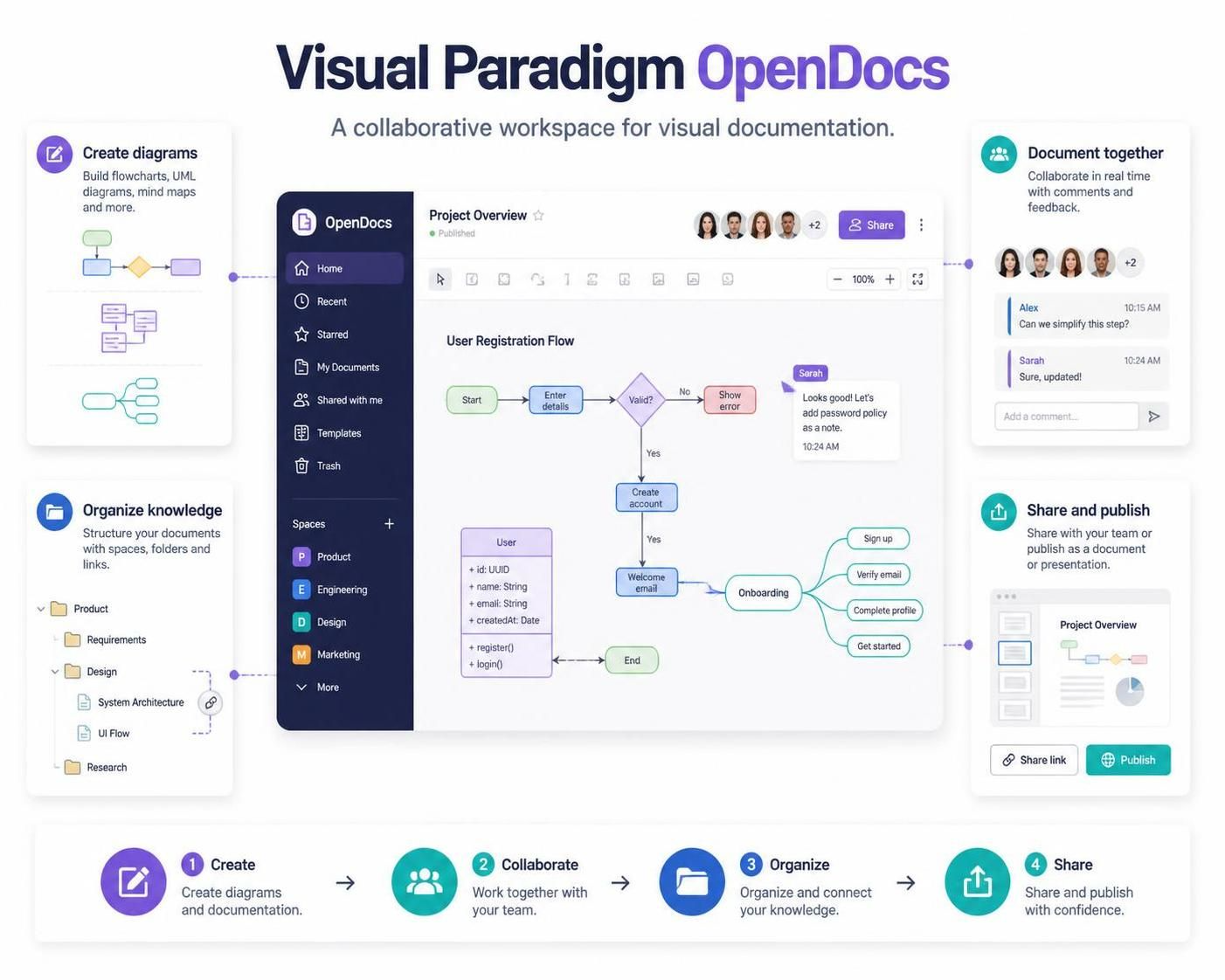
One of the most powerful features of VPasCode is its seamless connection to Visual Paradigm OpenDocs. In traditional workflows, updating a diagram in a tool and then embedding it in a wiki or documentation site often requires exporting an image and re-uploading it. VPasCode eliminates this friction.
With a single click, the finished Mermaid diagram is sent to OpenDocs. This creates a live, up-to-date link. If you update the code in VPasCode, the diagram in your knowledge base automatically refreshes. This ensures that your project documentation is always synchronized with your design.
Step-by-Step: Building a Context Diagram
Let us walk through the process of creating a Context Diagram, which visualizes the system boundary and its interactions with external entities. This example demonstrates the flow from text to live documentation.
Step 1: Define the Entities and System
Begin by declaring your system and its external actors using the Mermaid class diagram syntax. In VPasCode, you define the boundaries explicitly.
erDiagram
    %% External Entities
    USER {
        string id
        string name
    }
    PAYMENT_GATEWAY {
        string api_key
        string status
    }

    %% The System
    ORDER_SYSTEM {
        string order_id
        string status
        float total_amount
    }

    %% Relationships
    USER ||--o{ ORDER_SYSTEM : places
    ORDER_SYSTEM ||--|{ PAYMENT_GATEWAY : processes
Step 2: Leverage AI for Refinement
Instead of typing the entire schema manually, you can interact with the AI Chatbot within the tool. Simply type: “Create a class diagram for an Order System that connects a User and a Payment Gateway.” The AI will generate the code above, allowing you to focus on the logic rather than the syntax.
Step 3: Validate and Export to OpenDocs
Once the diagram renders correctly in the editor, verify the relationships. If the logic is sound, use the One-Click Export feature. This pushes the Mermaid code to the Visual Paradigm OpenDocs repository. The system generates a live link that embeds the diagram directly into your project wiki.
Best Practices for Diagram-as-Code
To maximize the efficiency of VPasCode, adhere to the following modeling standards:
- Modularize Your Code: Break complex diagrams into smaller, logical sections. This makes it easier for AI to generate specific parts and for teams to review changes.
- Use Semantic Naming: Name your classes and relationships clearly. Descriptive names like
processespaymentare more valuable than generic names likeline1. - Iterate Rapidly: Use the code-based approach to make rapid iterations. Change a relationship type, save, and see the immediate visual result.
Conclusion
Creating clear, accurate diagrams no longer requires hours of dragging shapes or wrestling with complex software. With VPasCode, Visual Paradigm has delivered a powerful, free Mermaid editor that combines the efficiency of code-based diagramming with the intelligence of AI. Whether you are a developer documenting code, a product manager mapping user journeys, or an architect designing systems, VPasCode provides the tools you need to visualize ideas quickly and professionally.
From AI-powered generation and error fixing to seamless export and documentation integration, it streamlines the entire diagramming lifecycle. Ready to transform your text into visuals? Begin with Our Free Mermaid Editor today and experience the future of diagram-as-code.