Mastering Use Case Descriptions with Visual Paradigm and AI
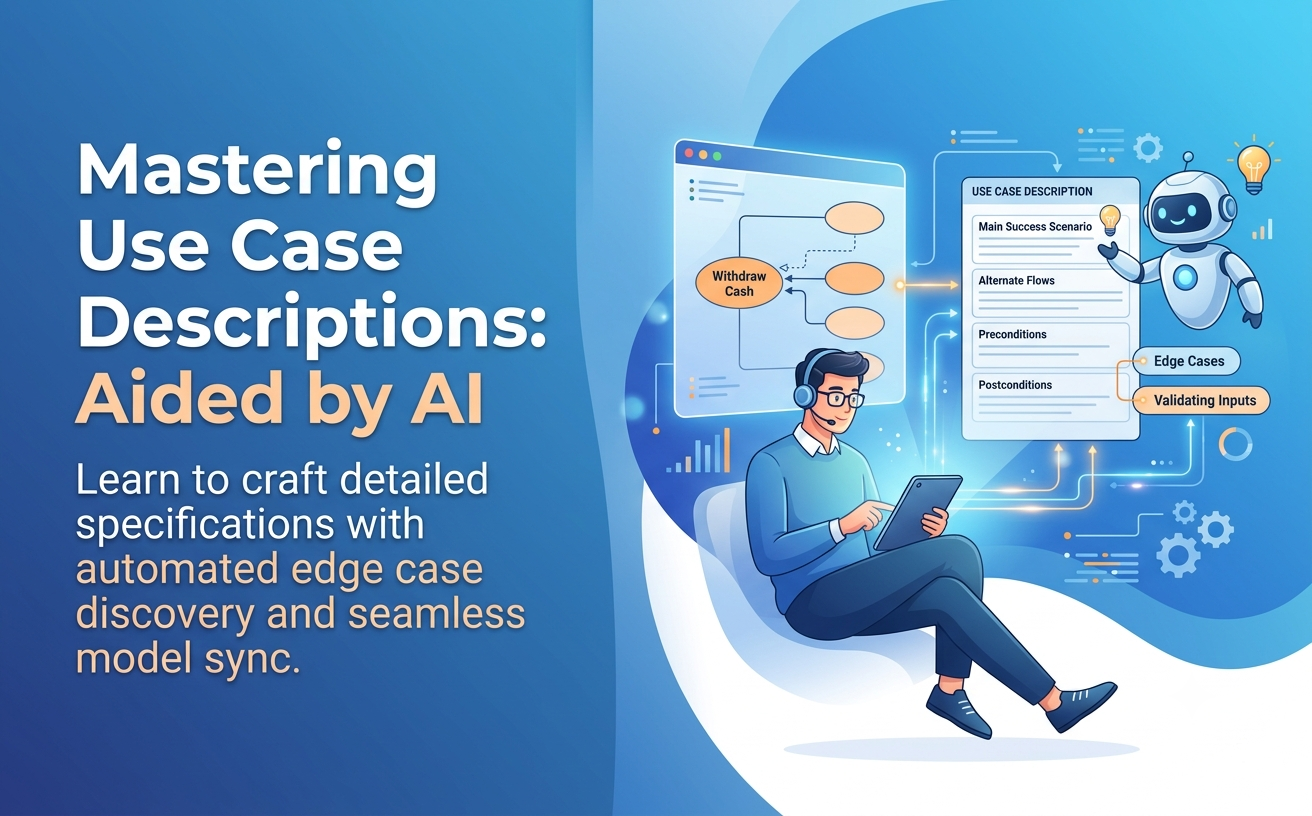
In the realm of software engineering and business analysis, a Use Case Diagram is often the starting point. It provides a fantastic high-level visual blueprint, illustrating the functional goals of a system and how external actors interact with it. However, the diagram itself is merely a snapshot—it tells only half the story.
To truly bridge the gap between requirement analysis and software design, analysts must write detailed Use Case Descriptions (also known as use case specifications). These documents transform the abstract ovals of a diagram into concrete, executable instructions for developers and testers. This tutorial explores the anatomy of a standard specification, the common pitfalls of manual writing, and how to leverage AI tools to accelerate the process.
What is a Use Case Description?
While a single oval on a diagram represents a high-level goal (e.g., “Withdraw Cash”), a Use Case Description is the structured document that sits behind that visual element. It acts as the detailed script for the software’s behavior.
A robust description details the step-by-step interaction between an external Actor and the System. It is not merely a narrative; it is a rigorous technical specification that:
- Outlines the Main Success Scenario (the “happy path”).
- Identifies Exception Paths (what happens when things go wrong).
- Defines the Preconditions and Postconditions.
These textual specifications serve as direct inputs for developers writing code and QA engineers drafting automated test suites.
Anatomy of a Standard Use Case Specification
To ensure clarity and consistency across a development team, use case specifications generally follow a standardized template. Below is the breakdown of the core elements required for a professional specification:
| Section | Description & Purpose |
|---|---|
| Use Case Name | A clear, active verb-noun phrase matching the diagram oval (e.g., Process Payment). |
| Primary Actor | The primary user or system initiating the goal. |
| Preconditions | System states that must be true before the use case can start (e.g., User is logged in). |
| Postconditions | Guaranteed system states after successful execution (e.g., Order record created). |
| Main Success Scenario | The step-by-step “happy path” interaction sequence. |
| Alternative / Exception Flows | Branching paths when errors occur or optional criteria are met (e.g., Card Declined). |
The Challenge with Manual Specification Writing
Writing detailed specifications for dozens of use cases is one of the most time-consuming tasks in requirements engineering. Systems analysts often face three major roadblocks:
- Missing Edge Cases: It is easy to forget critical exception paths, such as network timeouts or invalid inputs, when focusing solely on the happy path.
- Documentation Out of Sync: Changes made to the visual model often fail to reflect immediately in the written specs, leading to version control nightmares.
- Inconsistent Formats: Different team members may use varied styles and levels of detail, making the documentation hard to read.
How AI Accelerates Use Case Elaboration
Modern AI tools do not replace system architects; they act as force multipliers. By leveraging specialized AI models trained on software engineering patterns, you can convert high-level diagrams or user stories into full specifications in seconds.
Key Capabilities of AI-Assisted Specification Writing:
- Automated Flow Generation: Prompting the AI with a goal automatically produces step-by-step basic flows.
- Proactive Edge Case Discovery: AI suggests alternate and exception paths you might have overlooked, such as handling “insufficient funds” or “server overload.”
- Bidirectional Synchronization: Expanding a specific shape in a diagram into a full specification report seamlessly.
Step-by-Step: Writing Specifications with Visual Paradigm AI
Here is how you can create “living documentation” using the Visual Paradigm AI Diagramming Chatbot and the wider ecosystem to streamline your workflow.
Step 1: Generate or Select Your Base Diagram
Start by generating your initial visual model. Whether you are using the AI Diagramming Chatbot to create a new diagram from scratch or importing an existing UML model, ensure your Use Case Diagram is accurate.
Step 2: Prompt for Textual Refinement
In the Chatbot interface, request a textual description for any specific use case oval. You can be specific about your requirements. For example, try prompting:
Generate a complete use case specification for 'Process Checkout', including preconditions, main success scenario, and error handling for invalid credit cards.Step 3: Review and Refine via Conversation
Don’t just accept the first output. Interactively adjust steps, add business rules, or refine actor permissions directly through the persistent chat session. If the AI misses a specific validation rule, tell it to add it.
Step 4: Publish to Living Documentation with OpenDocs
Once satisfied, send your AI-generated diagram and detailed specifications straight to Visual Paradigm OpenDocs. This keeps your visual models and textual documentation unified in a single online space, ensuring that stakeholders always have access to the latest requirements.
Step 5: Evolve in VP Desktop
For deep-dive design work, import your specifications into Visual Paradigm Desktop. This allows you to link use cases with sequence diagrams and maintain end-to-end requirement traceability.
Best Practices for AI-Generated Specifications
While AI is powerful, human oversight is essential. To get the best results, follow these best practices:
- Keep Steps Atomic: Ensure every step in the main flow describes a clear action by either the Actor or the System.
1. User enters PIN. 2. System validates PIN. - Avoid UI Specifics: Focus on what happens rather than how the UI looks.
Write “User submits form” instead of “User clicks the green button in the bottom right corner.” This makes your specs future-proof against UI redesigns.
- Validate with Domain Experts: Always review AI-generated business rules and exception flows with product owners to ensure domain accuracy.
Frequently Asked Questions
Can I turn an existing diagram directly into written use case descriptions?
Yes. AI Diagramming Chatbot can analyze the relationships and generate structured textual specifications for every use case in your use case diagram.
What format does the AI use for specifications?
The AI generates structured text in standard formats (such as Markdown or clean HTML tables), making it easy to copy into tools like Jira, Confluence, or OpenDocs.
Is AI specification writing included in my Visual Paradigm plan?
Full AI capabilities are included with both VP Online Deluxe Edition and VP Desktop Professional Edition licenses.