
Mastering System Architecture: A Guide to Visual Paradigm Modeler Edition for Designers
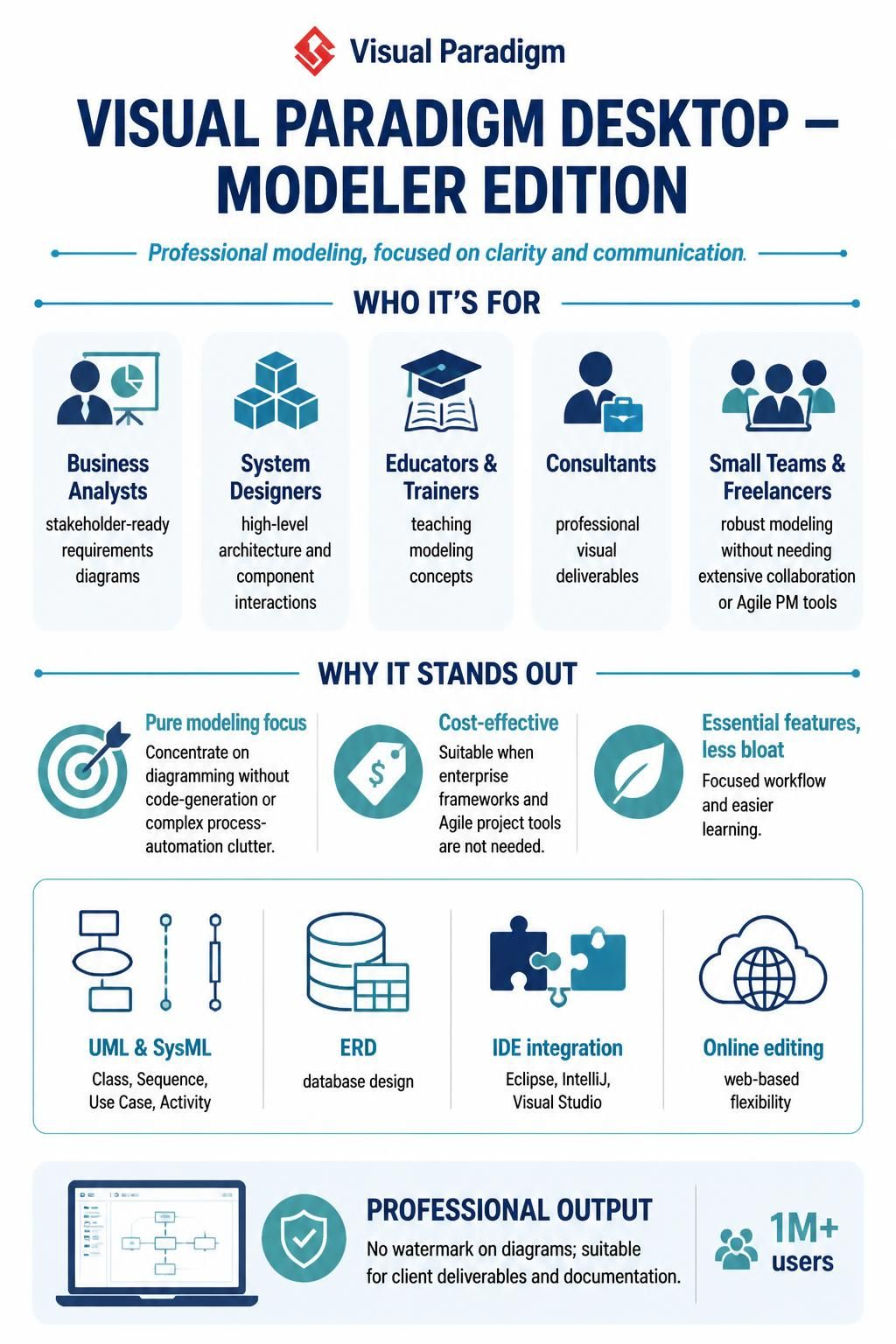
In the complex world of software development and systems engineering, the tool you choose dictates how you think. While many enterprise tools attempt to be “all-in-one” solutions, often becoming bloated with code generation and project management features, there is a distinct need for tools that focus purely on clarity and visualization. This is where the Visual Paradigm Modeler Edition excels. It is a specialized environment designed for Business Analysts, System Designers, and Consultants who need to communicate high-level architecture without the distraction of low-level implementation details.
This tutorial explores the philosophy behind the Modeler Edition, breaking down the core modeling concepts it supports—from UML to System Modeling Language (SysML)—and how it serves as a focused instrument for professional diagramming.
Understanding the Philosophy: Why “Modeler”?
The distinction between a full-featured modeling tool and a “Modeler Edition” is akin to the difference between a Swiss Army knife and a chef’s knife. While the former has many tools, the latter is optimized for one specific, high-precision task. The Modeler Edition prioritizes the modeling lifecycle over the engineering lifecycle.
For a System Designer or a Business Analyst, the primary goal is often to create a “stakeholder-ready” diagram. You need to show the flow of data, the interaction of components, or the structure of a database. You do not necessarily need the tool to generate Java or C# code for you. By stripping away the “bloat” of automated code generation and complex Agile project management, the Modeler Edition offers:
- Pure Modeling Focus: An interface dedicated to drawing and structuring diagrams, allowing you to concentrate on the logic rather than the tool.
- Cost-Effectiveness: Access to professional-grade UML and SysML capabilities without the enterprise price tag.
- Less Bloat: A streamlined workflow that is easier to learn and faster to use for freelancers and small teams.
Core Modeling Concepts Supported
The Modeler Edition is robust enough to handle the most critical architectural diagrams used in the industry. Let’s break down the three main pillars of modeling this edition supports:
1. UML (Unified Modeling Language)
UML is the standard for object-oriented design. The Modeler Edition provides a complete suite for creating:
- Class Diagrams: To define the static structure of your system.
- Sequence Diagrams: To visualize the dynamic interactions between objects over time.
- Use Case Diagrams: To map out user interactions and functional requirements.
- Activity Diagrams: To represent complex business logic and workflows.
2. SysML (Systems Modeling Language)
For those designing hardware or complex systems where software interacts with physical components, SysML is the extension of choice. It allows for modeling requirements, internal block diagrams, and parametric diagrams, bridging the gap between software and hardware architecture.
3. ERD (Entity Relationship Diagrams)
Database design is crucial. The Modeler Edition supports robust ERD creation, allowing you to define tables, relationships, and keys visually before writing a single line of SQL. This ensures your data schema is optimized for performance before it ever touches a database server.
Technical Deep Dive: Visualizing the Architecture
To truly understand the power of the Modeler Edition, let’s look at how you might structure a simple system interaction using the tools provided. Imagine we are designing a “User Login” system. In a professional environment, we often use a Sequence Diagram to define the temporal flow of messages.
Using the Modeler Edition, you can visually construct this flow and export it to a Mermaid format for documentation, or keep it native for client presentations.
sequenceDiagram
    participant User
    participant WebApp
    participant Database
    participant Logger

    User->>WebApp: Enter Credentials
    WebApp->>Database: Validate User (SQL)

    alt User Exists
        Database-->>WebApp: Return Token
        WebApp->>Logger: Log Successful Login
        WebApp-->>User: Display Dashboard
    else User Invalid
        Database-->>WebApp: Error
        WebApp-->>User: Show Error Message
    end
The Modeler Edition allows you to manipulate these elements without worrying about the underlying XML structure. You drag, drop, and connect, and the software handles the logic of the diagram. This is particularly vital for Consultants who need to deliver clean, professional visual artifacts to clients quickly.
Integration and Flexibility
Even though the Modeler Edition is a desktop-focused tool, it is not isolated. It integrates seamlessly with the major Integrated Development Environments (IDEs) like Eclipse, IntelliJ IDEA, and Visual Studio. This means a developer can view the architecture model directly within their coding environment, ensuring that the code stays in sync with the design.
Additionally, the Online Editing capability ensures that teams can collaborate on diagrams via the cloud, providing web-based flexibility that matches the robustness of the desktop installation.
Conclusion: Choosing the Right Tool for the Job
Whether you are an educator teaching the fundamentals of systems design, a freelancer building a custom solution, or a business analyst defining requirements, the Visual Paradigm Modeler Edition offers the perfect balance. It removes the noise of complex automation and project management, allowing you to focus on what matters most: communicating complex ideas clearly.
By leveraging its support for UML, SysML, and ERD, you ensure that your architectural diagrams are not just drawings, but precise technical specifications that drive successful software delivery.