
Choosing Your Path: A Strategic Guide to Visual Paradigm Editions for Model-Driven Development
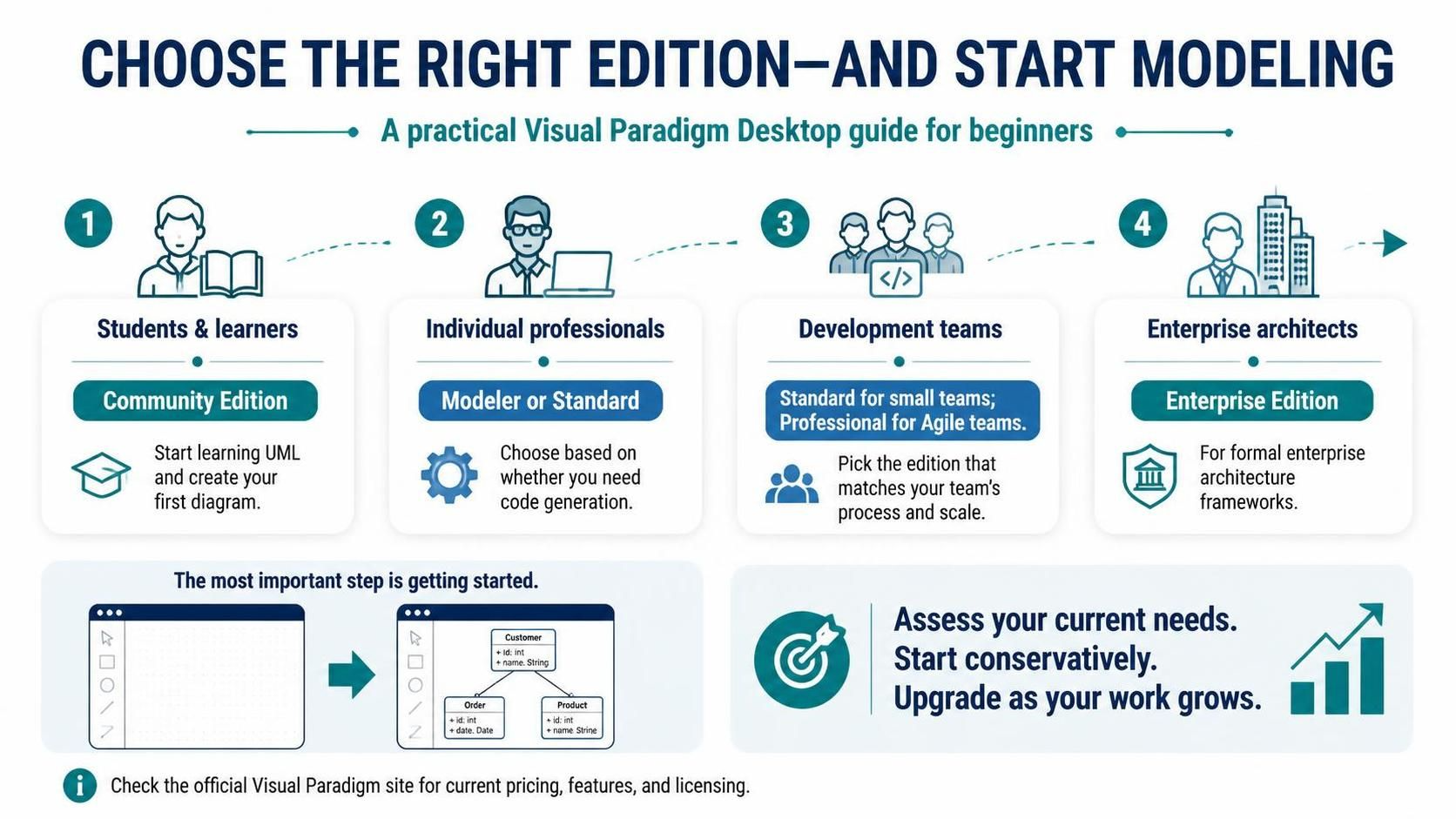
Welcome to your comprehensive guide on navigating the Visual Paradigm Desktop ecosystem. Whether you are a student beginning your journey into Unified Modeling Language (UML) or an enterprise architect managing complex system landscapes, selecting the right tool is the first step toward successful model-driven development. This tutorial breaks down the edition lineup, helping you align your technical needs with the appropriate licensing tier.
1. The Student & Learner Path: Community Edition
For beginners, the barrier to entry should be zero. The Community Edition is designed specifically for students and self-taught learners who need to grasp the fundamentals of software architecture without financial overhead. It is fully functional for educational purposes, allowing you to create diagrams, understand syntax, and visualize logic.
When using this edition, your focus should be on mastering the core concepts of modeling:
- Diagramming Basics: Learn to draw Use Case, Class, and Sequence diagrams.
- Visual Syntax: Understand how visual elements translate into logical structures.
- Foundational UML: Get comfortable with the standard notation used across the industry.
This edition serves as the perfect sandbox for creating your first diagram and experiencing the power of visual thinking.
2. The Individual Professional: Modeler or Standard Edition
As you transition from learning to professional application, your requirements will shift from “understanding” to “delivering.” Individual professionals often find themselves at a crossroads between the Modeler and Standard editions. The deciding factor here is Code Generation.
When to Choose Modeler
If your workflow is strictly design-centric—creating blueprints, specifications, or documentation without the immediate need to generate boilerplate code—the Modeler edition is often sufficient. It focuses on the visual representation of the system.
When to Choose Standard
If you are a solo developer or a technical lead who requires code generation capabilities to bootstrap projects, the Standard Edition is the critical upgrade. It bridges the gap between design and implementation, allowing you to reverse engineer existing code or forward generate code from your diagrams.
3. The Development Team: Standard vs. Professional
Collaboration introduces new constraints: version control, concurrent editing, and process standardization. The Visual Paradigm lineup scales to meet these challenges through team-oriented editions.
Standard Edition for Small Teams
For smaller, agile groups that need to share models but operate with less rigid governance, the Standard Edition provides the necessary features to maintain a unified view of the system architecture.
Professional Edition for Agile Teams
For teams practicing Agile methodologies, the Professional Edition is the industry standard. It includes advanced features for managing backlog items, user stories, and sprint planning directly within the modeling environment. This integration ensures that the design remains synchronized with the development velocity.
4. The Enterprise Architect: Enterprise Edition
At the highest level of complexity, individual diagramming is insufficient. Enterprise architects deal with compliance, massive scale, and strict governance frameworks. The Enterprise Edition is essential here, offering tools specifically designed for framework compliance (such as TOGAF or ArchiMate) and large-scale deployment management.
Conclusion: Start, Scale, and Evolve
The decision matrix for Visual Paradigm is clear: assess your current needs, anticipate your near-term growth, and choose the edition that fits your current scope without overpaying for unused capabilities. Whether you are drawing a simple class diagram or managing an enterprise-wide architecture framework, there is a version of Visual Paradigm designed to support your workflow.
Next Steps: Visit the official Visual Paradigm website to review the latest feature sets and pricing, then download the version that aligns with your role. Happy modeling!