


Introduction
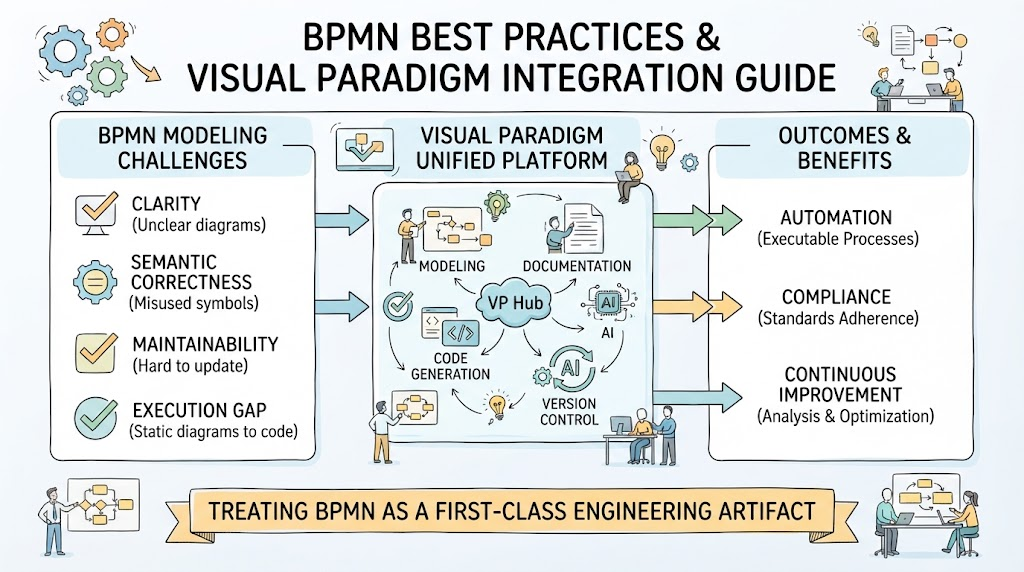
Business Process Model and Notation (BPMN) serves as the universal language for process modeling, bridging the gap between business stakeholders and technical implementers. However, a BPMN diagram is only as valuable as its clarity, semantic correctness, and maintainability. Many organizations struggle not with the notation itself, but with enforcing best practices consistently across teams and translating static diagrams into executable assets.
This comprehensive guide outlines industry-standard BPMN best practices and demonstrates how to implement them effectively using the Visual Paradigm (VP) ecosystem. By treating BPMN as a first-class engineering artifact rather than a simple drawing exercise, Visual Paradigm integrates modeling, documentation, code generation, and AI into a unified platform that drives automation, compliance, and continuous improvement.
Key Concepts and Examples
Before diving into tool-specific workflows, it is essential to understand the foundational principles that distinguish professional process modeling from basic flowcharting.
Semantic Correctness vs. Visual Drawing
A common pitfall is creating diagrams that “look” correct but fail logically during execution.
-
Token Flow Logic: Every path must have a valid start and end. Tokens must traverse from Start Event to End Event without getting trapped.
-
Example: A process where an Exclusive Gateway splits into three paths but only two have outgoing flows will cause a runtime deadlock. VP Desktop validates this in real-time.
-
-
Gateway Discipline: Gateways control flow, they do not perform work. Never use a gateway as a substitute for an activity.
-
Example: Instead of placing text inside a diamond saying “Check Inventory,” model a Task named “Verify Stock Levels” followed by an Exclusive Gateway labeled “Stock Available?” with explicit “Yes” and “No” outgoing flows.
-
-
Event Typing: Distinguish clearly between Catching (hollow) and Throwing (filled) events.
-
Example: Use a Message Catch Event (hollow envelope) to wait for a customer email, and a Message Throw Event (filled envelope) to send a confirmation. Never use an Intermediate Event as a process terminator.
-
Visual Layout and Cognitive Load
Readability directly impacts stakeholder adoption and analysis accuracy.
-
Directional Flow: Adhere to Left-to-Right, Top-to-Bottom progression. Time should flow horizontally.
-
Line Crossing Reduction: Crossed lines increase cognitive load by approximately 40%.
-
Example: If Sequence Flows between lanes are tangling, restructure the lane order or use orthogonal routing with bridge notation. VP’s auto-layout engines can instantly reorganize messy inherited diagrams.
-
-
Naming Conventions: Consistency reduces ambiguity.
-
Activities: Verb + Noun (e.g., Approve Request, Validate Invoice).
-
Events: Object + State (e.g., Order Received, Payment Failed).
-
Granularity and Hierarchy
Complex processes must be decomposed to remain understandable.
-
The 7±2 Rule: A single diagram level should contain no more than 9 elements.
-
Example: If an “Employee Onboarding” diagram has 25 tasks, decompose it into sub-processes like “HR Verification,” “IT Provisioning,” and “Manager Welcome.”
-
-
Separation of Concerns: Maintain distinct diagrams for strategic (high-level), operational (mid-level), and technical (executable/system) views, linked via navigation.
Implementing Best Practices with Visual Paradigm
Visual Paradigm distinguishes itself by integrating modeling, documentation, code generation, and AI into a Unified Platform. Below is how each component enforces and accelerates BPMN excellence.
🖥️ Visual Paradigm Desktop: Professional Visual Modeling
Best for: Complex enterprise architecture, offline work, and rigorous validation.
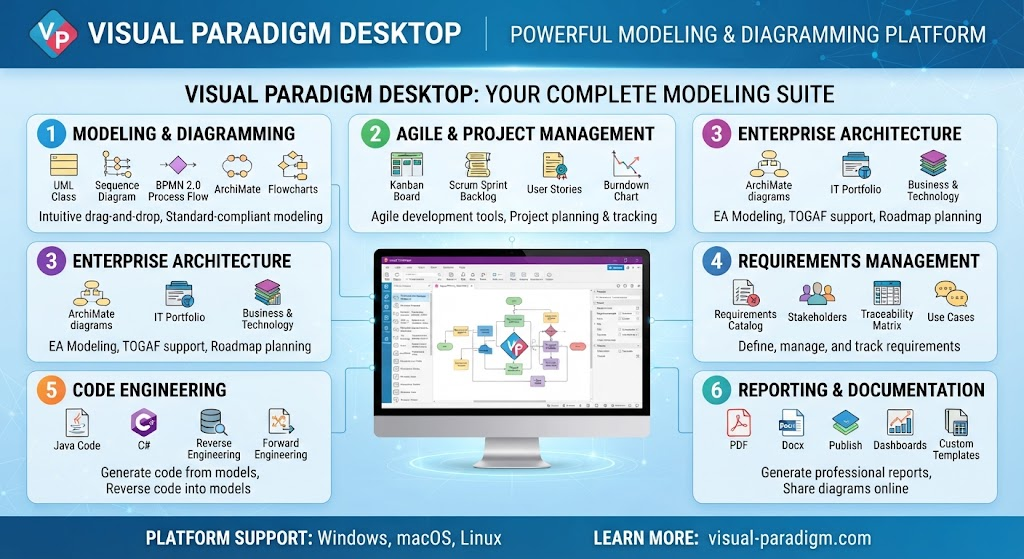
Real-Time Syntax Validation: Unlike basic drawing tools, VP Desktop validates BPMN 2.0 semantics as you draw. It flags invalid gateway configurations, missing message flows between pools, and incorrect event attachments instantly.
-
Model Reuse & Project Referencing: Create a master library of standardized Sub-Processes and Tasks. Reference them across multiple projects to ensure organizational consistency without duplication.
-
Advanced Layout Algorithms: Use built-in auto-layout engines (Hierarchical, Orthogonal, Circular) to instantly reorganize messy diagrams into best-practice compliance.
-
Simulation & Analysis: Run token simulation directly on the canvas to verify logic before deployment. Identify bottlenecks and deadlocks visually.
🌐 VP Online: Free Diagramming & Collaboration
Best for: Quick ideation, stakeholder feedback, and lightweight editing.
-
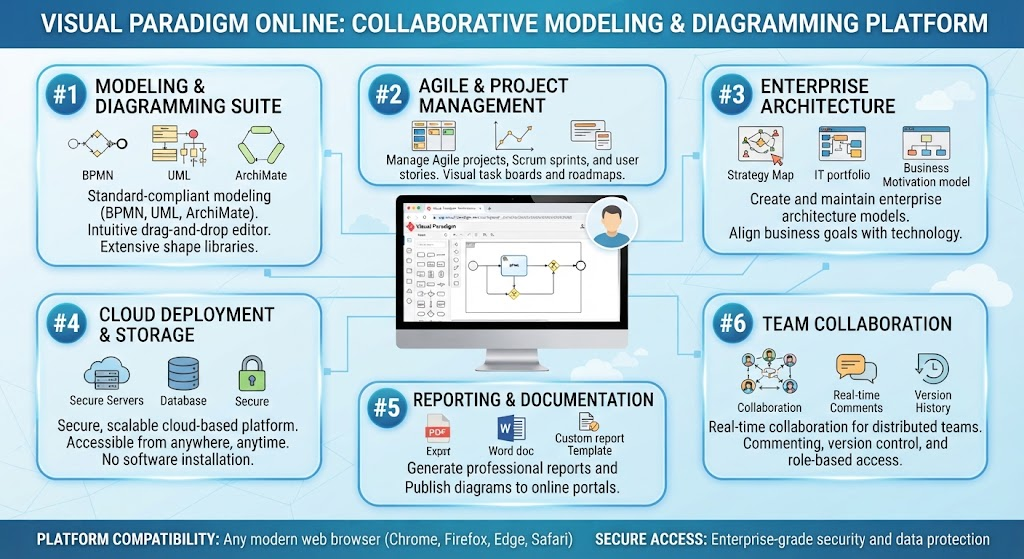
Zero-Friction Access: Share read-only or edit links with non-modelers. Stakeholders can comment directly on diagram elements without installing software.
-
Cloud Sync with Desktop: Start a rough draft in VP Online during a workshop, then open it in VP Desktop for formal refinement and validation. The transition is seamless within the Unified Platform.
-
Template Gallery: Access community-vetted BPMN templates that already follow naming and layout conventions, reducing setup time.
🤖 VP AI Chatbot: Intelligent Modeling Assistant
Best for: Accelerating creation, learning standards, and generating initial drafts.
-
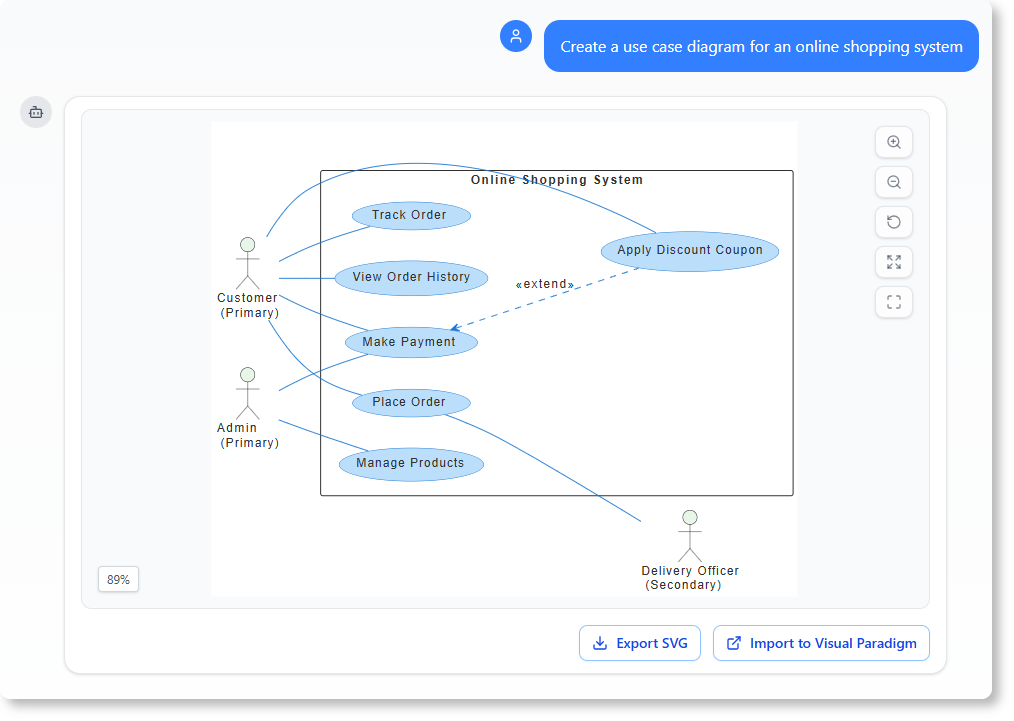
Text-to-BPMN Generation: Describe a process in natural language (e.g., “Create a BPMN diagram for employee onboarding including HR verification, IT provisioning, and manager welcome”). VP AI generates a syntactically correct draft you can refine.
-
Best Practice Auditing: Ask the AI: “Review this diagram for BPMN best practice violations.” It will identify unlabeled XOR gateways, overly complex lanes, or naming inconsistencies.
-
Concept Explanation: Junior modelers can ask, “When should I use a Compensation Event vs. an Error Event?” and receive context-aware answers tied to their current diagram.
💻 VPasCode: Model-Driven Development
Best for: Executable processes, developer handoff, and CI/CD integration.
-
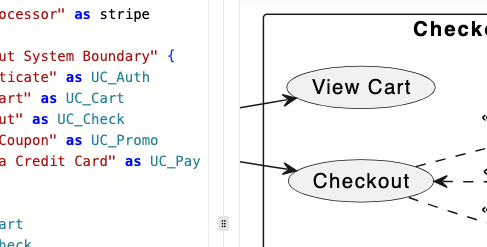
BPMN-to-Code Generation: Transform validated BPMN models directly into executable code frameworks (Java/Spring Boot, C#, Python, Node.js). This eliminates translation errors between business and IT.
-
Reverse Engineering: Import existing codebases or API specs to auto-generate accurate As-Is BPMN documentation.
-
Version-Controlled Models: Treat BPMN files as code. VPasCode integrates with Git, enabling diff/merge for process models just like source code.
📚 OpenDocs: Living Documentation
Best for: SOPs, compliance audits, and knowledge management.
-
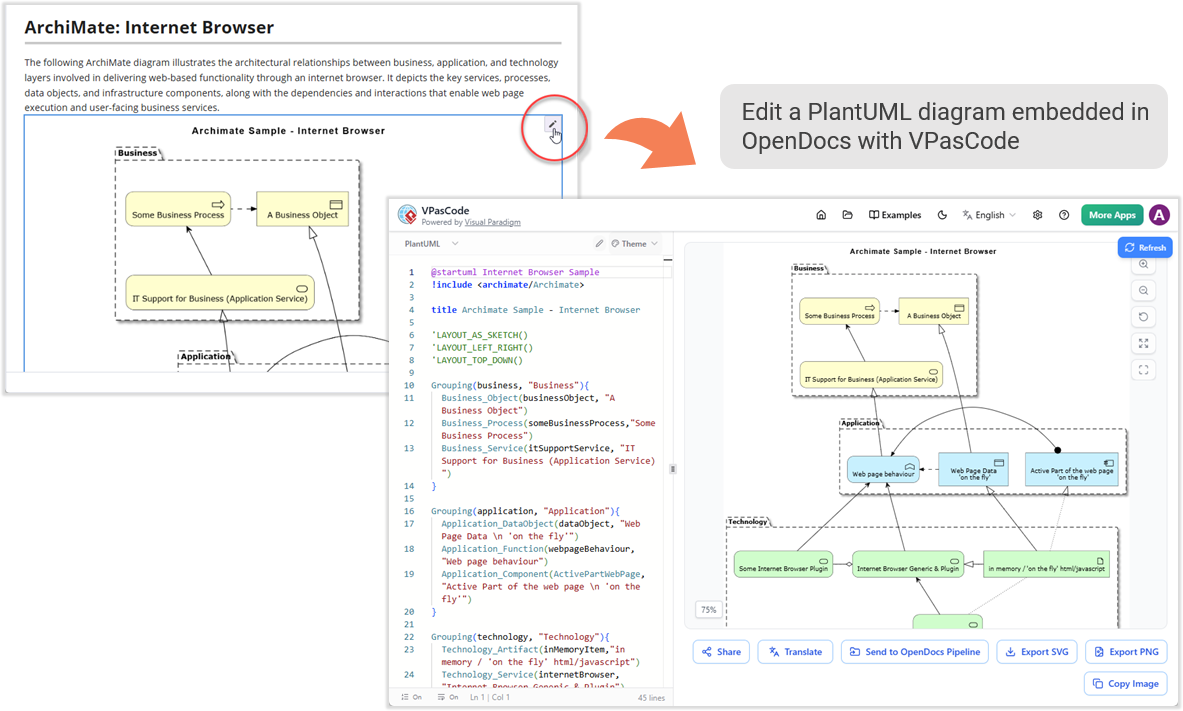
Auto-Generated Process Documentation: Generate PDF/HTML/Word SOPs directly from the BPMN model. When the model updates, the documentation updates automatically—eliminating stale wikis.
-
Traceability Matrix: Link BPMN elements to requirements, risks, and KPIs. Demonstrate to compliance auditors exactly which process step satisfies which regulation.
-
Interactive Web Publishing: Publish models as navigable web portals where users can click elements to see descriptions, RACI matrices, and linked documents.
Recommended Workflow Using the Unified Platform
To maximize ROI, adopt a phased workflow that leverages the right tool for each stage of the process lifecycle:
| Phase | Tool | Action |
|---|---|---|
| Discovery | VP AI Chatbot + VP Online | Generate initial draft from interview notes; collaborate with stakeholders in real-time. |
| Formalization | VP Desktop | Validate syntax, apply auto-layout, simulate token flow, decompose into sub-processes. |
| Documentation | OpenDocs | Auto-generate SOPs and compliance traceability matrices. |
| Implementation | VPasCode | Generate executable scaffolding; integrate with CI/CD pipeline. |
| Maintenance | Unified Platform | Edit in Desktop or Online; changes propagate to docs and code automatically. |
💡 Pro Tip: Start with VP Online (Free) to validate your team’s adoption willingness. Migrate to VP Desktop when you need simulation, advanced validation, or code generation. Use VP AI Chatbot throughout both to accelerate learning and enforce best practices consistently.
Why Visual Paradigm is the Best Ecosystem
While many tools handle drawing BPMN, Visual Paradigm is unique in treating BPMN as a first-class engineering artifact:
-
True Repository-Based Modeling: Not just diagrams stored as files, but a semantic model database ensuring consistency across hundreds of processes.
-
End-to-End Traceability: Connect BPMN ↔ ArchiMate ↔ UML ↔ ERD ↔ Code ↔ Documentation in one environment.
-
AI-Native Integration: AI isn’t a bolt-on chat widget; it understands your repository context and model structure.
-
Flexible Licensing: From free VP Online for casual users to enterprise Desktop licenses, all sharing the same file format and cloud sync.
-
Standards Compliance: Full BPMN 2.0, DMN, CMMN, and ArchiMate support with regular updates aligned to OMG specifications.
Conclusion
Effective BPMN modeling requires more than just knowing the notation; it demands disciplined adherence to semantic and visual best practices, supported by tooling that enforces those standards. By combining rigorous methodology with Visual Paradigm’s integrated ecosystem—from AI-assisted drafting and real-time validation to automated documentation and code generation—organizations can transform process modeling from a static documentation exercise into a strategic capability. Whether you are a business analyst seeking stakeholder alignment or a developer building executable workflows, the Unified Platform ensures your models are clear, correct, and actionable.
Relevant Resources and Articles
- Comprehensive Guide to BPMN with Visual Paradigm Tooling, AI, and Ecosystem: Detailed overview of integrating BPMN best practices with VP’s AI and desktop tools.
- The Comprehensive Guide to BPMN Concepts, Best Practices, and Modern Tooling: Foundational BPMN concepts paired with modern implementation strategies.
- From Concept to Knowledge Base: A Third-Party Review of Visual Paradigm’s OpenDocs Workflow: Independent review of automating documentation and knowledge management.
- AI Diagram to OpenDocs Pipeline Release Notes: Technical update on automating the flow from AI-generated diagrams to living documentation.
- AI BPMN Diagram Chatbot Features: Feature breakdown of the intelligent assistant for BPMN modeling and auditing.
- BPMN with Visual Paradigm AI: A Comprehensive Guide: Step-by-step guide to leveraging AI for process modeling efficiency.
- BPMN Tutorial: Visual Paradigm Tooling, AI Chatbot, and Ecosystem: Hands-on tutorial covering the full VP suite for BPMN.
- How AI-Powered NLP is Revolutionizing Text-to-BPMN Generation: Deep dive into natural language processing for enterprise process modeling.
- AI Chatbot: A Comprehensive Guide to Visual Modeling: Broad guide on using AI chatbots across various visual modeling disciplines.
- Visual Paradigm AI Chatbot Portal: Direct access point to the AI modeling assistant.
- OpenDocs Feature Overview: Official documentation on the living documentation and SOP generation engine.
- AI OpenDocs Tool: Dedicated resource for AI-enhanced documentation capabilities.
- Visual Paradigm Pipeline: AI Modeling Ecosystem Bridge Video: Video demonstration of connecting AI modeling to downstream engineering artifacts.
- Visual Paradigm Pipeline: AI Modeling Ecosystem Bridge Guide: Written guide on integrating AI modeling into broader development pipelines.
- BPMN Simulation and Analysis Tutorial Video: Visual walkthrough of token simulation and bottleneck identification.
- Advanced BPMN Layout and Styling Video: Tutorial on achieving professional-grade diagram aesthetics and readability.
- From Narrative to Diagram: AI BPMN Generator Transformation: Case study on converting textual requirements to structured models.
- VPasCode and OpenDocs Integration Tutorial Video: Demonstration of linking code generation with automated documentation.
- Desktop to OpenDocs Integration Hands-On Review: Practical review of synchronizing desktop models with web-based docs.
- From Code to Clarity: Beginner’s Guide to VPasCode and OpenDocs: Introductory guide for developers adopting model-driven documentation.
- Mastering VPasCode: Ultimate Guide to AI-Powered Diagram as Code: Advanced guide on multi-engine code generation and version control.
- AI BPMN Tool Features: Summary of AI-specific capabilities for BPMN designers.
- Enterprise Process Modeling with AI Video Series: Extended video content on scaling BPMN in enterprise environments.