Software architecture is rarely static. As requirements shift, new features land, and legacy code is refactored, the underlying structure of an application evolves. However, documentation often lags behind this change. A UML class diagram that was accurate at the start of a project can become a source of confusion and error within months if not actively managed. This guide explores the practical mechanics of keeping class diagrams relevant, accurate, and useful throughout the lifecycle of a software system.
The goal is not perfection, but utility. A diagram that is maintained is a map that actually shows the terrain. A diagram that is ignored becomes a relic. Below, we examine the strategies for synchronization, version control, governance, and the cultural habits required to sustain documentation quality.
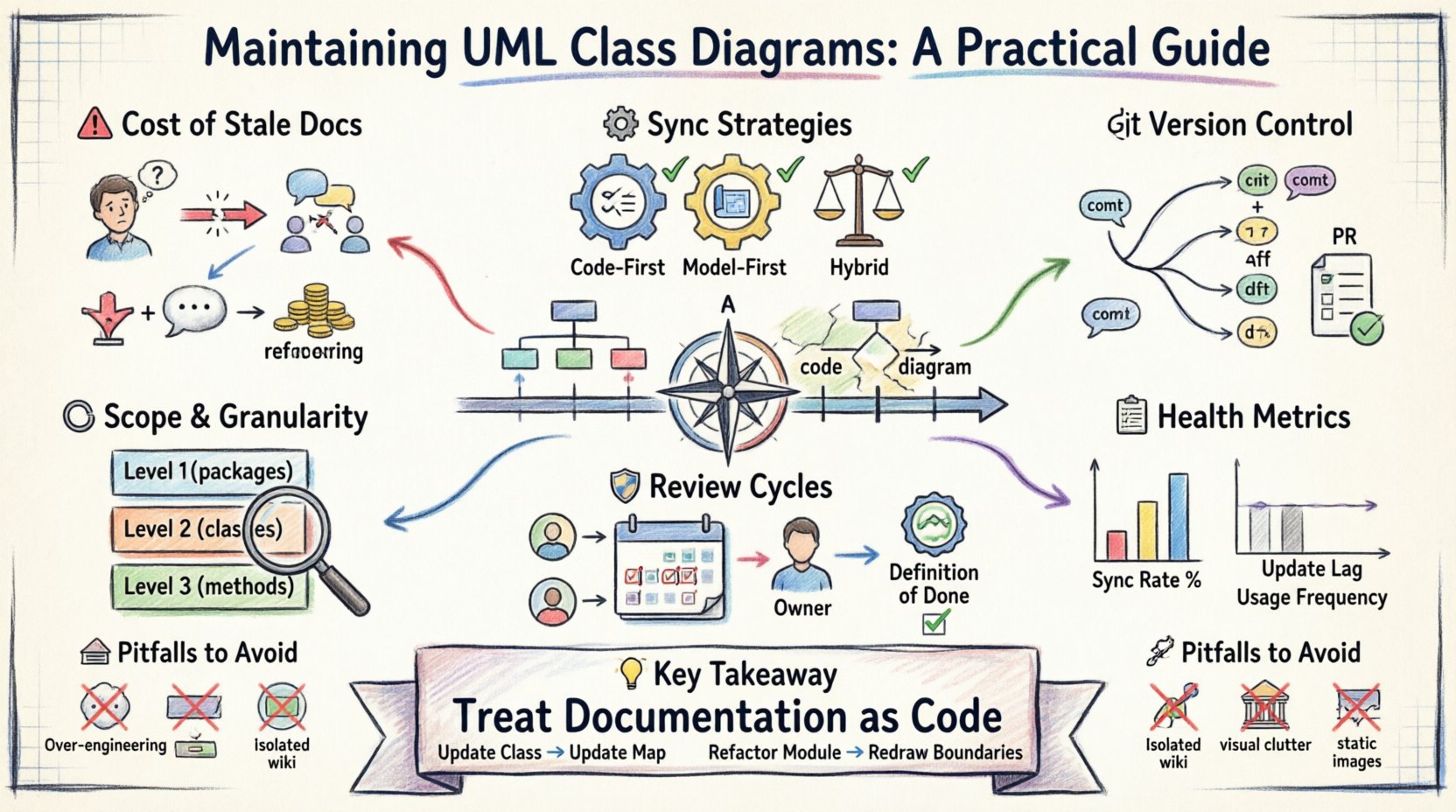
📉 The Cost of Stale Documentation
When a class diagram diverges from the actual code, it creates what is known as documentation rot. This phenomenon is more than just a minor annoyance; it carries tangible costs for engineering teams.
- Misguided Onboarding: New developers rely on diagrams to understand the system. If the diagram shows a relationship that no longer exists, they waste time tracing dead ends.
- Refactoring Risk: Engineers may hesitate to refactor code if they cannot trust the architectural maps. This leads to code that is harder to change over time.
- Communication Breakdown: In discussions between architects, developers, and stakeholders, diagrams serve as a common language. If that language is outdated, alignment is lost.
- Technical Debt Accumulation: Ignoring documentation updates is a form of debt. Eventually, the cost to restore the documentation exceeds the cost to maintain it continuously.
Understanding these risks is the first step toward a sustainable maintenance strategy. The question is not if the code will change, but how we ensure the diagram changes with it.
⚙️ Strategic Approaches to Synchronization
There are two primary philosophies regarding the relationship between code and diagrams. Choosing the right one for your team is critical for long-term success.
Code-First Synchronization
In this approach, the source of truth is the codebase. Diagrams are generated or updated based on the current state of the source files.
- Benefits: High accuracy. It is impossible for the diagram to be wrong if it is generated directly from the compiled artifacts or source structure.
- Challenges: Loss of design intent. Generated diagrams often show implementation details rather than architectural abstractions. They may not reflect the planned state, only the current state.
- Best For: Legacy systems or projects where documentation is secondary to rapid delivery.
Model-First Synchronization
Here, the diagram is created before the code. The code is written to conform to the design.
- Benefits: Clear architectural intent. Forces the team to think about structure before implementation. Easier to spot design flaws early.
- Challenges: High maintenance overhead. If the code changes and the diagram is not updated, the model becomes a lie. It requires strict discipline to ensure the model is updated alongside the code.
- Best For: Complex systems, regulated industries, or projects where architectural stability is paramount.
Hybrid Approach
Many mature teams adopt a hybrid model. Core architectural decisions are modeled first. Implementation details are allowed to evolve, with the diagram updated only when the public interface or key relationships change.
📂 Version Control for Visual Models
Just as source code is managed in version control systems, diagrams should be treated as first-class artifacts. Treating diagrams as binary blobs stored in a repository without version history makes tracking changes difficult.
- Store Diagrams as Code: Use formats that are text-based (such as XMI or DSL-based definitions) rather than proprietary binary formats. This allows for diffing and merging.
- Commit Messages: When a diagram is updated, the commit message should explain why the change happened. Was a new class added? Did a relationship change? This context is vital for future audits.
- Branching Strategy: Consider branching diagrams alongside feature branches. If a feature branch introduces significant architectural changes, the diagram branch should reflect that state until merged.
- Review Process: Pull requests should include diagram changes. This ensures that a developer reviewing code also reviews the architectural impact.
Without version control, you cannot answer the question: When did this relationship change? With version control, the history provides the answer.
🎯 Defining Granularity and Scope
One of the most common reasons diagrams fail is scope creep. A single diagram attempting to show every class in a large system becomes unreadable. To maintain utility, you must define strict rules for granularity.
- Focus on Boundaries: Use package diagrams or context diagrams to show high-level boundaries. Use class diagrams to show internal logic only within specific bounded contexts.
- Hide Implementation Details: Do not show private methods or internal variables unless they are critical to the design pattern being used. Focus on public interfaces and relationships.
- Abstraction Levels: Define levels of detail. Level 1 shows packages and main classes. Level 2 shows attributes and methods for critical classes. Level 3 shows sequence logic for complex flows.
- Modularization: Split large diagrams into smaller, cohesive sub-diagrams. Link them together logically rather than cramming everything onto one canvas.
By restricting scope, you reduce the surface area that requires maintenance. Updating a small, focused diagram is less effort than updating a massive overview.
🛡️ Review Cycles and Team Accountability
Maintenance requires ownership. If everyone is responsible, no one is responsible. Establishing a clear review cycle is essential for keeping diagrams fresh.
| Review Trigger | Frequency | Owner |
|---|---|---|
| Major Feature Release | Per Sprint/Release | System Architect |
| Refactoring Session | Ad-hoc | Lead Developer |
| Quarterly Audit | Every 3 Months | Tech Lead |
| Onboarding Check | Per New Hire | Documentation Owner |
In addition to scheduled reviews, integrate diagram updates into the Definition of Done. A pull request should not be marked complete if it alters the architecture without updating the diagram.
- Automated Checks: Where possible, use scripts to verify that the diagram matches the code structure. If a new package is added to the code, flag a warning in the build pipeline.
- Design Reviews: Include diagram updates in formal design review meetings. This makes the diagram a living part of the decision-making process.
- Documentation Ownership: Assign specific ownership of diagram sections. A developer owning the Payment Module is responsible for the diagrams related to that module.
🧹 Managing Technical Debt in Diagrams
Even with good processes, diagrams will drift. When a diagram becomes significantly outdated, it is tempting to redraw it from scratch. However, this is often risky and time-consuming.
Annotate Rather Than Redraw
If the structure is mostly correct but details are stale, use annotations. Add comments indicating Deprecated, To Be Refactored, or Current State vs. Planned State.
- Version Tags: Add version tags to diagrams (e.g., v1.2). This helps developers reference the specific state of the system when they encountered a bug.
- Change Logs: Maintain a separate change log file that references diagram versions. This is often more practical than embedding change history directly in the visual model.
The Redraw Threshold
Decide when a diagram is beyond repair. If more than 30% of the elements need changing, or if the layout is completely broken due to accumulated changes, it may be time to regenerate the base.
- Baseline Reset: Create a baseline snapshot of the current code structure. Use this as a clean starting point for the next iteration of the model.
- Legacy Handover: If a system is being migrated, ensure the diagram is updated to reflect the target state, not just the legacy state. This aids the migration team.
📊 Metrics for Diagram Health
How do you know if your maintenance strategy is working? Use metrics to track the health of your documentation.
- Sync Rate: The percentage of diagrams that match the current codebase structure.
- Update Lag: The average time between a code change and a diagram update.
- Usage Frequency: How often are diagrams accessed? Low usage might indicate they are hard to find or not trusted.
- Review Coverage: What percentage of pull requests include diagram updates?
🚧 Common Pitfalls to Avoid
Even experienced teams fall into traps when managing diagrams. Awareness of these pitfalls helps in avoiding them.
- Over-Engineering: Creating diagrams that are too complex to be understood. Keep them simple. A sketch that conveys the idea is better than a polished diagram that confuses the reader.
- Isolation: Keeping diagrams in a separate wiki or tool that is not linked to the code repository. This creates a disconnect between the code and the docs.
- Visual Overload: Trying to show every single relationship. Focus on the relationships that matter for understanding the flow of data and control.
- Static Publishing: Exporting diagrams as images and embedding them in static documentation. This prevents easy updates. Keep the source files accessible.
💡 Final Thoughts on Sustainability
Maintaining UML class diagrams is not about creating perfect art. It is about maintaining a shared understanding of the system. It requires a commitment to treat documentation as code. When you update a class, you update the map. When you refactor a module, you redraw the boundaries.
This discipline pays off in reduced cognitive load, faster onboarding, and safer refactoring. The diagram becomes a trusted companion to the code, evolving together through the lifecycle of the project. By following these practical strategies, teams can ensure their architectural documentation remains a valuable asset rather than a burden.
Start small. Pick one module. Update its diagram. Make the update part of the workflow. Over time, this habit scales. The result is a system where the code and the design remain in sync, providing clarity and confidence to everyone involved in the development process.