


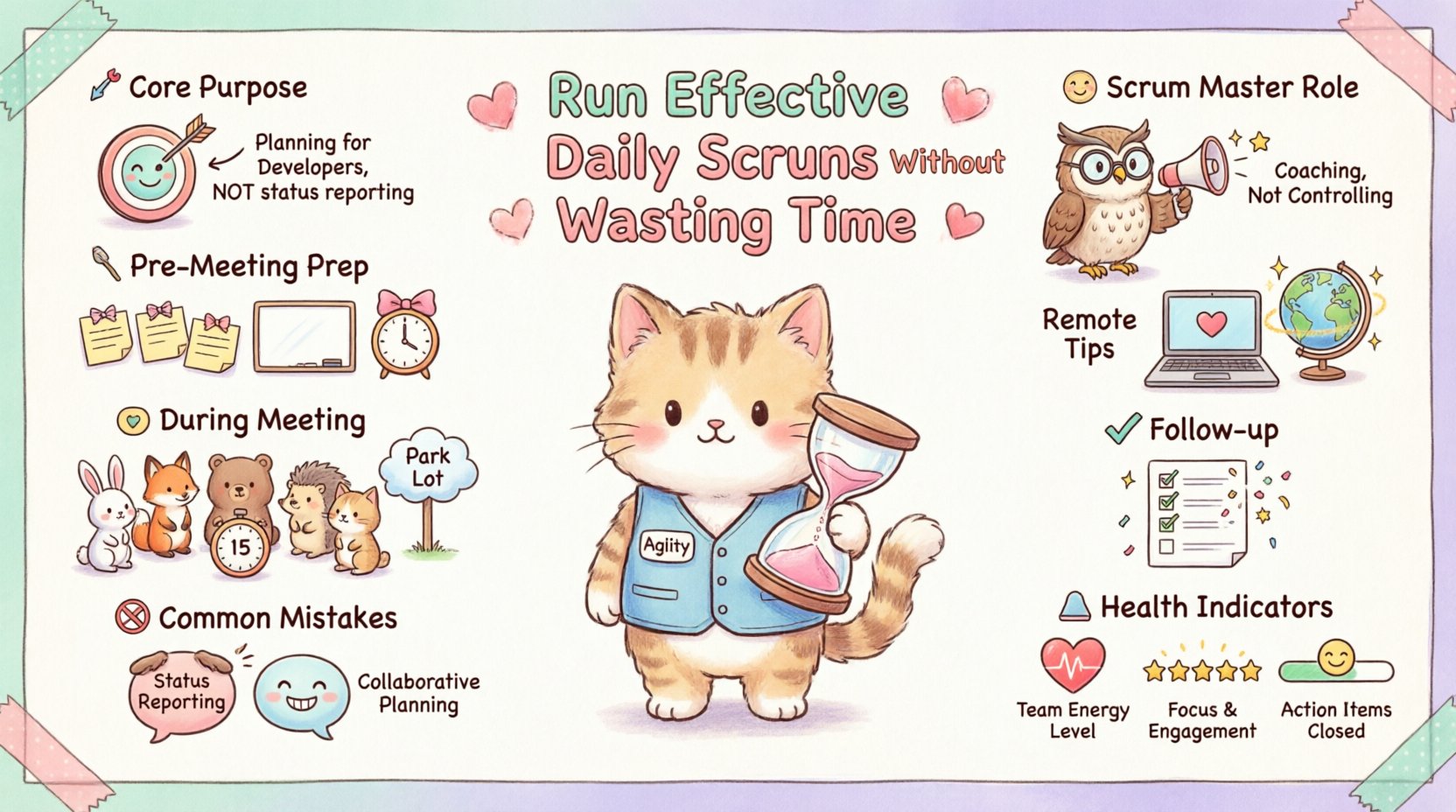
For many agile teams, the Daily Scrum is a source of friction. It is often viewed as a mandatory hurdle rather than a valuable ritual. Teams feel they lose productive hours to a meeting that yields little tangible progress. This perception usually stems from a misunderstanding of the event’s purpose or poor facilitation. When executed correctly, this 15-minute event acts as a synchronization point that propels the team forward. It is not a status report for management; it is a planning session for the developers.
This guide provides a deep dive into how to structure, facilitate, and optimize the Daily Scrum. We will explore the mechanics of effective collaboration, common pitfalls to avoid, and strategies for both co-located and distributed environments. By focusing on efficiency and value, you can transform this meeting into a catalyst for momentum.
Understanding the Core Purpose 🎯
The primary objective of the Daily Scrum is for the Developers to inspect progress toward the Sprint Goal and adapt the Sprint Backlog. It is a planning event, not a reporting event. Many teams fall into the trap of treating this as a status update for the Scrum Master or Product Owner. This shifts the focus from internal coordination to external validation, which wastes time and reduces team autonomy.
To ensure effectiveness, every participant must understand that the audience is the team itself. The questions asked should be directed inward. The standard three questions are often cited, but the intent matters more than the script:
What did I do yesterday? This sets the context for the current work.
What will I do today? This aligns individual tasks with the collective Sprint Goal.
Do I see any impediments? This highlights risks early so they can be addressed.
However, rigid adherence to these specific questions is not a requirement. The focus must remain on coordination. If the team has finished a task and is ready to start a new one, discussing that transition is more valuable than reciting a status report. The goal is to identify dependencies and blockers immediately.
Pre-Meeting Preparation 🛠️
Efficiency begins before the clock starts ticking. A well-prepared environment reduces the cognitive load on participants and allows the meeting to start on time. Preparation involves both the physical or digital space and the state of the work items.
1. Visual Management Readiness
The work board must be up to date before the meeting starts. If the Developers are spending the first five minutes moving cards or updating statuses, the meeting is already running late. The board should reflect reality. If a task is in progress, it should be marked as such. If it is blocked, the impediment should be visible.
Physical Boards: Ensure the marker is fresh and the board is clean. Place it in a high-traffic area where the team gathers naturally.
Digital Boards: Ensure the interface is accessible to all participants. Avoid complex navigation that requires searching for specific columns.
2. Time and Location Selection
Consistency is key. Holding the meeting at the same time every day reduces the mental effort required to remember it. Morning is often preferred to set the day’s direction, but some teams find late afternoon more effective for planning the next day. The location should facilitate the “stand up” concept, whether literal or metaphorical.
Time of Day: Avoid times that conflict with deep work or other scheduled meetings. 10:00 AM is a common standard.
Duration: Strictly enforce the 15-minute timebox. Use a timer if necessary to keep the pace.
3. Participant Readiness
Everyone should arrive with a clear idea of their current tasks. If a Developer needs to check emails or pull data before they can answer what they are doing, the meeting stalls. Encourage the team to review the board asynchronously before the standup begins.
Conducting the Meeting Effectively 🗣️
Once the meeting begins, the facilitation style determines the energy and output. The goal is to keep the conversation moving and focused on the Sprint Goal. The Scrum Master should act as a facilitator, not a manager. Their job is to remove obstacles to the meeting, not to drive the content of the meeting.
1. The Stand-Up Physicality
There is a psychological reason for standing up. Sitting down makes it too comfortable to linger and have side conversations. Standing creates a sense of urgency and brevity. If the team is remote, they should be encouraged to stand or sit at a high desk to simulate this posture.
Energy Level: Standing naturally keeps energy higher and prevents the meeting from becoming a lull.
Visibility: Ensure everyone can see the board. If the group is large, consider a breakout format or a secondary camera feed.
2. Managing Side Conversations
The most common time waster is the “parking lot” discussion. Two developers start discussing a technical solution that requires 20 minutes of debate. This must stop immediately. The rule is simple: if it is not about the immediate plan for the next 24 hours, it belongs in a separate conversation.
When this happens, the Scrum Master or a designated facilitator should intervene:
Identify: Notice the topic drift.
Interrupt: Politely state that this needs a separate chat.
Schedule: Invite the involved parties to talk after the meeting.
Record: If the issue is an impediment, write it down for later tracking.
3. Involving the Right People
The Daily Scrum is for the Developers. The Product Owner and Scrum Master may attend, but they are not required to speak unless they have impediments to share. They should not ask questions that force the Developers into a reporting mode. The Developers should be the ones driving the conversation about progress and plans.
Common Mistakes and Solutions 🚫✅
Even experienced teams drift into bad habits over time. Recognizing these patterns is the first step to correcting them. The table below outlines frequent issues and actionable solutions to maintain efficiency.
Common Mistake | Impact on Efficiency | Solution |
|---|---|---|
Reporting to the Manager | Shifts focus from team planning to external validation; creates anxiety. | Remind the team that this is for them. Scrum Master should not ask “How is this going?” |
Long Technical Discussions | Wastes time for the whole group; stalls progress. | Park the topic. Schedule a separate technical sync for those involved. |
Missing Participants | Breaks synchronization; causes rework later. | Enforce attendance. If remote, ensure connectivity is stable. Use async updates if unavoidable. |
Standing Still | Meeting drags on; participants feel comfortable to linger. | Use a timer. Stand up physically or use a virtual “stand” cue. |
Vague Updates | Team cannot identify dependencies or blockers. | Encourage specific task references. “I am working on the login API” is better than “I am working on the backend.” |
Product Owner Dominance | Developers feel managed rather than empowered. | Product Owner should listen unless clarifying requirements. Let Developers lead. |
Facilitation Strategies for the Scrum Master 🧙♂️
The Scrum Master plays a critical role in protecting the team’s time. They are the guardian of the process. If the meeting consistently runs over or becomes a complaint session, the Scrum Master must step in to reset the culture.
1. Coaching on Self-Organization
Over time, the goal is for the Developers to facilitate the meeting themselves without the Scrum Master leading it. This promotes ownership. The Scrum Master should gradually step back, observing only to coach when necessary. If the team forgets the 15-minute rule, they should be reminded by a peer, not a manager.
2. Handling Dominant Voices
In some teams, one or two people talk too much, overshadowing others. This prevents the team from hearing updates from quieter members who may have critical blockers. The facilitator can use a “talking stick” approach or simply ask, “Has anyone else had an update?” to ensure inclusivity.
Time Limit per Person: Suggest a 1-minute limit for each update.
Round Robin: Ensure the circle is complete before moving on.
Direct Invitation: Politely ask silent members, “What is your plan for today?”
3. Dealing with Impediments
Not every impediment needs to be solved in the Daily Scrum. Some require deep investigation. The meeting is for identifying the impediment, not solving it. If a blocker is identified, it should be logged. The Scrum Master should take ownership of removing it after the meeting, not during it.
Managing Remote and Hybrid Environments 🌐
As work becomes more distributed, the Daily Scrum faces new challenges. Remote teams often struggle with connection quality, time zone differences, and the lack of non-verbal cues. These factors can easily lead to a disjointed experience.
1. Technology and Connectivity
Ensure the video or audio tool is reliable. Audio delays can cause people to talk over each other. If the connection is unstable, consider switching to a phone call or a text-based chat channel for that day. Do not let technical issues become the main topic of the meeting.
Camera Usage: Encourage cameras on to see body language, but allow off if bandwidth is low.
Chat Integration: Use chat for quick links or status updates if speaking is difficult.
2. Time Zone Coordination
For global teams, a single Daily Scrum time may be impossible. Some teams opt for a “relay” standup, where different pods meet at different times and pass information along. Others accept that not everyone can be present and rely on asynchronous updates.
If a relay is used:
Ensure the information passed is accurate.
Use a shared board that updates in real-time.
Record the meeting for those who cannot attend.
3. Hybrid Dynamics
When some are in a room and others are remote, a “huddle” effect occurs. Remote participants often feel isolated. To counter this:
Screen Sharing: Everyone must see the board simultaneously.
Equal Voice: Explicitly ask remote participants for input before closing the round.
Audio Quality: Ensure the room has a good microphone so remote users can hear clearly.
Follow-Up and Continuous Improvement 📈
The Daily Scrum does not end when the timer stops. The value comes from the actions taken immediately after. If a blocker is identified, it must be addressed. If a task is finished, the board must be updated.
1. Impediment Removal
The Scrum Master should review the list of impediments raised during the meeting. These should be added to a tracking list if not already present. The goal is to resolve them before they impact the Sprint Goal. This follow-up work is often where the real value of the meeting is realized.
2. Board Hygiene
After the meeting, ensure the board reflects the new state of affairs. Tasks moved to done, new tasks added, and cards moved to the current column. If the board is messy, the next day’s meeting will be chaotic.
3. Retrospective Feedback
If the Daily Scrum is consistently running long or feels inefficient, bring it up in the Sprint Retrospective. The team should discuss what is working and what is not. They might decide to change the time, the location, or the format. The team owns the process, so they should own the improvement.
Measuring the Health of Your Ritual 📊
How do you know if the Daily Scrum is effective? There are no perfect metrics, but there are indicators of health. Look at the following signals to gauge efficiency.
Duration: Does it consistently finish within 15 minutes?
Attendance: Is the team present and engaged?
Focus: Are discussions staying on the Sprint Goal?
Blockers: Are impediments being identified and resolved quickly?
Energy: Does the team feel energized after the meeting, or drained?
If the team feels drained, it is likely the meeting is becoming a burden. If they feel energized, it means they are aligned and clear on their next steps. Regularly review these indicators with the team during retrospectives to ensure the ritual serves its purpose.
Final Thoughts on Efficiency 💡
Running an effective Daily Scrum requires discipline and a commitment to the team’s values. It is not about checking a box; it is about creating a rhythm that allows work to flow smoothly. By avoiding status reporting, managing time strictly, and focusing on coordination, teams can reclaim hours of productivity each week. The goal is not just to meet the requirement of the framework, but to enable the team to deliver value faster and with less friction.
Start by auditing your current practice. Identify one area of waste and address it. Whether it is a side conversation that goes on too long or a board that is not updated, small changes lead to significant improvements over time. Keep the focus on the goal, keep the time box, and keep the team aligned. That is the path to a truly effective Daily Scrum.