


In the fast-paced world of software development, the tension between documentation and speed is a constant companion. Agile methodologies prioritize working software over comprehensive documentation, yet architecture and structure remain foundational to maintainable systems. UML Class Diagrams often get caught in this crossfire. Many teams view them as heavy, outdated artifacts that slow down delivery. However, when adapted correctly, these diagrams become powerful tools for communication and design without hindering velocity. This guide explores how to integrate UML Class Diagrams into agile workflows using a lightweight strategy that respects both structure and speed.
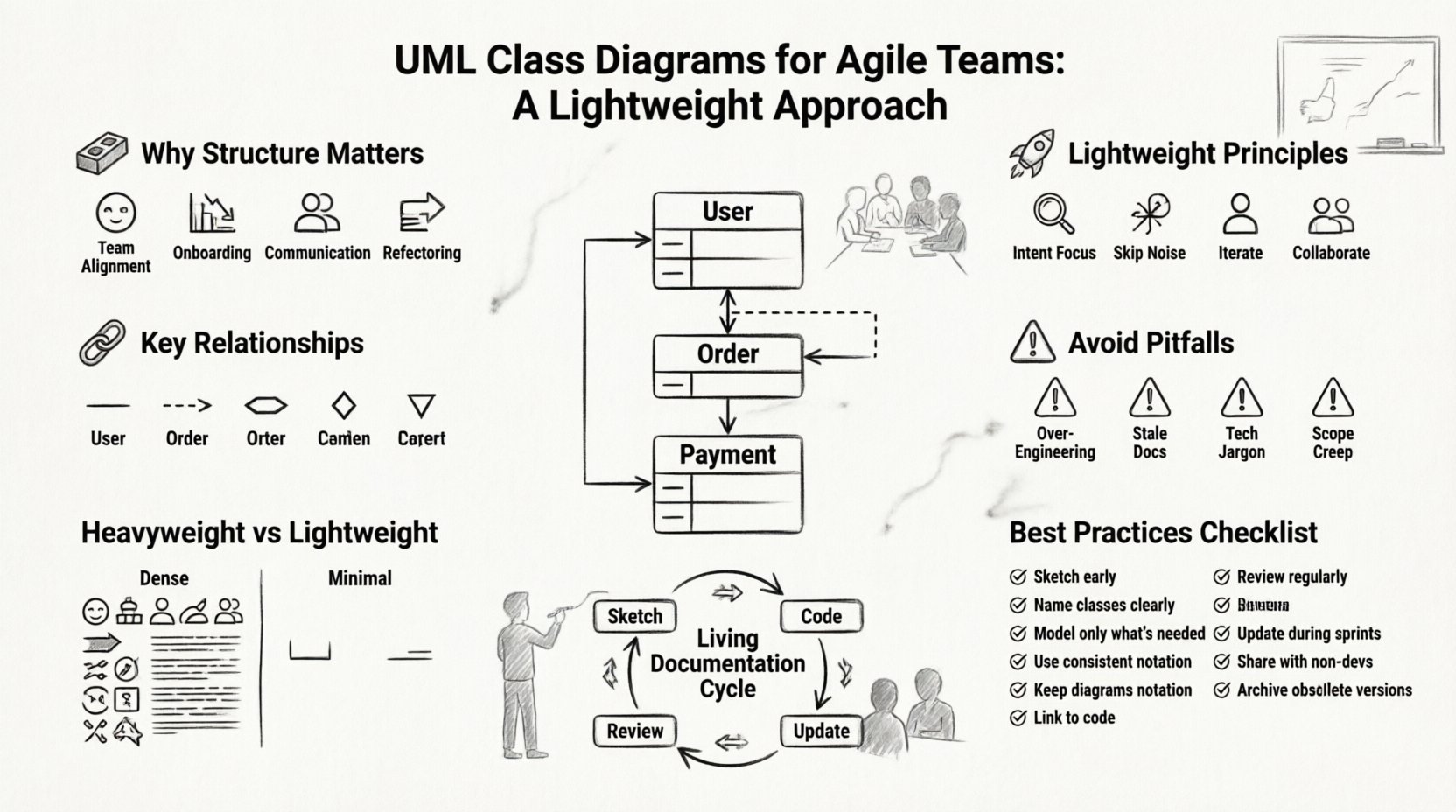
Why Structure Matters in an Agile Context 🧱
Agile does not mean “no design.” It means “just enough design” to move forward without unnecessary risk. A Class Diagram provides a visual representation of the static structure of a system. It shows classes, their attributes, operations, and the relationships among objects.
Even in sprint-based development, understanding how components connect prevents technical debt from accumulating. Without a shared mental model, team members might build features that conflict with existing logic. A diagram serves as a single source of truth during the planning phase.
- Shared Understanding: Developers, testers, and product owners can align on the data model before writing code.
- Onboarding: New team members can grasp the system architecture faster than reading through thousands of lines of code.
- Communication: Complex inheritance hierarchies are easier to explain visually than verbally.
- Refactoring Safety: When changing a class, the diagram highlights dependent classes that need review.
Principles of Lightweight Modeling 🚀
The goal is not to create a perfect blueprint before writing a single line of code. The goal is to create a living map that evolves with the software. A heavyweight approach involves documenting every single attribute, method, and private variable in exhaustive detail. A lightweight approach focuses on the essential relationships that drive business logic.
To achieve this balance, consider the following principles:
- Focus on Intent: Show what a class does, not necessarily how it does it. Avoid implementation details like database column names unless critical.
- Skip the Noise: If a method is trivial (e.g., a simple getter or setter), leave it off the diagram. Focus on core logic.
- Iterative Refinement: Start with a rough sketch. Add detail only when the design becomes ambiguous during implementation.
- Collaborative Creation: Do not let one architect create the diagram alone. Build it with the team during planning sessions.
Core Elements to Include 📝
When keeping things lightweight, you must decide what is essential. A Class Diagram typically contains classes, attributes, and methods. In an agile context, you can filter these elements.
1. Class Names and Interfaces
Every significant concept in the system should have a corresponding class or interface. Names should reflect business terminology rather than technical implementation. Instead of UserDTO, use User. This keeps the diagram readable for non-technical stakeholders.
2. Key Attributes
Do not list every field. List only the attributes that define the identity or state of the class. For example, in a Customer class, email and address are vital. A private log ID might be irrelevant for the diagram.
3. Public Operations
Show the public methods that interact with other classes. These define the contract between components. Private helper methods clutter the view and add little value to the architectural understanding.
4. Visibility Modifiers
Use symbols like + for public, - for private, and # for protected. This helps developers understand access control without reading the source code.
Understanding Relationships 🔗
The most valuable part of a Class Diagram is often the relationships between classes. These lines tell the story of how data flows and how components depend on one another.
- Association: A standard link between two objects. Use a solid line. If the relationship has a name, place it on the line.
- Aggregation: A “whole-part” relationship where the parts can exist independently of the whole. Use a hollow diamond at the whole end.
- Composition: A stronger form of aggregation where parts cannot exist without the whole. Use a filled diamond.
- Inheritance: Indicates that one class is a specialized version of another. Use a solid line with a hollow triangle.
- Dependency: A class uses another class temporarily. Use a dashed line with an arrow.
Common Pitfalls to Avoid ⚠️
Even with a lightweight approach, teams often fall into traps that negate the benefits. Being aware of these common mistakes helps maintain the diagram’s value.
1. Over-Engineering
Trying to model every possible edge case leads to diagrams that are impossible to maintain. If a class has 50 methods, listing them all is unnecessary. Trust the code to hold the implementation details.
2. Stale Documentation
Diagrams that are not updated become misleading. If the code changes but the diagram does not, developers will lose trust in the documentation. Integrate diagram updates into the definition of done for specific stories.
3. Ignoring Business Context
Technical names often confuse business stakeholders. Ensure the diagram uses terms that match the domain language. If the business calls it an Order, do not call it TransactionRecord.
4. Too Many Classes
Trying to map the entire system at once creates a spaghetti mess. Focus on the scope of the current sprint or feature. Break the system into subsystems if necessary.
Maintaining Living Documentation 🔄
To keep the diagram relevant, it must evolve alongside the code. This requires a shift in mindset from “documentation first” to “documentation alongside code.”
- Version Control: Store diagram files in the same repository as the code. This ensures they are reviewed during code reviews.
- Automated Generation: If possible, use tools that generate diagrams from the codebase. This reduces manual maintenance, though manual review is still needed for clarity.
- Just-in-Time Updates: Update the diagram when a new class is added or a relationship changes significantly. Do not feel pressured to update it for every minor tweak.
- Visual Simplicity: Keep the layout clean. Group related classes together. Use swimlanes if the system is complex.
Comparison: Heavyweight vs. Lightweight 📊
Understanding the difference between traditional modeling and agile modeling helps teams choose the right approach.
| Feature | Heavyweight Approach | Lightweight Agile Approach |
|---|---|---|
| Detail Level | Every attribute and method | Key attributes and public methods |
| Timing | Before development starts | During development and planning |
| Tooling | Complex modeling software | Whiteboards, simple digital tools |
| Ownership | Chief Architect | Entire Development Team |
| Update Frequency | Once per phase | Per sprint or feature |
| Goal | Complete specification | Shared understanding |
Best Practices Checklist ✅
Use this checklist to ensure your UML Class Diagrams remain effective and lightweight.
- ☐ Are class names aligned with business terminology?
- ☐ Have you removed trivial getters and setters?
- ☐ Are relationships clearly labeled (e.g., 1-to-1, 1-to-many)?
- ☐ Is the diagram updated when the code changes?
- ☐ Have you avoided including private implementation details?
- ☐ Is the diagram accessible to all team members?
- ☐ Does the diagram fit within a single view without scrolling?
- ☐ Have you used comments to clarify complex logic?
- ☐ Are interfaces clearly distinguished from classes?
- ☐ Is the diagram version controlled with the codebase?
Practical Application in Sprint Planning 🗓️
Integrating diagrams into sprint planning requires minimal time. During refinement sessions, ask the team to sketch the class structure for the upcoming stories. This does not need to be perfect. A rough sketch on a whiteboard is sufficient to identify potential conflicts.
For example, if a new feature requires a PaymentProcessor class, discuss how it interacts with the Order class. Does the Order depend on the Processor? Can they be decoupled via an interface? These questions clarify the design before coding begins.
This practice ensures that the architecture supports the business requirements. It prevents the accumulation of structural debt that often plagues agile projects.
Handling Complex Systems 🏢
As systems grow, a single diagram becomes unwieldy. In these cases, break the system into packages or subsystems. Use a top-level overview diagram to show the high-level components. Then, create detailed diagrams for specific modules.
This modular approach allows different teams to work on different parts of the system without stepping on each other’s toes. It also keeps the diagrams manageable. Each team can maintain the diagram for their module.
Ensure there is a clear boundary between modules. Define the interfaces that pass data between them. This separation of concerns is critical for scalability.
Conclusion on Balance ⚖️
The objective is not to eliminate documentation but to make it useful. A Class Diagram that is never read is worse than no diagram at all. A lightweight approach ensures the diagram is read, understood, and used to guide development. By focusing on the essential elements and involving the whole team, you can harness the power of UML without sacrificing the speed of Agile.
Remember, the diagram is a tool for thinking, not just a record of design. It helps you visualize problems before you solve them. Use it to spark conversation, not to dictate rules. When treated with this mindset, UML Class Diagrams become a natural part of the agile workflow, supporting both structure and flexibility.
Start small. Pick one feature. Sketch the classes. Discuss the relationships. Update the code. Then update the diagram. Repeat this cycle. Over time, the team will develop a shared vocabulary and a clearer vision of the system. This clarity is the true value of the lightweight approach.